SRPG Legend of Ixtona
Updated
Current Version
1.1.4
Offered By

With your passion for SRPG Legend of Ixtona, you shouldn’t have to limit yourself to the small screen of a phone. Play like a pro and take full control of the game using a keyboard and mouse. MEmu gives you everything you’re looking for. Download and play SRPG Legend of Ixtona on PC. Play as long as you want — no more worries about battery life, mobile data, or unexpected calls. The all-new MEmu 9 is the best way to play SRPG Legend of Ixtona on PC. With our expertly designed keymapping system, SRPG Legend of Ixtona feels just like a real PC game. The MEmu multi-instance manager lets you run two or more accounts on the same device at the same time. Most importantly, our exclusive emulation engine unlocks your PC’s full potential, delivering smooth and seamless performance.
Show more
Download SRPG Legend of Ixtona on PC with MEmu Android Emulator. Enjoy playing on big screen. A full-scale Strategy RPG shown at an isometric view!
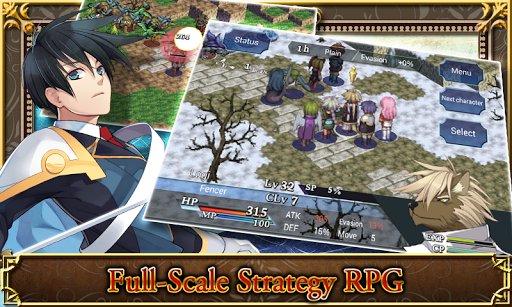
A full-scale Strategy RPG shown at an isometric view!
Your aim is to change the course of history.
Utilize a number of different classes and skills to crush your enemies!
Story
Ixtona's long fight has finally come to an end.
Many believed that the leadership of the wise king Lefante would pave the way for an era of peace for Prince Kyle and the people of Ixtona, but now...
Kyle, the compassionate young prince caught up in plots and conspiracies that have thrown him head-first into a battle that will ultimately decide the fate of his kingdom.
The one who waits beyond your battles with powerful adversaries...
And the future that you and your allies so dearly desire...
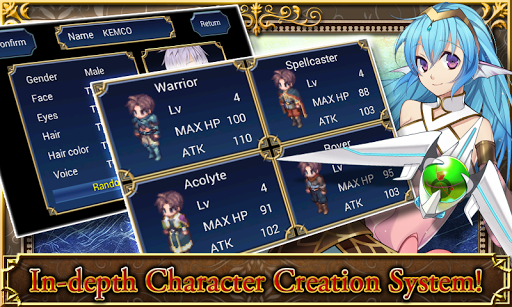
Character Creation
The main character and hired character's
・Face graphics
・Battle voice
・Class
can all be assigned and/or changed by the player.
Strategy
Powerful melee and ranged attacks, restorative and destructive magic...
Players can use their skills to the best of their abilities to execute strategies and achieve victory.
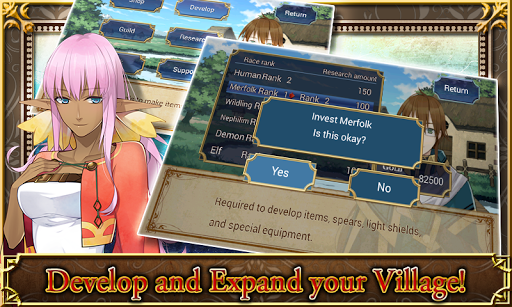
Village Expansion
Players can invest in the village that will serve as their base to research and develop new weapons and armor.
Create powerful weapons that will give you an edge in battle.
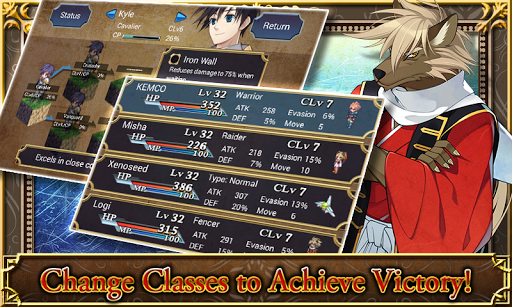
Class/Ability System
Increasing your class level will allow you to take on higher-level classes.
Equip up to three Abilities onto each character to ensure that you're sending your strongest possible party into the field.
Special Moves/Combo Attacks
Save up SP to unleash a character's Special Move or pair them with another character to unleash a Combo Attack.
A splendid cut-in will mark the beginning of the end for your enemies.
*This game features some in-app-purchase content. While in-app-purchase content requires additional fees, by no means it is necessary for finishing the game.
*The actual price might differ depending on the region.
[Supported OS]
- 6.0 and up
[Game Controller Compatibility]
- Compatible*
*As featured in TegraZone
[SD Card Storage]
- Enabled
[Languages]
- English, Japanese
[Non-Supported Devices]
This app has generally been tested to work on any mobile device released in Japan. We cannot guarantee support on other devices.
[IMPORTANT NOTICE]
Your use of the application requires your agreement to the following EULA and 'Privacy Policy and Notice'. If you do not agree, please do not download our application.
End User License Agreement: http://kemco.jp/eula/index.html
Privacy Policy and Notice: http://www.kemco.jp/app_pp/privacy.html
Get the latest information!
[Newsletter]
http://kemcogame.com/c8QM
[Facebook page]
http://www.facebook.com/kemco.global
(C)2013 KEMCO/WorldWideSoftware
Show more

1. Download MEmu installer and finish the setup

2. Start MEmu then open Google Play on the desktop

3. Search SRPG Legend of Ixtona in Google Play
Install
4. Download and Install SRPG Legend of Ixtona
5. On install completion click the icon to start

6. Enjoy playing SRPG Legend of Ixtona on PC with MEmu
MEmu Play is the best Android emulator and 100 million people already enjoy its superb Android gaming experience. The MEmu virtualization technology empowers you to play thousands of Android games smoothly on your PC, even the most graphic-intensive ones.
Bigger screen with better graphics; Long duration, without limitation of battery or mobile data.
Full Keymapping support for precise control of keyboard and mouse or gamepad.
Multiple game accounts or tasks on single PC at one time with Multi-Instance manager.
Play SRPG Legend of Ixtona on PC by following steps: