Super Monkey Ball: Sakura Ed.
Updated
Current Version
3.0.0
Offered By

With your passion for Super Monkey Ball: Sakura Ed., you shouldn’t have to limit yourself to the small screen of a phone. Play like a pro and take full control of the game using a keyboard and mouse. MEmu gives you everything you’re looking for. Download and play Super Monkey Ball: Sakura Ed. on PC. Play as long as you want — no more worries about battery life, mobile data, or unexpected calls. The all-new MEmu 9 is the best way to play Super Monkey Ball: Sakura Ed. on PC. With our expertly designed keymapping system, Super Monkey Ball: Sakura Ed. feels just like a real PC game. The MEmu multi-instance manager lets you run two or more accounts on the same device at the same time. Most importantly, our exclusive emulation engine unlocks your PC’s full potential, delivering smooth and seamless performance.
Show more
Download Super Monkey Ball: Sakura Ed. on PC with MEmu Android Emulator. Enjoy playing on big screen. Everyone’s favorite monkeys come rolling into SEGA Forever with the arcade to console classic now FREE on mobile!
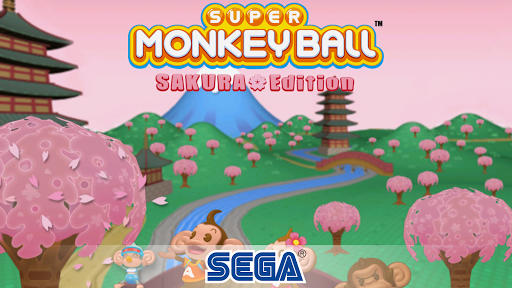
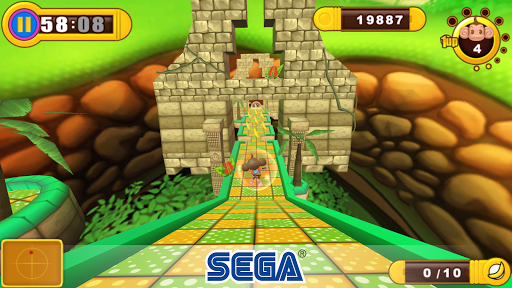
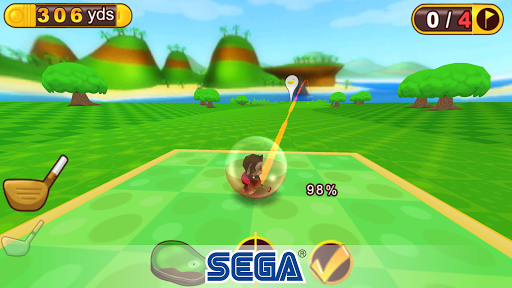
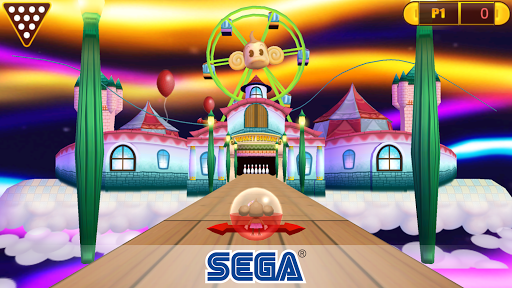
Everyone’s favorite monkeys come rolling into SEGA Forever with the arcade to console classic now FREE on mobile!
Roll around the Far East, as you tilt and steer one of four adorable monkeys through 125 themed mazes and a beautiful world of cherry blossoms. Just grab your bananas along the way to earn extra lives before time runs out. It’s so easy to play, even a monkey could do it!
Features
GO BANANAS
-Play as one of 4 adorable Monkeys: AiAi, MeeMee, Baby, and GonGon
JUST ROLL WITH IT: 6 Worlds, 125 Themed Stages
-Sinking Swamps, Cobalt Caverns, Ultra Heaven, Jumble Jungle and Pirate’s Ocean. Includes 10 stages from the exotic Far East World.
NEVER QUIT MONKEYING AROUND
Play 4 additional Mini Games:
-Monkey Target: Guide your monkey to the bull’s-eye, launch into the sky and grab as many bananas as you can.
-Monkey Golf: Monkeys play golf .. who knew? Grab your clubs and tee off with 18 holes of banana bliss.
-Monkey Bowl: One of the original mini games returns for ten frames of monkey ten-pin bowling madness.
-Monkey Base: With up to 4 players on one device, use your monkey to catch and launch orbs that your friends launch at you. Only the smartest monkey will win! (Exclusively on tablets)
BREATHTAKING VISUALS
-New environmental effects that bring stunning and colorful 3D worlds to life.
**Please note: This game requires an additional download of 585mb after the initial download**
- - - - -
Privacy Policy: https://privacy.sega.com/en/soa-pp
Terms of Use: https://www.sega.com/EULA
Game apps are ad-supported and no in-app purchases are required to progress; ad-free play option available with in-app purchase.
Other than for users known to be under 13, this game may include "Interest Based Ads" and may collect "Precise Location Data". Please see our privacy policy for more information.
© SEGA. All rights reserved. SEGA, the SEGA logo, SUPER MONKEY BALL and SUPER MONKEY BALL: SAKURA EDITION, SEGA Forever and the SEGA Forever logo are registered trademarks or trademarks of SEGA CORPORATION or its affiliates.
Show more

1. Download MEmu installer and finish the setup

2. Start MEmu then open Google Play on the desktop

3. Search Super Monkey Ball: Sakura Ed. in Google Play
Install
4. Download and Install Super Monkey Ball: Sakura Ed.
5. On install completion click the icon to start

6. Enjoy playing Super Monkey Ball: Sakura Ed. on PC with MEmu
MEmu Play is the best Android emulator and 100 million people already enjoy its superb Android gaming experience. The MEmu virtualization technology empowers you to play thousands of Android games smoothly on your PC, even the most graphic-intensive ones.
Bigger screen with better graphics; Long duration, without limitation of battery or mobile data.
Full Keymapping support for precise control of keyboard and mouse or gamepad.
Multiple game accounts or tasks on single PC at one time with Multi-Instance manager.
Play Super Monkey Ball: Sakura Ed. on PC by following steps: