Sonic Dash 2: Sonic Boom
Updated
Current Version
3.15.0
Offered By

With your passion for Sonic Dash 2: Sonic Boom, you shouldn’t have to limit yourself to the small screen of a phone. Play like a pro and take full control of the game using a keyboard and mouse. MEmu gives you everything you’re looking for. Download and play Sonic Dash 2: Sonic Boom on PC. Play as long as you want — no more worries about battery life, mobile data, or unexpected calls. The all-new MEmu 9 is the best way to play Sonic Dash 2: Sonic Boom on PC. With our expertly designed keymapping system, Sonic Dash 2: Sonic Boom feels just like a real PC game. The MEmu multi-instance manager lets you run two or more accounts on the same device at the same time. Most importantly, our exclusive emulation engine unlocks your PC’s full potential, delivering smooth and seamless performance.
Show more
Download Sonic Dash 2: Sonic Boom on PC with MEmu Android Emulator. Enjoy playing on big screen. Race & run in the dazzling sequel to SEGA’s hit endless runner game, SONIC DASH.
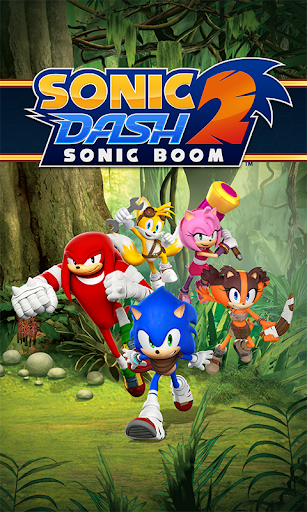
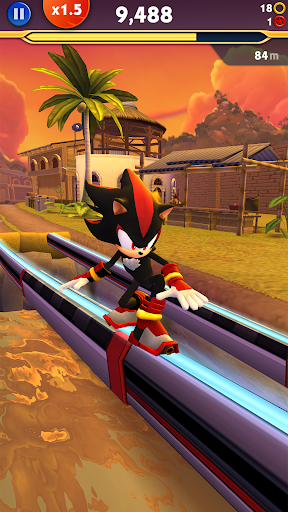
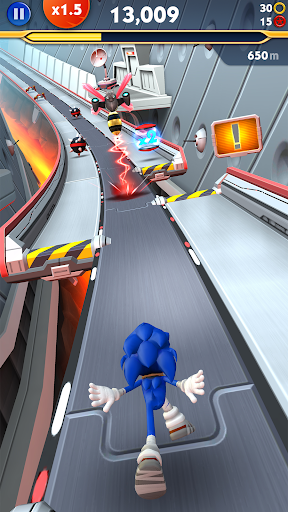
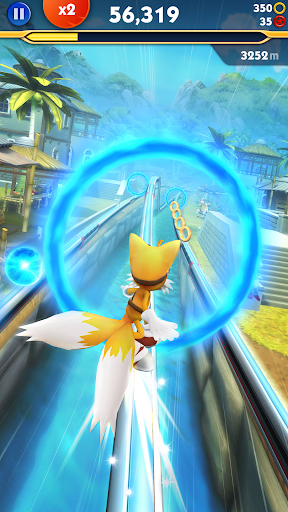
Race & run in the dazzling sequel to SEGA’s hit endless runner game, SONIC DASH. Run & dash your way through the world of the hit new TV series, SONIC BOOM, with Sonic and his friends! Sonic Dash 2: Sonic Boom brings all new and exciting running action to the endless runner games you already love.
Run through new and amazing 3D worlds, fun challenges and endless game play. Choose your favorite Sonic the Hedgehog character to be your runner. Play and run as a classic Sonic character like Sonic the Hedgehog himself, Tails, Amy, Knuckles or Sticks the Badger, Sonic’s newest friend!
Run and jump through amazing levels with epic graphics. Sonic Boom has tons of awesome levels and running courses. Dodge the hazards, jump over obstacles, and race your way to victory!
Sonic Boom has tons of gameplay for both, kids and adults! Keep running to unlock new characters and choose your favorite runner! Sonic the Hedgehog and all of his friends are ready to race!
SONIC DASH 2 FEATURES
- RACE with up to three characters in new Team Play mode! Swap runners mid-race to earn high scores!
- UNLEASH new special running powers - Sonic’s Dash Ring Magnet, Knuckle’s Slam, Amy’s Ring Hammer, and more.
- CONQUER new courses, obstacles and beat out Badniks.
- DASH on new fast-paced race tracks in and above the beautiful Sonic Boom world.
- MASTER new Swing & Tilt gameplay with the super charged Enerbeam; tilt your device to swing the runner towards the Rings and Orbs.
- COLLECT, evolve, and run with magical Sprites.
- WIN special prizes in new Events and Daily SEGA Challenges!
- - - - -
Privacy Policy: http://www.sega.com/mprivacy/
Terms of Use: http://www.sega.com/Mobile_EULA
SEGA’s Sonic Dash 2: Sonic Boom is ad-supported and in-app purchases are not required to progress. Ad-free play is available with an in-app purchase.
Other than for users known to be under 13, this game may include "Interest Based Ads" (please see http://www.sega.com/mprivacy#3IBADiscolure for more information) and may collect "Precise Location Data" (please see http://www.sega.com/mprivacy#5LocationDataDisclosure for more information).
© SEGA. All rights reserved. SEGA, the SEGA logo, SONIC THE HEDGEHOG, SONIC DASH and SONIC BOOM are registered trademarks or trademarks of SEGA Holdings Co., Ltd. or its affiliates.
Show more

1. Download MEmu installer and finish the setup

2. Start MEmu then open Google Play on the desktop

3. Search Sonic Dash 2: Sonic Boom in Google Play
Install
4. Download and Install Sonic Dash 2: Sonic Boom
5. On install completion click the icon to start

6. Enjoy playing Sonic Dash 2: Sonic Boom on PC with MEmu
MEmu Play is the best Android emulator and 100 million people already enjoy its superb Android gaming experience. The MEmu virtualization technology empowers you to play thousands of Android games smoothly on your PC, even the most graphic-intensive ones.
Bigger screen with better graphics; Long duration, without limitation of battery or mobile data.
Full Keymapping support for precise control of keyboard and mouse or gamepad.
Multiple game accounts or tasks on single PC at one time with Multi-Instance manager.
Play Sonic Dash 2: Sonic Boom on PC by following steps: