Tato Mamo: Food Festival 3!
Updated
Current Version
1748343340
Offered By

With your passion for Tato Mamo: Food Festival 3!, you shouldn’t have to limit yourself to the small screen of a phone. Play like a pro and take full control of the game using a keyboard and mouse. MEmu gives you everything you’re looking for. Download and play Tato Mamo: Food Festival 3! on PC. Play as long as you want — no more worries about battery life, mobile data, or unexpected calls. The all-new MEmu 9 is the best way to play Tato Mamo: Food Festival 3! on PC. With our expertly designed keymapping system, Tato Mamo: Food Festival 3! feels just like a real PC game. The MEmu multi-instance manager lets you run two or more accounts on the same device at the same time. Most importantly, our exclusive emulation engine unlocks your PC’s full potential, delivering smooth and seamless performance.
Show more
Download Tato Mamo: Food Festival 3! on PC with MEmu Android Emulator. Enjoy playing on big screen. The food festival is open!
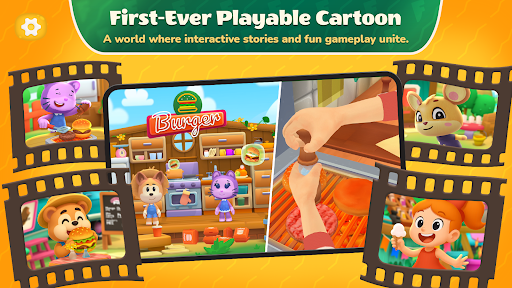
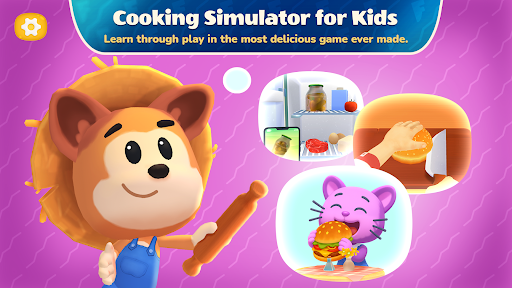
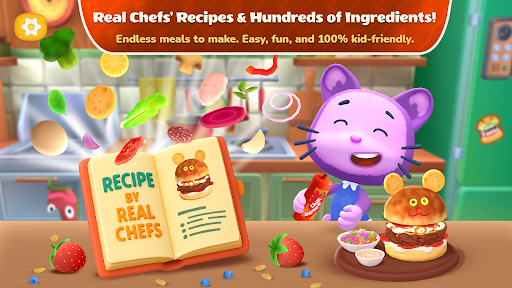
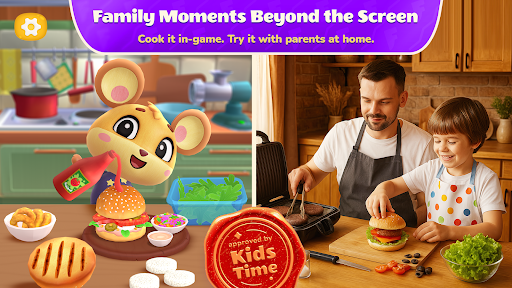
The food festival is open! Free food games are here! Enjoy fast food simulator and become the best pizza maker and burger game! These cooking games for kids will appeal to everyone!
Tato Mamo: Food Festival 3 is a new-format kids cooking games where gameplay blends seamlessly with animated scenes to create a safe and meaningful experience for your child.
No points, no rush, no failures — just real free cooking games for kids turned into an engaging adventure, where every step brings joy and understanding.
In these free food games, your child doesn’t just tap buttons — they cook, imagine, and take part in heartfelt stories, just like in their favorite cartoon.
Inside awaits a full-on food festival with different kitchens, where you can making food:
Burger Bar — build juicy burger game with sauces and toppings
Pizzeria — roll out dough, choose toppings, bake it right. Be a real pizza maker!
Ice Cream Stand — create colorful, playful desserts
Grill & BBQ — cooking game over coals, flip, decorate, serve
Mexican Kitchen — bold, bright, spicy — and fun!
Your child chooses where and what to cook. They can switch between kitchens, try new recipes, repeat steps, and play at their own pace in fun games for kids.
Each kitchen is like a mini free food games with its own set of ingredients and a small story to explore.
Real cooking, not just a fast food simulator!
We worked with professional chefs to include real culinary recipes. Every step makes sense and can be easily repeated at home — together with parents. Fast food games will not leave anyone indifferent!
Safe and calm by design.
There are no competitions or pressure. The cooking game gently builds attention, thinking, empathy, and an interest in cooking:
Active attention — through simple, hands-on choices in kids cooking games
Passive attention — through scenes and storytelling in fun games for kids
Tato Mamo: Food Festival 3 is the right choice if you’re looking for:
- an engaging free cooking games for kids;
- an educational app with cooking and storytelling;
- a calm, meaningful experience your child will love.
What your child gains in fast food games:
- curiosity about cooking and self-care;
- improved focus, logic, and emotional awareness;
- inspiration to care for themselves and others;
- a soothing, joyful, and enriching experience.
This fast food simulator is part of the Kids Time project — a platform that features only trusted, high-quality apps for kids.
Created by a team with 15 years of experience in children's digital content, it meets the highest standards of care and quality.
That’s why Tato Mamo is the choice of parents who care about what their child plays.
Safe. Engaging. Meaningful.
Free cooking games for kids are a real find for both parents and children! Dive into the world of cooking, making food and become the best pizza maker in pizzeria! Don't forget that we also have a burger game!
Show more

1. Download MEmu installer and finish the setup

2. Start MEmu then open Google Play on the desktop

3. Search Tato Mamo: Food Festival 3! in Google Play
Install
4. Download and Install Tato Mamo: Food Festival 3!
5. On install completion click the icon to start

6. Enjoy playing Tato Mamo: Food Festival 3! on PC with MEmu
MEmu Play is the best Android emulator and 100 million people already enjoy its superb Android gaming experience. The MEmu virtualization technology empowers you to play thousands of Android games smoothly on your PC, even the most graphic-intensive ones.
Bigger screen with better graphics; Long duration, without limitation of battery or mobile data.
Full Keymapping support for precise control of keyboard and mouse or gamepad.
Multiple game accounts or tasks on single PC at one time with Multi-Instance manager.
Play Tato Mamo: Food Festival 3! on PC by following steps:

















































