The Farmer Was Replaced
Updated
Current Version
1.1.32
Offered By

With your passion for The Farmer Was Replaced, you shouldn’t have to limit yourself to the small screen of a phone. Play like a pro and take full control of the game using a keyboard and mouse. MEmu gives you everything you’re looking for. Download and play The Farmer Was Replaced on PC. Play as long as you want — no more worries about battery life, mobile data, or unexpected calls. The all-new MEmu 9 is the best way to play The Farmer Was Replaced on PC. With our expertly designed keymapping system, The Farmer Was Replaced feels just like a real PC game. The MEmu multi-instance manager lets you run two or more accounts on the same device at the same time. Most importantly, our exclusive emulation engine unlocks your PC’s full potential, delivering smooth and seamless performance.
Show more
Download The Farmer Was Replaced on PC with MEmu Android Emulator. Enjoy playing on big screen. Program a drone.
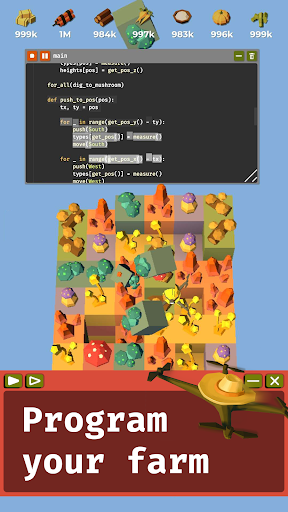
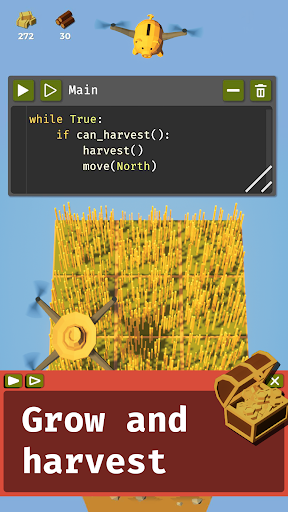
Program a drone. Automate a farm. Watch your code do the work.
The Farmer Was Replaced is a programming game where your drone does the farming. Write short programs in a simple, Python-like language, press execute, and your drone tills, plants, waters and harvests, with results that depend on your code.
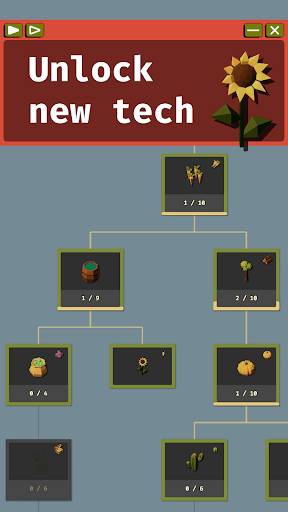
No levels, just continuous progression: farm resources, buy unlocks, solve the next problem. Harvest hay, wood and carrots, merge pumpkins into a giant one, sort cacti, find the best sunflower, feed a dinosaur and hunt for treasure in a hedge maze. Become the most efficient farmer in the world.
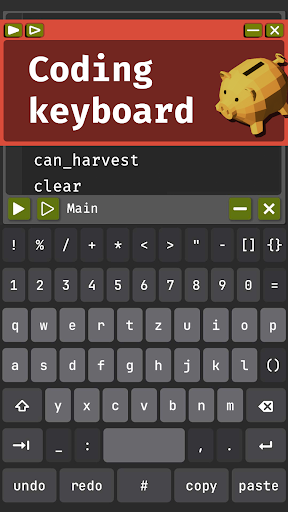
A CODE KEYBOARD MADE FOR TOUCH
Every symbol you need on one screen. Brackets and quotes come in pairs. Swipe on any key to move the cursor, hold Shift and swipe to select. Undo, redo, comment and paste have their own row. Choose QWERTY, QWERTZ or AZERTY, with key clicks or vibration. Prefer real keys? Connect a Bluetooth keyboard and mouse for more comfortable coding.
LEARN TO CODE
Loops, variables, functions, lists and more, introduced one at a time. The game gives you the tools, but solving the tasks is up to you, and that can be a real challenge. Already a programmer? Race through the basics, then run a fleet of drones.
THE MINER WAS REPLACED, INCLUDED
Take your drone underground and unlock eight new resources, including coal, quartz, mushrooms and dynamite. Dig up ancient ruins without damaging them, sort mushrooms, grow rice on clay and play Minesweeper without blowing up your drone.
TRY BEFORE YOU BUY
Try the game for free. After the trial, you’ll need to unlock the full game with a one-time purchase to keep playing. No ads, no subscriptions.
FEATURES
• A real programming language
• Custom code keyboard and support for Bluetooth keyboards and mice
• Portrait or landscape on phones and tablets
• Megafarm: several drones in parallel
• Simulation mode for fast, reproducible testing
• Unlockable achievements
• Hats. Your drone deserves them.
• 14 languages
Show more

1. Download MEmu installer and finish the setup

2. Start MEmu then open Google Play on the desktop

3. Search The Farmer Was Replaced in Google Play
Install
4. Download and Install The Farmer Was Replaced
5. On install completion click the icon to start

6. Enjoy playing The Farmer Was Replaced on PC with MEmu
MEmu Play is the best Android emulator and 100 million people already enjoy its superb Android gaming experience. The MEmu virtualization technology empowers you to play thousands of Android games smoothly on your PC, even the most graphic-intensive ones.
Bigger screen with better graphics; Long duration, without limitation of battery or mobile data.
Full Keymapping support for precise control of keyboard and mouse or gamepad.
Multiple game accounts or tasks on single PC at one time with Multi-Instance manager.
Play The Farmer Was Replaced on PC by following steps: