The Roottrees are Dead
Updated
Current Version
Offered By

With your passion for The Roottrees are Dead, you shouldn’t have to limit yourself to the small screen of a phone. Play like a pro and take full control of the game using a keyboard and mouse. MEmu gives you everything you’re looking for. Download and play The Roottrees are Dead on PC. Play as long as you want — no more worries about battery life, mobile data, or unexpected calls. The all-new MEmu 9 is the best way to play The Roottrees are Dead on PC. With our expertly designed keymapping system, The Roottrees are Dead feels just like a real PC game. The MEmu multi-instance manager lets you run two or more accounts on the same device at the same time. Most importantly, our exclusive emulation engine unlocks your PC’s full potential, delivering smooth and seamless performance.
Show more
Download The Roottrees are Dead on PC with MEmu Android Emulator. Enjoy playing on big screen. INCLUDES A SECOND MYSTERY: ROOTREEMANIA.

INCLUDES A SECOND MYSTERY: ROOTREEMANIA
IT’S THE LATE ’90s
A private jet belonging to the Roottree Corporation has crashed. On board were the three Roottree sisters and their parents—together worth more than a billion dollars.
Under the eccentric wishes of their great-great-grandfather, Elias Roottree, the family fortune must now be divided among every surviving blood relative.
But who is actually related by blood?
That’s where you come in.
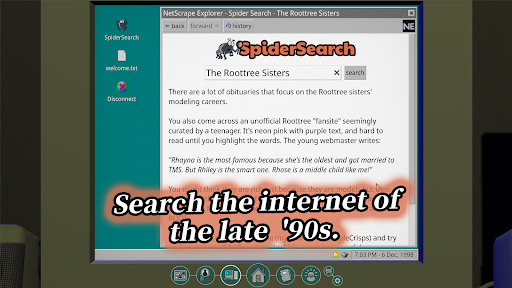
SEARCH THE EARLY INTERNET
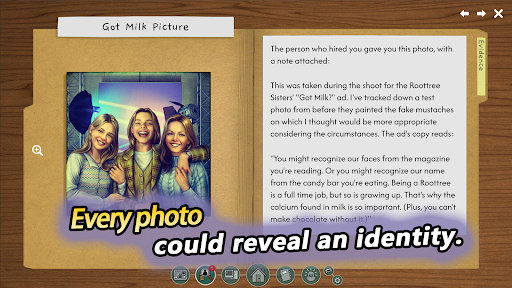
Use a dial-up-era computer to search archived websites, old newspapers, interviews, advertisements, photographs, books, and other records. Look for names, faces, dates, occupations, and connections.
CROSS-REFERENCE EVERY CLUE
Compare details across different sources. A single discovery may reveal a forgotten relative, expose a hidden relationship, or unlock an entirely new branch of the family.
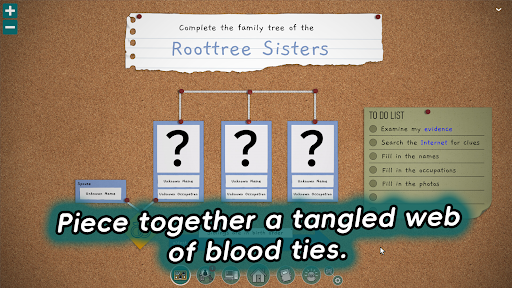
REBUILD THE FAMILY TREE
Place each person where they belong. Every correct deduction narrows the possibilities—but as the tree grows, the evidence becomes harder to find and the relationships more difficult to prove.
TRUST YOUR REASONING
Read closely, take notes, connect the facts, and decide where to investigate next. Your only tools are an old computer, careful observation, and deductive logic.
FEATURES
• Search a richly detailed recreation of the late-90s internet
• Identify people through photographs, articles, and scattered records
• Cross-reference names, occupations, relationships, and timelines
• Complete and verify an ever-expanding family tree
• Uncover the secrets hidden within the Roottree bloodline
Every correct name brings you closer to the truth—and perhaps to an even greater lie.
Can you complete the Roottree family tree?
CONTACT US
support.m@indieark.com
Show more

1. Download MEmu installer and finish the setup

2. Start MEmu then open Google Play on the desktop

3. Search The Roottrees are Dead in Google Play
Install
4. Download and Install The Roottrees are Dead
5. On install completion click the icon to start

6. Enjoy playing The Roottrees are Dead on PC with MEmu
MEmu Play is the best Android emulator and 100 million people already enjoy its superb Android gaming experience. The MEmu virtualization technology empowers you to play thousands of Android games smoothly on your PC, even the most graphic-intensive ones.
Bigger screen with better graphics; Long duration, without limitation of battery or mobile data.
Full Keymapping support for precise control of keyboard and mouse or gamepad.
Multiple game accounts or tasks on single PC at one time with Multi-Instance manager.
Play The Roottrees are Dead on PC by following steps: