
The Whispering Valley
Updated
Current Version
1.1.3
Offered By

With your passion for The Whispering Valley, you shouldn’t have to limit yourself to the small screen of a phone. Play like a pro and take full control of the game using a keyboard and mouse. MEmu gives you everything you’re looking for. Download and play The Whispering Valley on PC. Play as long as you want — no more worries about battery life, mobile data, or unexpected calls. The all-new MEmu 9 is the best way to play The Whispering Valley on PC. With our expertly designed keymapping system, The Whispering Valley feels just like a real PC game. The MEmu multi-instance manager lets you run two or more accounts on the same device at the same time. Most importantly, our exclusive emulation engine unlocks your PC’s full potential, delivering smooth and seamless performance.
Show more
Download The Whispering Valley on PC with MEmu Android Emulator. Enjoy playing on big screen. Explore a sinister village and solve complex puzzles in The Whispering Valley, a folk horror point & click game.
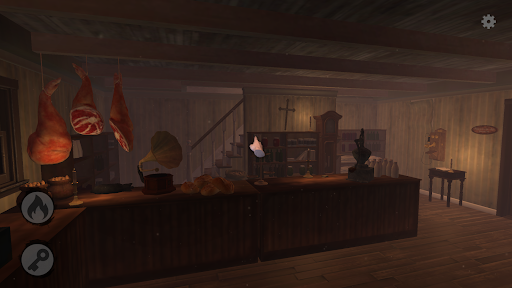
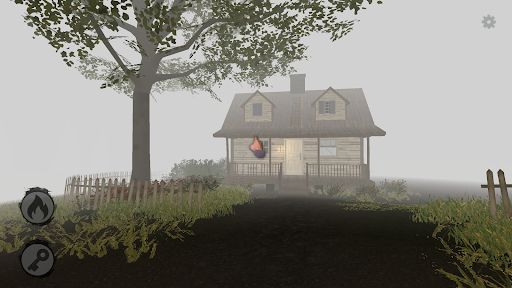
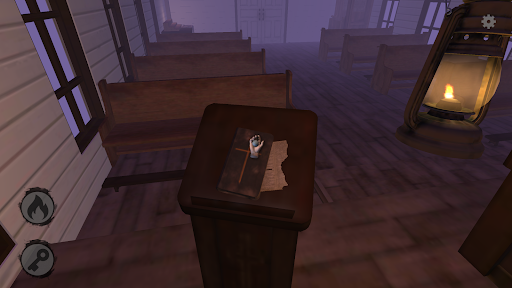
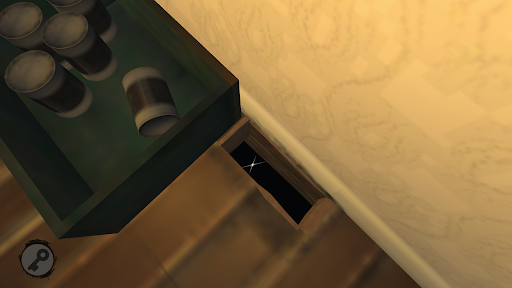
Explore a sinister village and solve complex puzzles in The Whispering Valley, a folk horror point & click game. Delve into the horror of guilt and depression to investigate the village's deepest secret.
Province of Quebec, 1896. Hidden in the hollow of a valley, the village of Sainte-Monique-Des-Monts conceals a secret that weighs heavily on the community. The village is left abandoned. Those who remain can only wait. But something else torments the inhabitants. A shadow prowls around the village. Some saw it, others heard it. They heard it whisper.
The Whispering Valley redefines the point & click horror genre with a modern twist while honoring the classics. Dive into a richly detailed world with clever puzzles, immersive exploration, and engaging dialogues. Every building is a gateway to a mystery, and every detail is a crucial clue.
Explore dynamic environments with a 360° panoramic view and detailed zoom to scrutinize every nook and cranny. As night falls, don’t forget your lantern to illuminate the darkness and reveal hidden horrors.
Unlike fantastical and surreal puzzles, The Whispering Valley offers realistic and challenging enigmas that seamlessly fit into its authentic setting. Expect challenges that will truly test your ingenuity!
The game’s narrative is a complex tapestry of characters and secrets. Engage in conversations, explore their worlds, and decode their correspondence to unravel the truth hidden behind Sainte-Monique-Des-Monts.
With a streamlined and intuitive inventory system, The Whispering Valley allows you to combine and use items without hassle. Prepare for an adventure where every detail matters and every discovery brings you closer to the truth.
Show more

1. Download MEmu installer and finish the setup

2. Start MEmu then open Google Play on the desktop

3. Search The Whispering Valley in Google Play
Install
4. Download and Install The Whispering Valley
5. On install completion click the icon to start

6. Enjoy playing The Whispering Valley on PC with MEmu
MEmu Play is the best Android emulator and 100 million people already enjoy its superb Android gaming experience. The MEmu virtualization technology empowers you to play thousands of Android games smoothly on your PC, even the most graphic-intensive ones.
Bigger screen with better graphics; Long duration, without limitation of battery or mobile data.
Full Keymapping support for precise control of keyboard and mouse or gamepad.
Multiple game accounts or tasks on single PC at one time with Multi-Instance manager.
Play The Whispering Valley on PC by following steps: