
Thief Simulator: Heist Robbery
Updated
Current Version
90.0
Offered By

With your passion for Thief Simulator: Heist Robbery, you shouldn’t have to limit yourself to the small screen of a phone. Play like a pro and take full control of the game using a keyboard and mouse. MEmu gives you everything you’re looking for. Download and play Thief Simulator: Heist Robbery on PC. Play as long as you want — no more worries about battery life, mobile data, or unexpected calls. The all-new MEmu 9 is the best way to play Thief Simulator: Heist Robbery on PC. With our expertly designed keymapping system, Thief Simulator: Heist Robbery feels just like a real PC game. The MEmu multi-instance manager lets you run two or more accounts on the same device at the same time. Most importantly, our exclusive emulation engine unlocks your PC’s full potential, delivering smooth and seamless performance.
Show more
Download Thief Simulator: Heist Robbery on PC with MEmu Android Emulator. Enjoy playing on big screen. Sneak thieves into rich houses, Infiltrate the guarded mansions, and lurk in every dark corner unnoticed in a thief simulator.
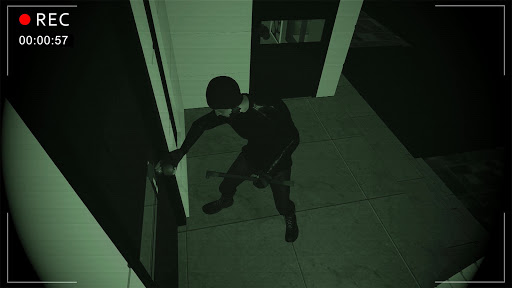
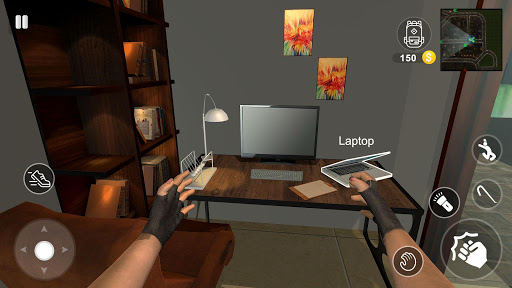
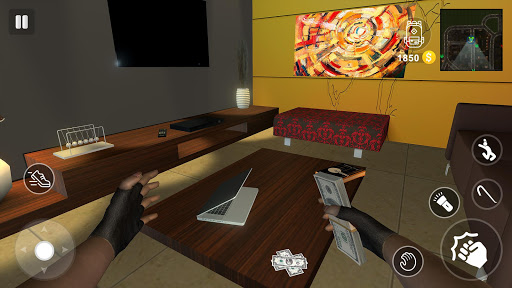
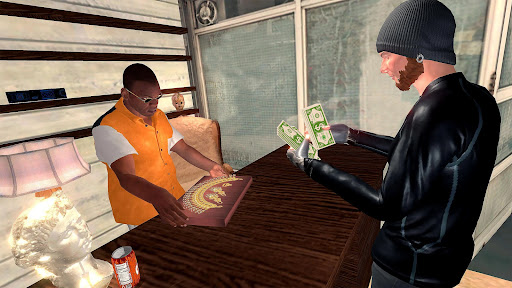
Sneak thieves into rich houses, Infiltrate the guarded mansions, and lurk in every dark corner unnoticed in a thief simulator. Let's start with the actions of a real thief. Use your toolset to unlock doors and windows and rob the houses! Steal the most expensive items in the robbing game (cash, laptops, phones, etc) and sell them to make more cash. Don't get yourself exposed to burglar alarms and CCTV cameras. So, get ready for the action-packed thriller thief simulator journey.
Thief Simulator: Bank Heist Robbery is more like a first-person looter or first-person sneaker. Park your car at a safe place near your target house. Pick basic tools for criminal robbery master and a bag to keep stolen. Never make a noise otherwise, people inside can inform the police or attack you during the heist robbery.
Useful Tips:
Don't collect cheap stuff.
Try to fill your bag with expensive mobiles laptops, and other stuff.
You can always drop items from your bag.
Don't murder anyone inside the house during criminal robbery.
FEATURES Of Thief Simulator: Stealing Game
Rob the houses, a mansion, or any rare townhome.
Live a Real Thief Life. Learn thief tricks, and buy burglar equipment from the cash.
Do anything that a thief simulator does and have memorable adventures.
Build the best strategies to rob in the stealth thief game for successful missions. The thief simulation game delivers unprecedented immersion through sights and sounds.
Behave like a professional sneak thief and robbery master. Execute the plan perfectly for a successful theft mission. Take the challenge to rob the secured houses in the virtual thief simulator. So, let's get started with the real theft and steal mission in the Thief Simulator Heist Robbery Game.
Show more

1. Download MEmu installer and finish the setup

2. Start MEmu then open Google Play on the desktop

3. Search Thief Simulator: Heist Robbery in Google Play
Install
4. Download and Install Thief Simulator: Heist Robbery
5. On install completion click the icon to start

6. Enjoy playing Thief Simulator: Heist Robbery on PC with MEmu
MEmu Play is the best Android emulator and 100 million people already enjoy its superb Android gaming experience. The MEmu virtualization technology empowers you to play thousands of Android games smoothly on your PC, even the most graphic-intensive ones.
Bigger screen with better graphics; Long duration, without limitation of battery or mobile data.
Full Keymapping support for precise control of keyboard and mouse or gamepad.
Multiple game accounts or tasks on single PC at one time with Multi-Instance manager.
Play Thief Simulator: Heist Robbery on PC by following steps: