Three Kingdoms : Conquest
Updated
Current Version
1.0.1
Offered By

With your passion for Three Kingdoms : Conquest, you shouldn’t have to limit yourself to the small screen of a phone. Play like a pro and take full control of the game using a keyboard and mouse. MEmu gives you everything you’re looking for. Download and play Three Kingdoms : Conquest on PC. Play as long as you want — no more worries about battery life, mobile data, or unexpected calls. The all-new MEmu 9 is the best way to play Three Kingdoms : Conquest on PC. With our expertly designed keymapping system, Three Kingdoms : Conquest feels just like a real PC game. The MEmu multi-instance manager lets you run two or more accounts on the same device at the same time. Most importantly, our exclusive emulation engine unlocks your PC’s full potential, delivering smooth and seamless performance.
Show more
Download Three Kingdoms : Conquest on PC with MEmu Android Emulator. Enjoy playing on big screen. Three Kingdoms Conquest – Expand Your Territory and Make History!
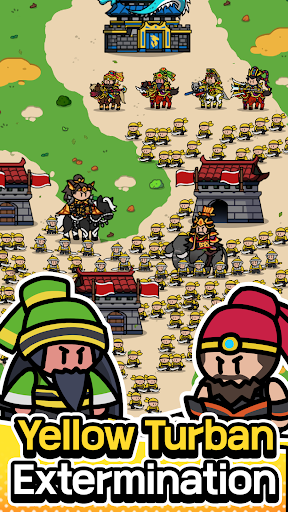
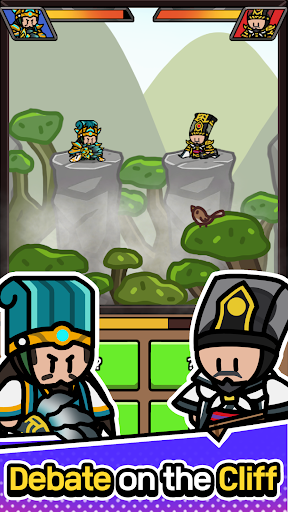
Three Kingdoms Conquest – Expand Your Territory and Make History!
Step into the chaotic era of the Three Kingdoms and conquer the battlefield with your own strategy!
Seize fortresses, recruit legendary generals, train your army, and experience deep strategic elements along with various growth systems.
As a ruler, you will recruit commanders, lead your forces to victory, and build a mighty empire. Engage in fierce battles that will shape the fate of your nation, and etch your name into history!
[Game Features]
1. Conquer Fortresses and Build a Mighty Kingdom!
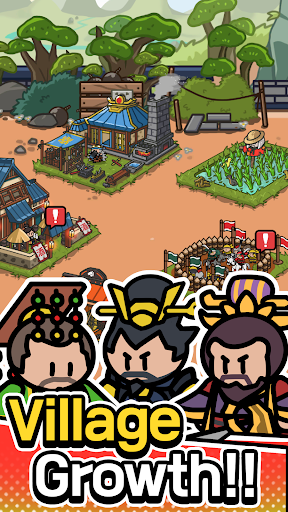
Strategically capture cities to gather resources and expand your empire. As your kingdom grows, you will unlock a more powerful military system and face increasingly formidable opponents. Strengthen your army and rise to the top—your kingdom will become the epicenter of grand wars!
2. Recruit and Train Legendary Generals!
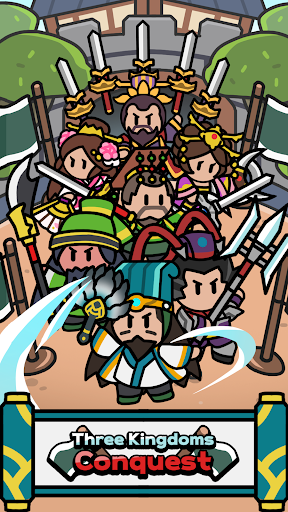
Recruit and develop legendary generals from the Three Kingdoms era, and position them at the forefront of battle. Liu Bei, Guan Yu, Zhang Fei, Cao Cao, Sun Quan—the most renowned commanders in history are waiting for your leadership!
Each general possesses unique skills and troop types. Master their abilities and deploy them strategically to claim victory on the battlefield. Strengthen your generals, exploit your enemies' weaknesses, and secure your dominance!
3. Utilize a Variety of Troops and Tactics!
This is more than just a battle—it’s a war of strategy!
Deploy a combination of infantry, cavalry, archers, and siege weapons to overwhelm your enemies. Each unit type has its own strengths and weaknesses, so precise tactical positioning is essential for victory. Thoughtful strategy and quick decision-making will be the key to success!
4. Equip Mounts and Weapons to Strengthen Your Army!
Enhance your generals' abilities with powerful mounts and weapons to maximize their battle performance.
Legendary Mounts: Move swiftly across the battlefield and gain a strategic advantage.
Powerful Weapons: Boost attack power and eliminate enemies with devastating force.
Special Gear: Increase defense and ensure your army’s survival in fierce battles.
Assemble the ultimate military force and unleash unstoppable power on the battlefield!
5. Engaging Content and Mini-Games!
Boredom is not an option! Play a variety of mini-games and participate in special events to earn extra rewards and enhance your generals.
[Mini-Games]
Strategic Puzzles: Identify enemy weaknesses and strike at the perfect moment!
Resource Gathering: Collect vital supplies to sustain and strengthen your army!
Special Missions: Relive historical events from the Three Kingdoms era and shape history!
Complete mini-games to earn valuable resources and fortify your army for the ultimate conquest.
Now it’s time to showcase your strategy!
Join Three Kingdoms Conquest now!
Recruit legendary generals, build an invincible army, and become the ultimate ruler of the Three Kingdoms!
Outmaneuver your opponents with your own tactics and carve your name into history as the greatest warlord!
Download now and start your journey to Three Kingdoms domination!
Show more

1. Download MEmu installer and finish the setup

2. Start MEmu then open Google Play on the desktop

3. Search Three Kingdoms : Conquest in Google Play
Install
4. Download and Install Three Kingdoms : Conquest
5. On install completion click the icon to start

6. Enjoy playing Three Kingdoms : Conquest on PC with MEmu
MEmu Play is the best Android emulator and 100 million people already enjoy its superb Android gaming experience. The MEmu virtualization technology empowers you to play thousands of Android games smoothly on your PC, even the most graphic-intensive ones.
Bigger screen with better graphics; Long duration, without limitation of battery or mobile data.
Full Keymapping support for precise control of keyboard and mouse or gamepad.
Multiple game accounts or tasks on single PC at one time with Multi-Instance manager.
Play Three Kingdoms : Conquest on PC by following steps: