Titan Revenge
Updated
Current Version
Offered By

With your passion for Titan Revenge, you shouldn’t have to limit yourself to the small screen of a phone. Play like a pro and take full control of the game using a keyboard and mouse. MEmu gives you everything you’re looking for. Download and play Titan Revenge on PC. Play as long as you want — no more worries about battery life, mobile data, or unexpected calls. The all-new MEmu 9 is the best way to play Titan Revenge on PC. With our expertly designed keymapping system, Titan Revenge feels just like a real PC game. The MEmu multi-instance manager lets you run two or more accounts on the same device at the same time. Most importantly, our exclusive emulation engine unlocks your PC’s full potential, delivering smooth and seamless performance.
Show more
Download Titan Revenge on PC with MEmu Android Emulator. Enjoy playing on big screen. In Titan Revenge, Zeus, King of the Gods, foresees the coming of Ragnarok and seeks to save the divine realm using the power of Pandora's Box.
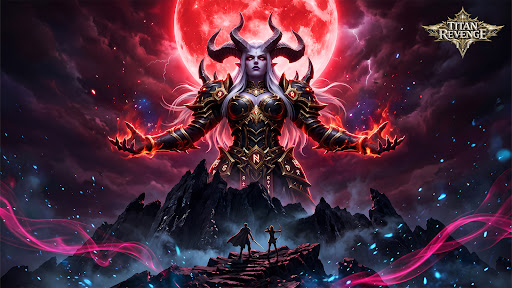
In Titan Revenge, Zeus, King of the Gods, foresees the coming of Ragnarok and seeks to save the divine realm using the power of Pandora's Box. But when he opens it, the sealed darkness corrupts him, turning Zeus into a Demon King. He unleashes monsters from the Abyss, plunging the world into chaos and destruction.
As darkness spreads, a new prophecy emerges: Boros will become the new God King and end the disaster of Pandora's Box. Pursued by Demon King Zeus and his armies, the chosen hero begins a journey to seal the evil, awaken divine powers with angelic guidance, and save the world.
Titan Revenge is a Greek mythology MMORPG featuring hack-and-slash combat, boss battles, guild systems, and deep character progression in an epic fantasy world of gods and demons.
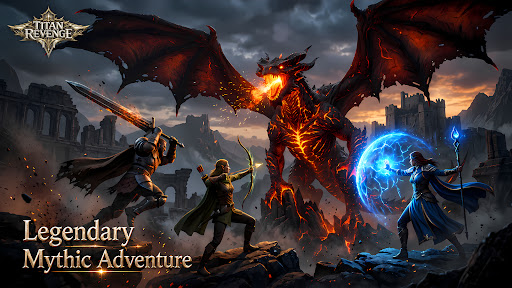
[Legendary Mythic Adventure]
Enter the world of Immortals Revenge and journey through a realm shaped by ancient legends, mighty gods, heroic warriors, and divine conflicts. Harness celestial power and carve your own path through an epic fantasy adventure.
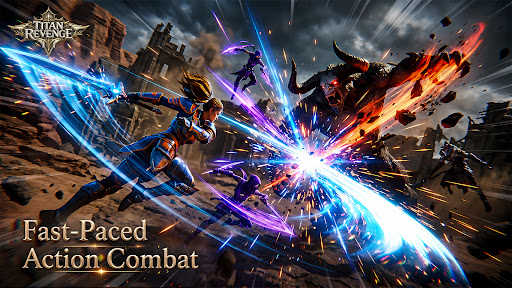
[Fast-Paced Action Combat]
Experience thrilling hack-and-slash battles packed with flashy abilities, impactful combos, and intense encounters that deliver nonstop excitement.
[Legendary Angels at Your Side]
Unlock and command a roster of powerful angels, each with unique skills, visual designs, and backstories. Fight alongside celestial allies and unleash their divine powers in battle.
[Endless Collection & Customization]
Hunt for hundreds of collectible Wings, Spirits, Mounts, Artifacts, and more. Customize your hero's appearance, boost your combat power, and complete your ultimate collection.
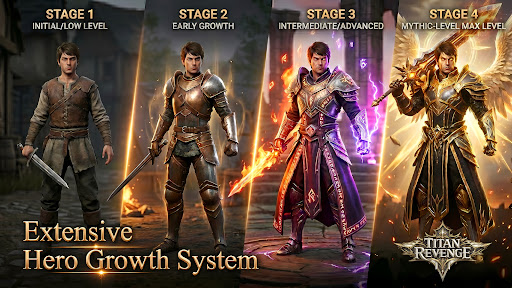
[Extensive Hero Growth System]
Strengthen your character through equipment upgrades, powerful artifacts, majestic wings, and unique mounts. Multiple progression systems allow you to continuously increase your strength.
[Immersive MMORPG Multiplayer World]
Build alliances through guilds, challenge powerful world bosses with teammates, and prove your strength in competitive PvP battles alongside players from around the globe.
[Play Your Way]
Whether you prefer active combat or effortless progression, enjoy gameplay systems that support both hands-on action and idle advancement.
[Endless Activities & Valuable Rewards]
Take part in seasonal celebrations, daily missions, and limited-time events to unlock rare rewards and speed up your growth on the battlefield.
Facebook: https://www.facebook.com/TitanRevengeMobile/
Discord: https://discord.gg/J5DRCRPJRn
Show more

1. Download MEmu installer and finish the setup

2. Start MEmu then open Google Play on the desktop

3. Search Titan Revenge in Google Play
Install
4. Download and Install Titan Revenge
5. On install completion click the icon to start

6. Enjoy playing Titan Revenge on PC with MEmu
MEmu Play is the best Android emulator and 100 million people already enjoy its superb Android gaming experience. The MEmu virtualization technology empowers you to play thousands of Android games smoothly on your PC, even the most graphic-intensive ones.
Bigger screen with better graphics; Long duration, without limitation of battery or mobile data.
Full Keymapping support for precise control of keyboard and mouse or gamepad.
Multiple game accounts or tasks on single PC at one time with Multi-Instance manager.
Play Titan Revenge on PC by following steps: