Toys Fidget AntiStress 3D
Updated
Current Version
1.6
Offered By

With your passion for Toys Fidget AntiStress 3D, you shouldn’t have to limit yourself to the small screen of a phone. Play like a pro and take full control of the game using a keyboard and mouse. MEmu gives you everything you’re looking for. Download and play Toys Fidget AntiStress 3D on PC. Play as long as you want — no more worries about battery life, mobile data, or unexpected calls. The all-new MEmu 9 is the best way to play Toys Fidget AntiStress 3D on PC. With our expertly designed keymapping system, Toys Fidget AntiStress 3D feels just like a real PC game. The MEmu multi-instance manager lets you run two or more accounts on the same device at the same time. Most importantly, our exclusive emulation engine unlocks your PC’s full potential, delivering smooth and seamless performance.
Show more
Download Toys Fidget AntiStress 3D on PC with MEmu Android Emulator. Enjoy playing on big screen. Welcome to a world where stress is but a distant memory, and relaxation takes center stage.
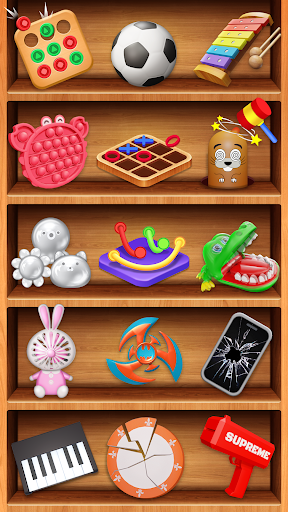
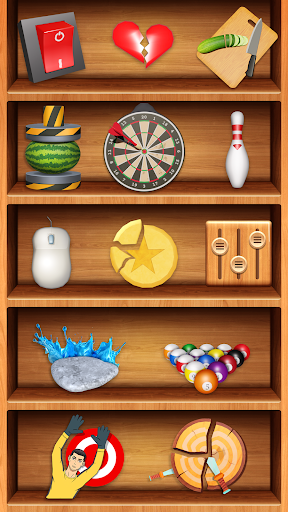
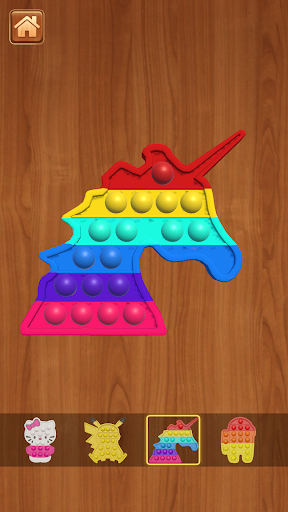
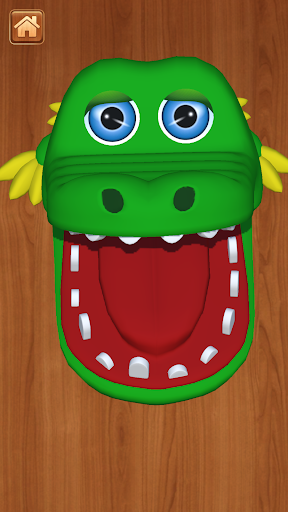
Welcome to a world where stress is but a distant memory, and relaxation takes center stage. Toy Fidget AntiStress 3D beckons you into its embrace with a curated selection of games designed to soothe your mind and invigorate your senses. Featuring an eclectic mix of nearly a hundred games, each as unique as the last, Toy Fidget AntiStress 3D ensures there's something for every taste and preference.
KEY FEATURES:
- Nearly 100 stress-relief and entertainment games: From mind-bending puzzles to whimsical challenges, Toy Fidget AntiStress 3D offers a treasure trove of games to suit every mood
- Easy and friendly gameplay: Seamless navigation and clear instructions ensure players of all skill levels can enjoy a world of relaxation and enjoyment
- Beautiful visuals and enchanting sounds: Immerse yourself in breathtaking graphics and captivating audio, elevating your gaming experience to new heights
- All-age appeal: Toy Fidget AntiStress 3D welcomes players of all ages, making it perfect for family-friendly entertainment
Toy Fidget AntiStress 3D prides itself on offering an unparalleled experience with each game, promising excitement and novelty with every play session. From brain-teasing challenges to imaginative creations, the sheer diversity of content ensures that boredom is simply not an option in this captivating universe.
Toy Fidget AntiStress 3D offers a diverse range of unique experiences, ensuring each game provides something fresh and engaging. Dive into the world of creativity with games like Slime, Crayon, Soap, Mukbang, and Keyboard, or challenge your mind with logic games such as Crocodile, Stone-stacking, Dalgona, Knife Hit.
So why wait? Embark on a journey of joy, relaxation, and fidget relief today, and experience the ultimate in satisfying gameplay with Toy Fidget AntiStress 3D.
Show more

1. Download MEmu installer and finish the setup

2. Start MEmu then open Google Play on the desktop

3. Search Toys Fidget AntiStress 3D in Google Play
Install
4. Download and Install Toys Fidget AntiStress 3D
5. On install completion click the icon to start

6. Enjoy playing Toys Fidget AntiStress 3D on PC with MEmu
MEmu Play is the best Android emulator and 100 million people already enjoy its superb Android gaming experience. The MEmu virtualization technology empowers you to play thousands of Android games smoothly on your PC, even the most graphic-intensive ones.
Bigger screen with better graphics; Long duration, without limitation of battery or mobile data.
Full Keymapping support for precise control of keyboard and mouse or gamepad.
Multiple game accounts or tasks on single PC at one time with Multi-Instance manager.
Play Toys Fidget AntiStress 3D on PC by following steps: