Ultimate Football Manager
Updated
Current Version
25.6.1
Offered By

With your passion for Ultimate Football Manager, you shouldn’t have to limit yourself to the small screen of a phone. Play like a pro and take full control of the game using a keyboard and mouse. MEmu gives you everything you’re looking for. Download and play Ultimate Football Manager on PC. Play as long as you want — no more worries about battery life, mobile data, or unexpected calls. The all-new MEmu 9 is the best way to play Ultimate Football Manager on PC. With our expertly designed keymapping system, Ultimate Football Manager feels just like a real PC game. The MEmu multi-instance manager lets you run two or more accounts on the same device at the same time. Most importantly, our exclusive emulation engine unlocks your PC’s full potential, delivering smooth and seamless performance.
Show more
Download Ultimate Football Manager on PC with MEmu Android Emulator. Enjoy playing on big screen. Kick-Off!
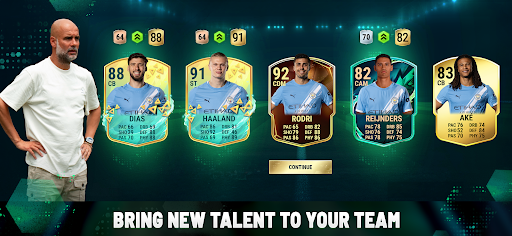
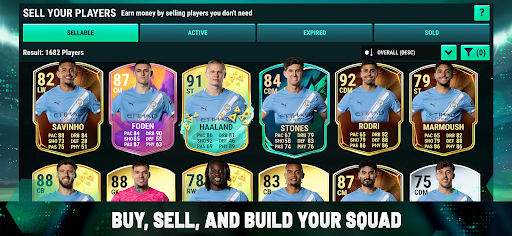
Kick-Off! Ultimate Football Manager is Now Live!
Step onto the pitch and embark on your coaching journey with a fresh start, building your football team from the ground up. Lead your football players and optimize your squad with personalised strategies and formations in thrilling football matches.
Elevate Your Football Game
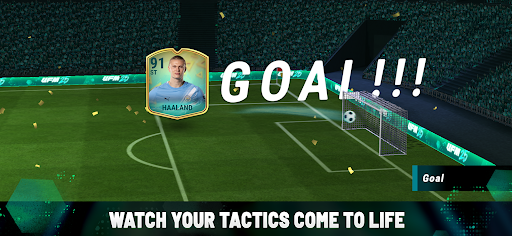
Experience intense matches with fresh challenges and triumphs. Utilise a sophisticated simulation engine to guide your team through league competitions and playoffs against rival managers, aiming for championship glory in football games.
Play with Elite Football Teams
Unlock professional players. Collect players by opening exciting player packs or by exploring the transfer market to make winning bids for your team’s next standout star. Build the ultimate squad for consistent victories, continuously enhancing your team with top-notch talent.
Command Your Football Team
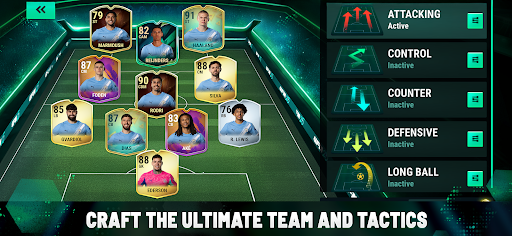
As the football manager, take control of every aspect of your team's tactics. Surprise opponents with strategic plays and aim for goals in every match. Experiment with renowned football formations or daring combinations to gain an edge over your rivals.
Perfection Through Practice
Engage in Quick Match mode to test different strategies, formations and tactics. Train your players daily to ensure peak performance, crushing your rivals' dreams of victory.
Download this exciting football game now and join millions of managers on the pitch. Outplay, outcoach, and outsmart your rivals with Ultimate Football Manager!
Note: Some in-game items can be purchased for real money. Ultimate Football Manager includes packs that drop the available items in a randomised order. Information about drop rates can be found by selecting a pack in-game and tapping the 'info' button. Packs can be purchased using in-game currency or earned through gameplay. The game has a yearly season reset before the start of the new season to get all players and rosters updated and accurate. Review our Terms of Service and Privacy Policy for additional details.
Show more

1. Download MEmu installer and finish the setup

2. Start MEmu then open Google Play on the desktop

3. Search Ultimate Football Manager in Google Play
Install
4. Download and Install Ultimate Football Manager
5. On install completion click the icon to start

6. Enjoy playing Ultimate Football Manager on PC with MEmu
MEmu Play is the best Android emulator and 100 million people already enjoy its superb Android gaming experience. The MEmu virtualization technology empowers you to play thousands of Android games smoothly on your PC, even the most graphic-intensive ones.
Bigger screen with better graphics; Long duration, without limitation of battery or mobile data.
Full Keymapping support for precise control of keyboard and mouse or gamepad.
Multiple game accounts or tasks on single PC at one time with Multi-Instance manager.
Play Ultimate Football Manager on PC by following steps: