Undying Hero: Idle RPG
Updated
Current Version
Offered By

With your passion for Undying Hero: Idle RPG, you shouldn’t have to limit yourself to the small screen of a phone. Play like a pro and take full control of the game using a keyboard and mouse. MEmu gives you everything you’re looking for. Download and play Undying Hero: Idle RPG on PC. Play as long as you want — no more worries about battery life, mobile data, or unexpected calls. The all-new MEmu 9 is the best way to play Undying Hero: Idle RPG on PC. With our expertly designed keymapping system, Undying Hero: Idle RPG feels just like a real PC game. The MEmu multi-instance manager lets you run two or more accounts on the same device at the same time. Most importantly, our exclusive emulation engine unlocks your PC’s full potential, delivering smooth and seamless performance.
Show more
Download Undying Hero: Idle RPG on PC with MEmu Android Emulator. Enjoy playing on big screen. “Now die, hero!
“Now die, hero!!”
The terrified hero screams,
“I don’t wanna die!! I haven’t even gotten SR gear yet!!”
…But something’s off. No matter how hard he gets hit, his HP doesn’t go down.
[Error: HP system is not functioning.]
That’s when he realizes it—he’s the Immortal Hero.
His teary face twists into a grin… and the goblin panics.
“That’s cheating! Please spare me!!!”
And the hero replies,
“Hmph. Whatever. Wipe your neck… and get ready.”
Now begins the adventure of a hero who can’t die!
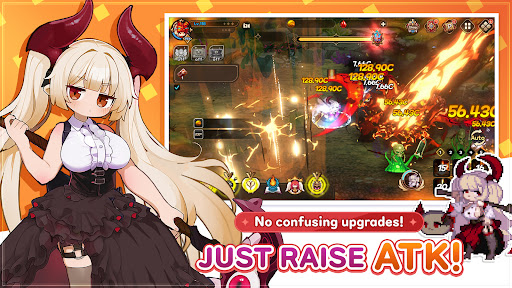
Skip the complicated stuff—JUST RAISE ATK!
Undying Hero: Idle RPG
Game Features
Simple growth route, clear ATK-focused progression!
No wasted time thinking what to upgrade—focus on ATK (and Crit) only!
Easy and fast for beginners, efficient to optimize for core players!
Forget stat headaches—win with overwhelming damage!
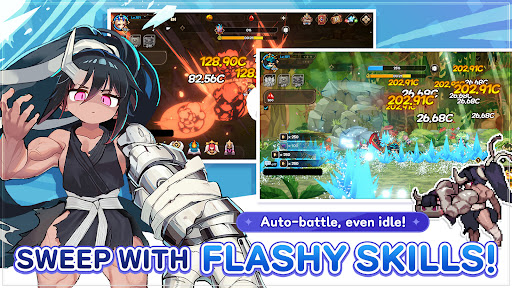
Flashy skills + satisfying impact for nonstop combat hype!
Spectacular skill effects that fill the screen, with heavy-hitting punch!
Enemies melt in seconds—fast-paced battles that never slow down!
High-impact skill performances you can’t look away from!
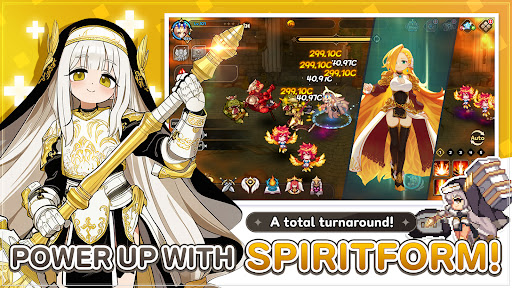
Spiritform system—your ultimate comeback move!
Transform mid-battle to flip the flow and power up instantly!
Not just for looks—Spiritform is a core growth mechanic with real impact!
Take over the battlefield with the power of spirits!
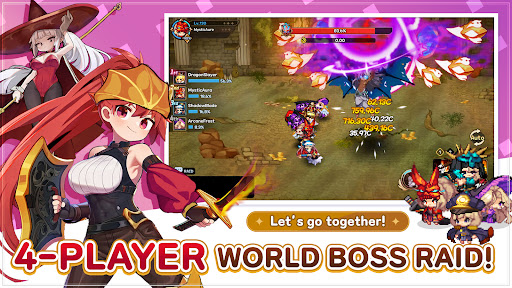
4-player real-time World Boss Raid!
Team up with 4 players and challenge massive bosses together!
Go beyond solo idle play—jump into real co-op content!
Feel the thrill of four heroes unleashing firepower at once!
Collect avatars & gear—style up, power up!
Mix and match avatars to create your own look!
Gear you summon is pure progression—get SR gear and boost your power fast!
Nonstop auto-battle + generous events and rewards!
No tedious controls—focus on farming and powering up!
Log in and rewards rain down!
Just follow events and grow faster!
Because you can’t die, you can keep getting stronger!
Raise ATK and sweep everything away!
Download Undying Hero: Idle RPG now!
Official site: https://superboxgo.com
Facebook: https://www.facebook.com/superbox01
Email: help@superboxgo.com
----
Privacy Policy: https://superboxgo.com/privacypolicy_en.php
Terms of Service: https://superboxgo.com/termsofservice_en.php
Show more

1. Download MEmu installer and finish the setup

2. Start MEmu then open Google Play on the desktop

3. Search Undying Hero: Idle RPG in Google Play
Install
4. Download and Install Undying Hero: Idle RPG
5. On install completion click the icon to start

6. Enjoy playing Undying Hero: Idle RPG on PC with MEmu
MEmu Play is the best Android emulator and 100 million people already enjoy its superb Android gaming experience. The MEmu virtualization technology empowers you to play thousands of Android games smoothly on your PC, even the most graphic-intensive ones.
Bigger screen with better graphics; Long duration, without limitation of battery or mobile data.
Full Keymapping support for precise control of keyboard and mouse or gamepad.
Multiple game accounts or tasks on single PC at one time with Multi-Instance manager.
Play Undying Hero: Idle RPG on PC by following steps: