
VanLife Simulator
Updated
Current Version
0.4.5
Offered By

With your passion for VanLife Simulator, you shouldn’t have to limit yourself to the small screen of a phone. Play like a pro and take full control of the game using a keyboard and mouse. MEmu gives you everything you’re looking for. Download and play VanLife Simulator on PC. Play as long as you want — no more worries about battery life, mobile data, or unexpected calls. The all-new MEmu 9 is the best way to play VanLife Simulator on PC. With our expertly designed keymapping system, VanLife Simulator feels just like a real PC game. The MEmu multi-instance manager lets you run two or more accounts on the same device at the same time. Most importantly, our exclusive emulation engine unlocks your PC’s full potential, delivering smooth and seamless performance.
Show more
Download VanLife Simulator on PC with MEmu Android Emulator. Enjoy playing on big screen. LIVE FREE.
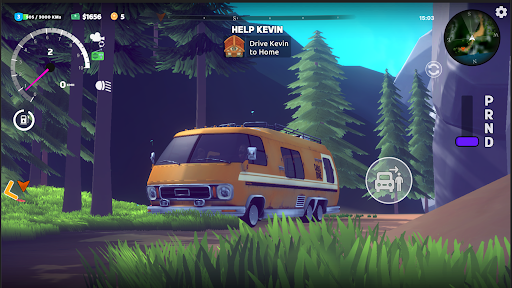
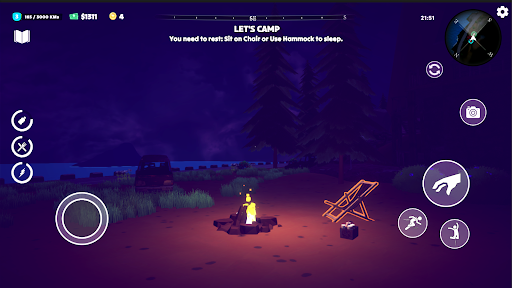
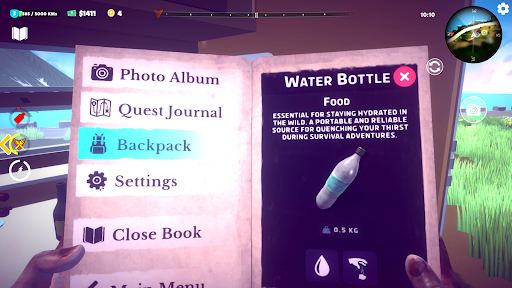
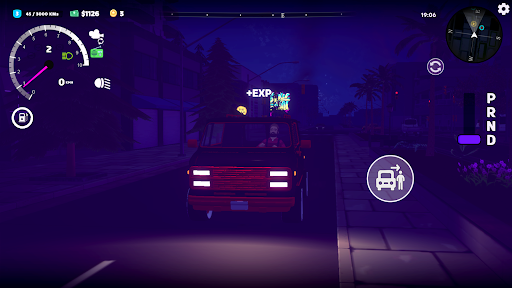
LIVE FREE. DRIVE FAR.
Escape the ordinary and begin your dream life on the road. Vanlife is a relaxing and immersive camper van simulation game where your vehicle is both your transportation and your home. Explore breathtaking open-world nature, survive off-grid in the wild, and capture wildlife and landscapes — all from your cozy, customizable van.
AUTHENTIC VANLIFE EXPERIENCE
- Start from scratch and live out your minimalist nomad adventure
- Camp in forests, deserts, mountains, and secret beaches
- Try boondocking, dispersed camping, or stay in national parks
- Embrace true off-road freedom and choose your own path
BUILD & CUSTOMIZE YOUR VAN (Coming Soon!)
- Design your dream mobile home with beds, solar panels, and storage
- Choose layouts, colors, and gear to fit your travel style
- Upgrade your van for better overlanding and longer survival
EXPLORE OPEN-WORLD NATURE
- Hand-crafted sandbox environments full of hidden secrets
- Discover remote trails, landmarks, and epic off-road routes
- Use the in-game camera to capture beautiful wildlife and scenery
SURVIVAL MEETS CHILL
- Manage hunger, thirst, fatigue, and changing weather
- Gather resources, cook meals, and rest under the stars
- Plan your journey across seasons and terrain types
NATURE PHOTOGRAPHY
- Snap amazing photos of animals, landscapes, and your cozy setup
- Build a photo gallery of your road trip memories (Coming Soon!)
- Share your favorite shots with fellow vanlifers
CONSTANTLY EVOLVING
We’re actively updating the game with new features:
New biomes & off-grid destinations
New vans, parts, and upgrade paths
New animals and photography moments
Expanded survival mechanics
The ultimate outbound experience awaits! This is our tribute to the spirit of off-grid travel and open-world adventure!
Show more

1. Download MEmu installer and finish the setup

2. Start MEmu then open Google Play on the desktop

3. Search VanLife Simulator in Google Play
Install
4. Download and Install VanLife Simulator
5. On install completion click the icon to start

6. Enjoy playing VanLife Simulator on PC with MEmu
MEmu Play is the best Android emulator and 100 million people already enjoy its superb Android gaming experience. The MEmu virtualization technology empowers you to play thousands of Android games smoothly on your PC, even the most graphic-intensive ones.
Bigger screen with better graphics; Long duration, without limitation of battery or mobile data.
Full Keymapping support for precise control of keyboard and mouse or gamepad.
Multiple game accounts or tasks on single PC at one time with Multi-Instance manager.
Play VanLife Simulator on PC by following steps: