Wall of insanity
Updated
Current Version
1.65
Offered By

With your passion for Wall of insanity, you shouldn’t have to limit yourself to the small screen of a phone. Play like a pro and take full control of the game using a keyboard and mouse. MEmu gives you everything you’re looking for. Download and play Wall of insanity on PC. Play as long as you want — no more worries about battery life, mobile data, or unexpected calls. The all-new MEmu 9 is the best way to play Wall of insanity on PC. With our expertly designed keymapping system, Wall of insanity feels just like a real PC game. The MEmu multi-instance manager lets you run two or more accounts on the same device at the same time. Most importantly, our exclusive emulation engine unlocks your PC’s full potential, delivering smooth and seamless performance.
Show more
Download Wall of insanity on PC with MEmu Android Emulator. Enjoy playing on big screen. Wall of Insanity is a new action survival horror project from the creators of the Slaughter game series.
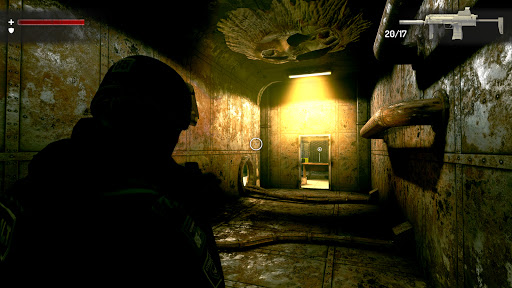
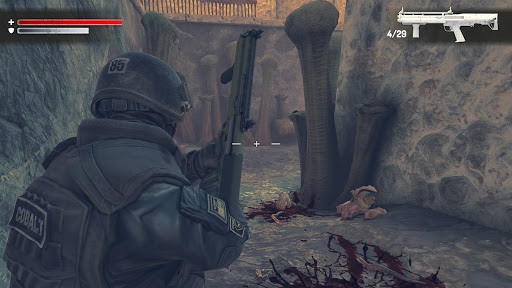
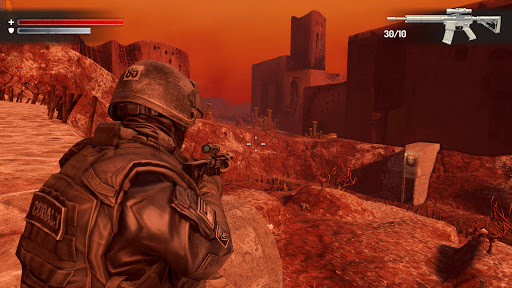
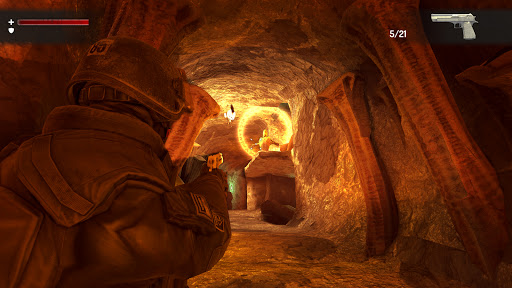
Wall of Insanity is a new action survival horror project from the creators of the Slaughter game series. It blends intense action, tactical combat, and a gripping psychological horror narrative into a heart-pounding experience.
Enter a grim world where fear reigns, and the line between reality and nightmare is shattered. This is more than a horror shooter - it’s a mystery adventure into the unknown. You’ll embark on a harrowing descent into a dead, smoldering world, where every step forward is a step deeper into madness.
You will face the unspeakable. A journey through darkness where hope fades and the air is thick with dread. This creepy shooting game will challenge your instincts and courage at every turn.
Story:
A high-risk operation to arrest members of a dangerous cult goes horribly wrong. The entire police squad vanishes without a trace. A team of special forces is sent in to investigate, only to find a seemingly empty house. But this is no ordinary place - it’s a haunted house game unlike any other.
What begins as a standard tactical mission soon spirals into a nightmarish ordeal. You’re not just facing a hidden threat - you’re stepping into the heart of a cult horror game, where ancient rituals and otherworldly powers have unleashed something monstrous.
This is where your nightmare begins…
Key Features:
• Third-person shooter mechanics with scary shooting encounters that test your reflexes and aim. Survival hinges on your ability to make every bullet count in this relentless FPS survival experience.
• A chilling descent into a shattered world governed by chaos and despair. The game delivers a meticulously crafted dark atmosphere - a visual and emotional journey through crumbling ruins, eerie corridors, and the unknown.
• Face off against grotesque enemies in thrilling monster shooting game encounters. Use your environment wisely to escape the clutches of death. The game rewards players who master tactical combat and calculated decisions.
• Every corner hides danger: traps, twisted creatures, and disturbing visions await. This is a true first-person horror game experience - nerve-wracking, immersive, and unforgiving.
• Engage in deep exploration and survival as you search for weapons, supplies, documents, and clues. Uncover secrets and find hidden paths in order to stand a chance against overwhelming odds.
• Challenging gameplay designed to push players to think, adapt, and survive. You’ll need smart tactics and careful observation to uncover the truth and make it out alive.
• Built with mobile optimization in mind. Enjoy smooth performance, simple yet responsive controls, full gamepad support, and customizable graphics settings.
Wall of Insanity is not just a special forces horror mission - it’s a descent into fear, desperation, and the twisted echoes of a world gone mad. Dare to enter?
Show more

1. Download MEmu installer and finish the setup

2. Start MEmu then open Google Play on the desktop

3. Search Wall of insanity in Google Play
Install
4. Download and Install Wall of insanity
5. On install completion click the icon to start

6. Enjoy playing Wall of insanity on PC with MEmu
MEmu Play is the best Android emulator and 100 million people already enjoy its superb Android gaming experience. The MEmu virtualization technology empowers you to play thousands of Android games smoothly on your PC, even the most graphic-intensive ones.
Bigger screen with better graphics; Long duration, without limitation of battery or mobile data.
Full Keymapping support for precise control of keyboard and mouse or gamepad.
Multiple game accounts or tasks on single PC at one time with Multi-Instance manager.
Play Wall of insanity on PC by following steps: