while True: learn()
Updated
Current Version
1.8.107
Offered By

With your passion for while True: learn(), you shouldn’t have to limit yourself to the small screen of a phone. Play like a pro and take full control of the game using a keyboard and mouse. MEmu gives you everything you’re looking for. Download and play while True: learn() on PC. Play as long as you want — no more worries about battery life, mobile data, or unexpected calls. The all-new MEmu 9 is the best way to play while True: learn() on PC. With our expertly designed keymapping system, while True: learn() feels just like a real PC game. The MEmu multi-instance manager lets you run two or more accounts on the same device at the same time. Most importantly, our exclusive emulation engine unlocks your PC’s full potential, delivering smooth and seamless performance.
Show more
Download while True: learn() on PC with MEmu Android Emulator. Enjoy playing on big screen. while True: learn() is a puzzle/simulation game about even more puzzling stuff: machine learning, neural networks, big data and AI.
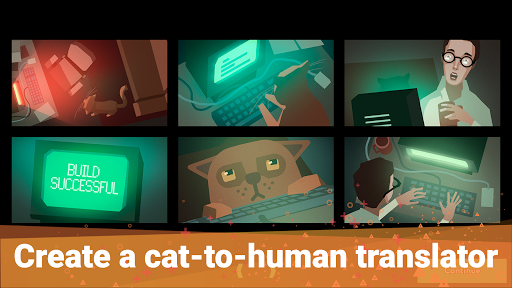
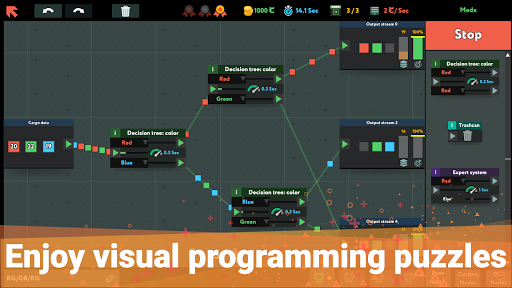
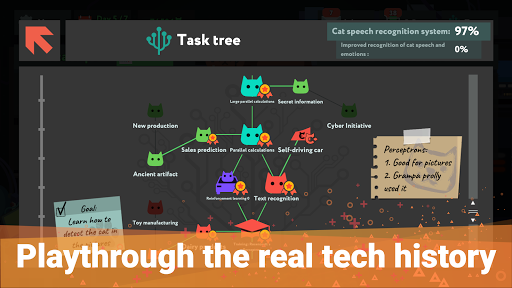
while True: learn() is a puzzle/simulation game about even more puzzling stuff: machine learning, neural networks, big data and AI. But most importantly, it’s about understanding your cat.
In this game, you play as a coder who accidentally found out that their cat is extremely good at coding, but not as good at speaking human language. Now this coder (it’s you!) must learn all there is to know about machine learning and use visual programming to build a cat-to-human speech recognition system.
This game fits best for...
- People who want to know more about how machine learning and related technologies work
- Parents and teachers who are looking for a fun and easy way to make an intro to logical thinking, programming, and technologies for kids
- Programmers who want to learn new concepts that they can apply to their own coding
- Those who want to play games and not feel guilty about ‘wasting their time’ (although we believe you shouldn’t feel guilty at all while playing games!)
- Players who like to keep their brains busy and working in different ways, while still having fun
- Gamers looking to improve their problem-solving skills and feel immense sense of satisfaction and achievement that comes along with it
- People who like smart cats
Learn how machine learning works in real life!
The game is loosely based on real-life machine learning technologies: from goofy Expert Systems to mighty Recurrent Neural Networks, capable of predicting the future. Don’t worry: it all plays out as a puzzle game. No coding experience required!
Train yourself into a data science wizard!
Drag objects around your screen with a mouse! Connect them with lines (oh yeah)! Try. Fail. Optimize. Try again. Then press “Release” button and see that sweet pieces of data flow smoothly through your screen.
Embrace an adventurous lifestyle of a machine learning specialist!
Designing a groundbreaking technology requires time, experience and money. That means you’ll have to work as a freelancer, with all the excitement that comes along with it. Receive emails! Accept contracts! Sit alone in a dark room for days without saying a single word! Socialize on forums! That’s what real data scientists do!
Coding just got real!
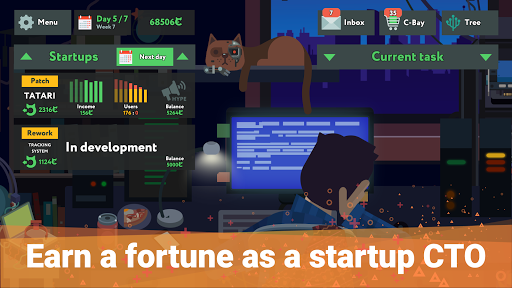
Our quests are based on actual problems, solved by machine learning. This includes building a self-driving car (with your cat as a pilot). And if you really want to test your programming might, you can become a CTO of a startup: it’s your skills and your schemes against the savage laws of the market! Earn a fortune, flip off your bosses and become a tech guru… Or lose everything and crawl back to the doorstep of HR department: at least it was worth trying, right?
Improve your gear, improve your life!
Once you ensure a stable cashflow, you’ll be able to buy yourself a bunch of fancy hardware to improve your performance. But it’s not just about the hardware! Buy yourself a new smartphone or a geeky figurine! Buy fancy outfits for your cat! Hell, you can even buy yourself an aloe!
Fun fact: this is what machine learning specialists actually do. Now, you can become one of them (minus the money)! while True: learn() is the best game about being a data science specialist because no one else has been weird enough to make another one!
Show more

1. Download MEmu installer and finish the setup

2. Start MEmu then open Google Play on the desktop

3. Search while True: learn() in Google Play
Install
4. Download and Install while True: learn()
5. On install completion click the icon to start

6. Enjoy playing while True: learn() on PC with MEmu
MEmu Play is the best Android emulator and 100 million people already enjoy its superb Android gaming experience. The MEmu virtualization technology empowers you to play thousands of Android games smoothly on your PC, even the most graphic-intensive ones.
Bigger screen with better graphics; Long duration, without limitation of battery or mobile data.
Full Keymapping support for precise control of keyboard and mouse or gamepad.
Multiple game accounts or tasks on single PC at one time with Multi-Instance manager.
Play while True: learn() on PC by following steps: