Who's Your Daddy?!
Updated
Current Version
1.0.1
Offered By

With your passion for Who's Your Daddy?!, you shouldn’t have to limit yourself to the small screen of a phone. Play like a pro and take full control of the game using a keyboard and mouse. MEmu gives you everything you’re looking for. Download and play Who's Your Daddy?! on PC. Play as long as you want — no more worries about battery life, mobile data, or unexpected calls. The all-new MEmu 9 is the best way to play Who's Your Daddy?! on PC. With our expertly designed keymapping system, Who's Your Daddy?! feels just like a real PC game. The MEmu multi-instance manager lets you run two or more accounts on the same device at the same time. Most importantly, our exclusive emulation engine unlocks your PC’s full potential, delivering smooth and seamless performance.
Show more
Download Who's Your Daddy?! on PC with MEmu Android Emulator. Enjoy playing on big screen. Who's Your Daddy is a casual multiplayer game featuring clueless Daddies attempting to prevent Babies from certain death.
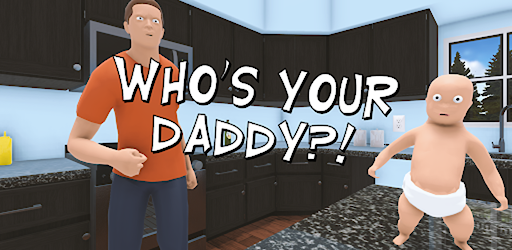
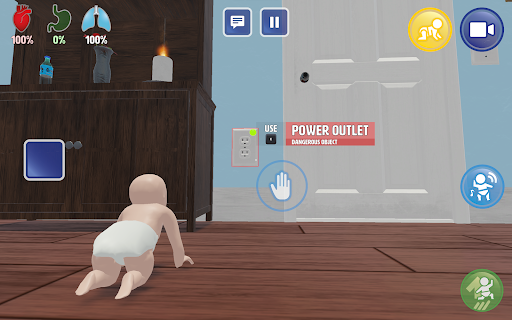

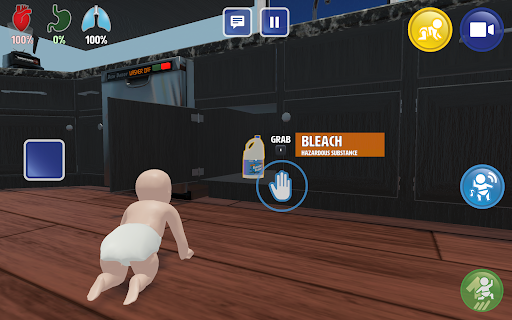
Who's Your Daddy is a casual multiplayer game featuring clueless Daddies attempting to prevent Babies from certain death. Play with up to 7 of your friends, and test your parenting skills in a competitive setup with wacky physics and over 69 potentially ominous household items.
Are you ready to become a parent?
As Daddy, you must prevent your baby from getting hurt through methods such as locking the cabinets and placing dangerous objects out of harm’s way. As Baby, you may attempt to overcome daddies attempts to protect the baby in various ways, including drinking bleach and sticking forks in electrical outlets.
Many household objects threaten your baby’s life
Play around in your two-story house and garden packed with potentially dangerous items such as:
- Power outlets: Capable of conducting lethal amounts of electricity
- Nail gun: Keep away from babies!
- Flour Jar: It’s never been easier to make daddy blind to your misbehavior!
- Sinks: A flooding hazard in the hands of a sentient baby!
- Woodchipper: It works on more than just wood!
- Fudge the dog: A loyal rideable beast with an appetite for anything
- The Oven: Careful not to burn anything!
- The Swimming Pool: Get fit, but do not drown!
- The Blender: If you can blend it, you can drink it!
- The Car: It turns out there is an age where you can learn too early
And much more...
Key Features
A beautiful two-story home and garden for you to watch over your son in
Over 67 everyday items with more or less ominous potential
Wacky physics for you to play around with
Customizable game modes, play the way you want to!
Two unique characters with customizable skins and perks
Randomized locations of crucial items, every game is different!
Dynamic music and sound for maximum immersion
Play with up to 7 of your friends online or locally
Controller support
Privacy Policy: https://eviltortillagames.com/terms-of-service
Show more

1. Download MEmu installer and finish the setup

2. Start MEmu then open Google Play on the desktop

3. Search Who's Your Daddy?! in Google Play
Install
4. Download and Install Who's Your Daddy?!
5. On install completion click the icon to start

6. Enjoy playing Who's Your Daddy?! on PC with MEmu
MEmu Play is the best Android emulator and 100 million people already enjoy its superb Android gaming experience. The MEmu virtualization technology empowers you to play thousands of Android games smoothly on your PC, even the most graphic-intensive ones.
Bigger screen with better graphics; Long duration, without limitation of battery or mobile data.
Full Keymapping support for precise control of keyboard and mouse or gamepad.
Multiple game accounts or tasks on single PC at one time with Multi-Instance manager.
Play Who's Your Daddy?! on PC by following steps:
















































