
Working Hard!
Updated
Current Version
2.3.0
Offered By

With your passion for Working Hard!, you shouldn’t have to limit yourself to the small screen of a phone. Play like a pro and take full control of the game using a keyboard and mouse. MEmu gives you everything you’re looking for. Download and play Working Hard! on PC. Play as long as you want — no more worries about battery life, mobile data, or unexpected calls. The all-new MEmu 9 is the best way to play Working Hard! on PC. With our expertly designed keymapping system, Working Hard! feels just like a real PC game. The MEmu multi-instance manager lets you run two or more accounts on the same device at the same time. Most importantly, our exclusive emulation engine unlocks your PC’s full potential, delivering smooth and seamless performance.
Show more
Download Working Hard! on PC with MEmu Android Emulator. Enjoy playing on big screen. Once, he devoted everything to his work.

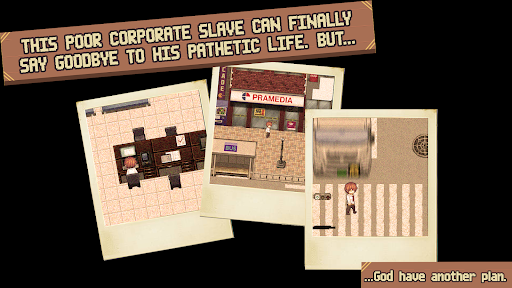
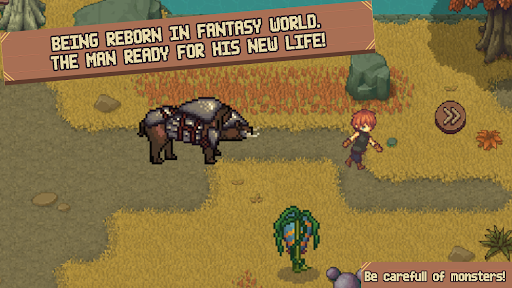
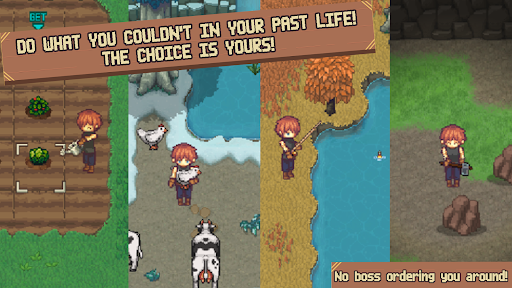
Once, he devoted everything to his work.
Long hours, endless effort, and constant exhaustion — yet nothing ever changed.
His life was supposed to end quietly on a lonely street.
But fate had other plans.
A mysterious god grants him a new opportunity.
“You deserve a life where your efforts truly matter.”
Reborn in the magical land of Xelia, he receives a second chance to start over and pursue the happiness he never had.
Start a New Life
Grow crops, raise animals, fish by peaceful rivers, mine valuable ores, gather materials in the wild, or earn money through small jobs in town.
Choose your own pace and decide how you want to live.
Explore Dangerous Dungeons
If a quiet life feels too calm, adventure awaits.
Enter mysterious dungeons filled with monsters, puzzles, and hidden treasures.
Defeat enemies in action-based battles, discover rare items, and claim rewards for your bravery.
Build the Home You Want
Use your earnings to improve your farm and decorate your house with furniture and decorations.
Create a comfortable home and enjoy a better life.
Enjoy Village Life
Life isn’t only about work.
Meet the villagers, make friends, experience funny and heartwarming events, celebrate seasonal festivals, and maybe even find someone special.
Features
Relaxing farming gameplay
Multiple ways to earn money
Action-style dungeon battles (optional)
Dungeon exploration with puzzles and treasure
Seasonal festivals and events
Four marriage candidates and family life
Expand your land and bring new residents
No forced main quest — play however you like
Show more

1. Download MEmu installer and finish the setup

2. Start MEmu then open Google Play on the desktop

3. Search Working Hard! in Google Play
Install
4. Download and Install Working Hard!
5. On install completion click the icon to start

6. Enjoy playing Working Hard! on PC with MEmu
MEmu Play is the best Android emulator and 100 million people already enjoy its superb Android gaming experience. The MEmu virtualization technology empowers you to play thousands of Android games smoothly on your PC, even the most graphic-intensive ones.
Bigger screen with better graphics; Long duration, without limitation of battery or mobile data.
Full Keymapping support for precise control of keyboard and mouse or gamepad.
Multiple game accounts or tasks on single PC at one time with Multi-Instance manager.
Play Working Hard! on PC by following steps: