World of Fishing
Updated
Current Version
1733127188
Offered By

With your passion for World of Fishing, you shouldn’t have to limit yourself to the small screen of a phone. Play like a pro and take full control of the game using a keyboard and mouse. MEmu gives you everything you’re looking for. Download and play World of Fishing on PC. Play as long as you want — no more worries about battery life, mobile data, or unexpected calls. The all-new MEmu 9 is the best way to play World of Fishing on PC. With our expertly designed keymapping system, World of Fishing feels just like a real PC game. The MEmu multi-instance manager lets you run two or more accounts on the same device at the same time. Most importantly, our exclusive emulation engine unlocks your PC’s full potential, delivering smooth and seamless performance.
Show more
Download World of Fishing on PC with MEmu Android Emulator. Enjoy playing on big screen. World of Fishing is a 3D casual mobile game that simulates real fishing.
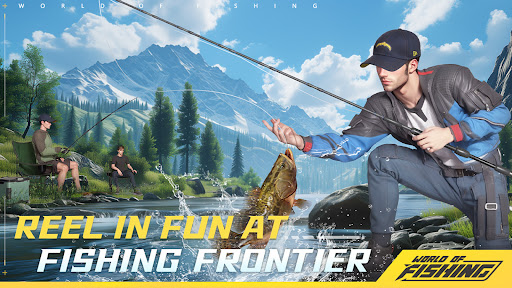

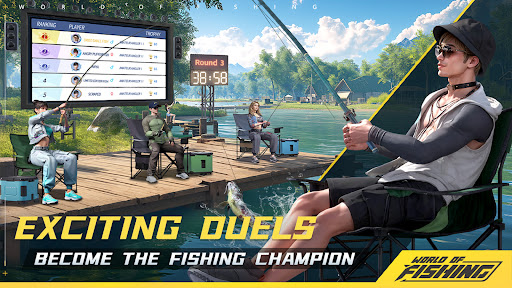
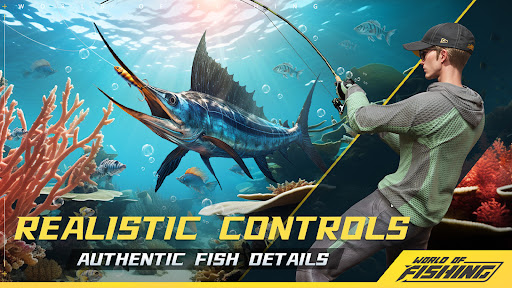
World of Fishing is a 3D casual mobile game that simulates real fishing.
Join World of Fishing and experience casting, stabbing, slipping and other operations from the first viewpoint,visit famous fishing grounds to collect different fish species! Anytime and anywhere, you can enjoy the ultimate fishing fun with a flick of your fingertips, get to know other fishing buddies and enjoy the joy of fishing with like-minded people.
Game Features
[HD 3D Realistic Feeling]
3D high-definition modeling & realistic game screen. In the simulation of fishing, you can enjoy the unpredictable climate, the alternation of seasons, and the change of light and shadow at different times of the day, which is the most perfect real scene, clearly staged. Every screen is of world-class quality and worth collecting!
Not only is the scenery highly reproducible , but the simulation of real fishing techniques also bring an immersive experience to anglers! Casting, swinging system, and line tension are all unmissable super-realistic fishing sensations that lead you to explore the charm of many undicovered fishing grounds.
[ Simple & Easy to Play ]
Detailed beginner's guide makes it easy to get started.The casting process is simple and smooth, making fishing a breeze.
All you need to do is to gently slide your fingertips, and all the fishing fun is under your control! In order to reproduce the operation of the fishing process as much as possible,the fishing game mechanism covers multiple steps such as casting, reeling, swinging the rod and bursting.
[Social Interaction & Fun Sharing]
We provide a friendly and interactive platform for many fishing enthusiasts gathered here, not only in the chat channel interaction, but also can give each other energy to catch big fish!
Download Fishing World and enjoy the fun of fishing!
Show more

1. Download MEmu installer and finish the setup

2. Start MEmu then open Google Play on the desktop

3. Search World of Fishing in Google Play
Install
4. Download and Install World of Fishing
5. On install completion click the icon to start

6. Enjoy playing World of Fishing on PC with MEmu
MEmu Play is the best Android emulator and 100 million people already enjoy its superb Android gaming experience. The MEmu virtualization technology empowers you to play thousands of Android games smoothly on your PC, even the most graphic-intensive ones.
Bigger screen with better graphics; Long duration, without limitation of battery or mobile data.
Full Keymapping support for precise control of keyboard and mouse or gamepad.
Multiple game accounts or tasks on single PC at one time with Multi-Instance manager.
Play World of Fishing on PC by following steps: