Youtubers Life 3
Updated
Current Version
Offered By

With your passion for Youtubers Life 3, you shouldn’t have to limit yourself to the small screen of a phone. Play like a pro and take full control of the game using a keyboard and mouse. MEmu gives you everything you’re looking for. Download and play Youtubers Life 3 on PC. Play as long as you want — no more worries about battery life, mobile data, or unexpected calls. The all-new MEmu 9 is the best way to play Youtubers Life 3 on PC. With our expertly designed keymapping system, Youtubers Life 3 feels just like a real PC game. The MEmu multi-instance manager lets you run two or more accounts on the same device at the same time. Most importantly, our exclusive emulation engine unlocks your PC’s full potential, delivering smooth and seamless performance.
Show more
Download Youtubers Life 3 on PC with MEmu Android Emulator. Enjoy playing on big screen. YOUR JOURNEY AS CONTENT CREATOR BEGINS HERE.
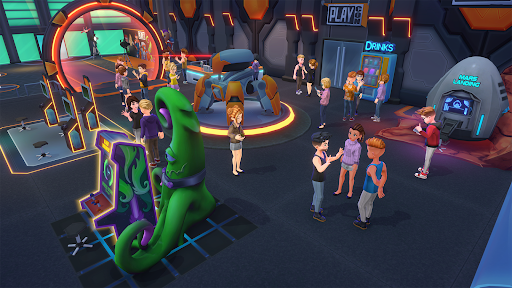
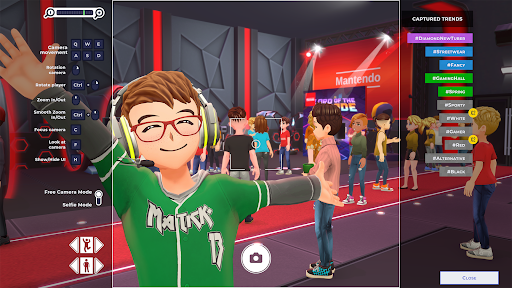
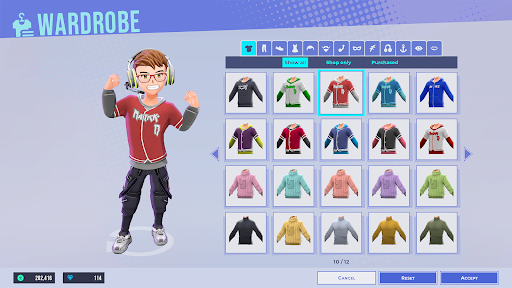
YOUR JOURNEY AS CONTENT CREATOR BEGINS HERE
Take your first step toward fame and experience 100% Youtubers
Life, where every decision shapes your path. Start from scratch by creating VOD videos, sharing your best moments on Instalife, and overcoming challenges that will test your talent. Face off against rivals, gain followers, and prove you have what it takes to become the content creator you’ve always dreamed to be.
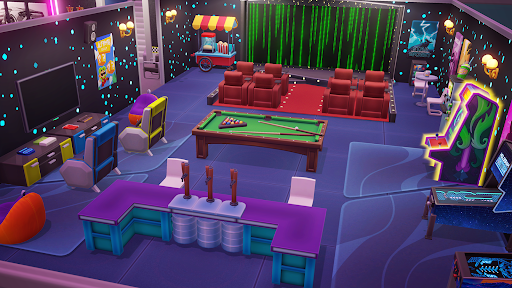
CREATE THE HOME OF A REAL YOUTUBER LEGEND
It starts in an empty room and ends with a fully customized legendary house with a swimming pool, a cinema, your car collection and much more... Only you set the limit!
UPGRADE YOUR SETUP AND HIRE THE BEST EMPLOYEES
If you want to climb fast in the rankings, don't forget to upgrade your PC and recording equipment, and buy new consoles to increase the results of your VODs. You can also hire employees: editors, financiers, or personal trainers to be more productive!
REACH AGREEMENTS WITH THE BEST BRANDS OF THE MOMENT
When you become a popular star, the main brands will want you to be their image ambassador. Meet and negotiate with the most important companies of the moment and get the best possible conditions!
ATTEND THE MOST EXCLUSIVE EVENTS
As your fame grows, you will be able to attend more and better events. Check your calendar and sign up for the ones you find most interesting. You'll be able to get unique items and interact with other youtubers from around the world to expand your network. Connect with other talents, make new friends, and who knows maybe something more... ;p
Show more

1. Download MEmu installer and finish the setup

2. Start MEmu then open Google Play on the desktop

3. Search Youtubers Life 3 in Google Play
Install
4. Download and Install Youtubers Life 3
5. On install completion click the icon to start

6. Enjoy playing Youtubers Life 3 on PC with MEmu
MEmu Play is the best Android emulator and 100 million people already enjoy its superb Android gaming experience. The MEmu virtualization technology empowers you to play thousands of Android games smoothly on your PC, even the most graphic-intensive ones.
Bigger screen with better graphics; Long duration, without limitation of battery or mobile data.
Full Keymapping support for precise control of keyboard and mouse or gamepad.
Multiple game accounts or tasks on single PC at one time with Multi-Instance manager.
Play Youtubers Life 3 on PC by following steps:

















































