Youtubers Life 3
อัปเดตเมื่อ
เวอร์ชันปัจจุบัน
ให้บริการโดย

เวลาคุณเล่น Youtubers Life 3, คุณอาจรู้สึกว่ามือคุณอาจบังจอแล้วทำให้ไม่ได้เล่นแบบเต็มที่. เล่นแบบไร้ขีดจำกัดด้วยเม้าส์และคีย์บอร์ด. MEmu มีตัวเลือกหลายอย่างให้คุณใช้งานเกมที่คุณเล่นแบบที่คุณต้องการ. ดาวน์โหลดและเล่น Youtubers Life 3 บน PC. เล่นนานแค่ไหนก็ได้, ไม่ต้องชาร์จแบตเตอรี่, หรือเจอคนโทรเข้ามาระหว่างเล่น. MEmu 9 เป็นตัวเลือกสำหรับการเล่น Youtubers Life 3 บน PC. ทางทีมงานเราได้ปรับแต่งเกม, ปรับให้เล่นเกมบางเกมได้เหมือนเล่น Youtubers Life 3 เป็นเกม PC เช่นเล็งด้วยเม้าส์หรือใช้คีย์บอร์ด. ระบบของเรายังทำให้คุณสามารถเปิดเล่นได้มากกว่า 2 เกมพร้อมๆกันในคอมของคุณ. และที่สำคัญที่สุด, ระบบโปรแกรมของเราสามารถทำให้คุณใช้ระบบของ PC ทำให้เกมลื่นเหมือนกับใช้โทรศัพท์รุ่นล่าสุด. เราไม่ได้ดูแลเรื่องการเล่นเกม, แต่เราดูแลถึงความสนุกสนานที่คุณได้จากการเล่นด้วย.
แสดงเพิ่มเติม
ดาวน์โหลด Youtubers Life 3 บน PC ด้วย MEmu Android Emulator สนุกกับการเล่นบนหน้าจอขนาดใหญ่ YOUR JOURNEY AS CONTENT CREATOR BEGINS HERE.
YOUR JOURNEY AS CONTENT CREATOR BEGINS HERE
Take your first step toward fame and experience 100% Youtubers
Life, where every decision shapes your path. Start from scratch by creating VOD videos, sharing your best moments on Instalife, and overcoming challenges that will test your talent. Face off against rivals, gain followers, and prove you have what it takes to become the content creator you’ve always dreamed to be.
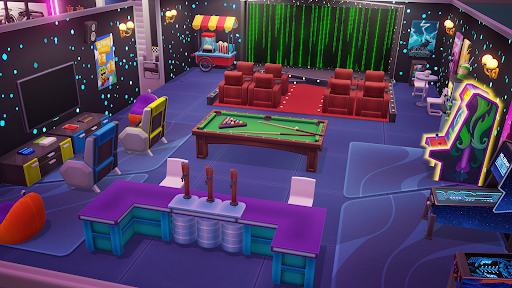
CREATE THE HOME OF A REAL YOUTUBER LEGEND
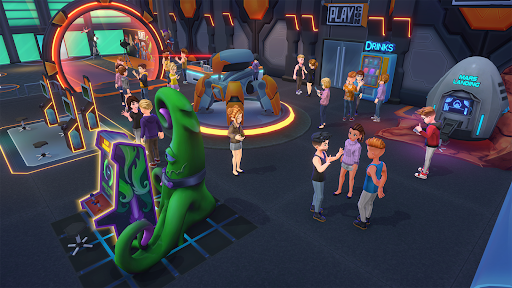
It starts in an empty room and ends with a fully customized legendary house with a swimming pool, a cinema, your car collection and much more... Only you set the limit!
UPGRADE YOUR SETUP AND HIRE THE BEST EMPLOYEES
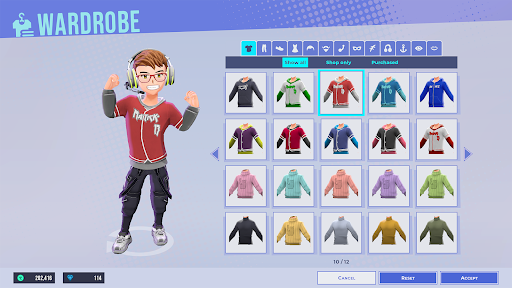
If you want to climb fast in the rankings, don't forget to upgrade your PC and recording equipment, and buy new consoles to increase the results of your VODs. You can also hire employees: editors, financiers, or personal trainers to be more productive!
REACH AGREEMENTS WITH THE BEST BRANDS OF THE MOMENT
When you become a popular star, the main brands will want you to be their image ambassador. Meet and negotiate with the most important companies of the moment and get the best possible conditions!
ATTEND THE MOST EXCLUSIVE EVENTS
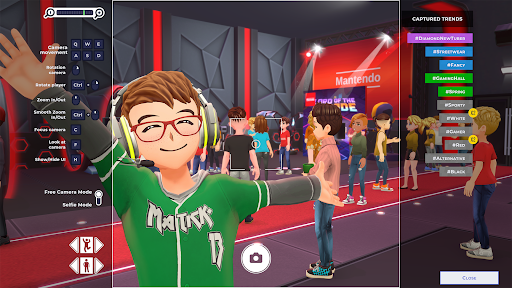
As your fame grows, you will be able to attend more and better events. Check your calendar and sign up for the ones you find most interesting. You'll be able to get unique items and interact with other youtubers from around the world to expand your network. Connect with other talents, make new friends, and who knows maybe something more... ;p
แสดงเพิ่มเติม

1. ดาวน์โหลดตัวติดตั้ง MEmu และสิ้นสุดการติดตั้ง

2. เริ่ม MEmu จากนั้นเปิด Google Play บนหน้าแรก

3. ค้นหา Youtubers Life 3 ใน Google Play
Install
4. ดาวน์โหลดและติดตั้ง Youtubers Life 3
5. เมื่อติดตั้งเสร็จให้คลิกที่ไอคอนเพื่อเริ่มใช้งาน

6. สนุกกับการเล่น Youtubers Life 3 บนพีซีด้วย MEmu
MEmu App Player เป็นอีมูเลเตอร์ Android ที่ดีที่สุดและผู้คนกว่า 50 ล้านคนเพลิดเพลินไปกับประสบการณ์การเล่นเกม Android ที่ยอดเยี่ยม เทคโนโลยีการจำลองเสมือนของ MEmu ช่วยให้คุณเล่นเกม Android หลายพันเกมได้อย่างราบรื่นบนพีซีของคุณแม้แต่เกมที่ต้องใช้กราฟิกมากที่สุด
จอใหญ่และกราฟฟิกสวยกว่า; เล่นได้นาน, ไม่ต้องใช้แบตเตอรี่โทรศัพท์หรือเน็ตโทรศัพท์.
ระบบปรับแต่งปุ่มคีย์บอร์ดและเม้าส์ตามที่คุณเลือก
เล่นมากกว่าหนึ่งเกมบน PC ในเวลาเดียวกันด้วยระบบหลายจอหรือ Multi-Instance manager.
Play Youtubers Life 3 on PC by following steps: