Zombie Battle : FPS Idle
Updated
Current Version
1.0.5
Offered By

With your passion for Zombie Battle : FPS Idle, you shouldn’t have to limit yourself to the small screen of a phone. Play like a pro and take full control of the game using a keyboard and mouse. MEmu gives you everything you’re looking for. Download and play Zombie Battle : FPS Idle on PC. Play as long as you want — no more worries about battery life, mobile data, or unexpected calls. The all-new MEmu 9 is the best way to play Zombie Battle : FPS Idle on PC. With our expertly designed keymapping system, Zombie Battle : FPS Idle feels just like a real PC game. The MEmu multi-instance manager lets you run two or more accounts on the same device at the same time. Most importantly, our exclusive emulation engine unlocks your PC’s full potential, delivering smooth and seamless performance.
Show more
Download Zombie Battle : FPS Idle on PC with MEmu Android Emulator. Enjoy playing on big screen. No more complex aiming in front of the rushing zombie hordes.
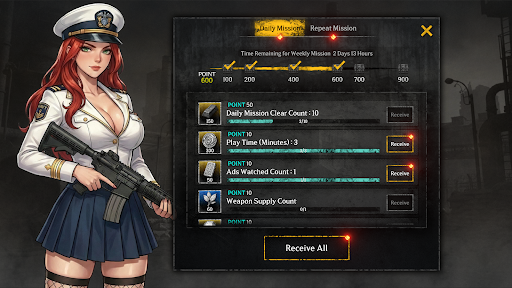
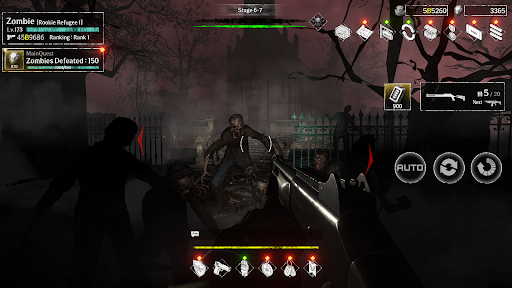
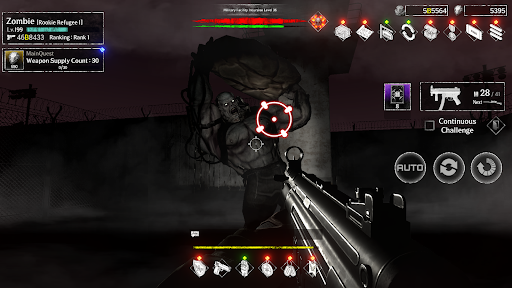
No more complex aiming in front of the rushing zombie hordes.
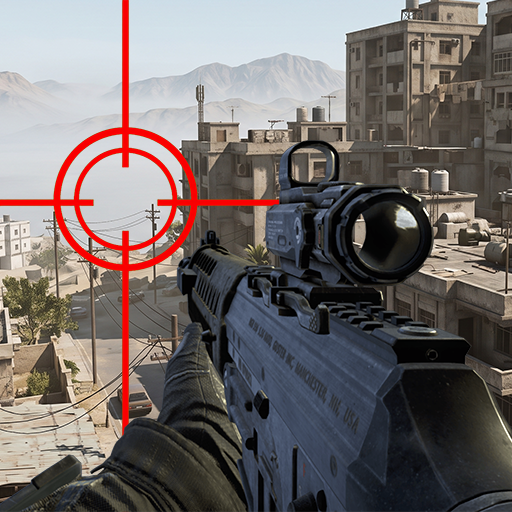
Experience a new style of idle FPS combining a simple auto-aim system and spectacular shooting action.
It's time to suppress the zombie apocalypse with overwhelming impact and relentless shooting.
[Overwhelming Shooting Action Completed with Auto-Aim]
Fire without hesitation at the zombies filling the screen.
A precise auto-aim system quickly targets enemies, delivering the thrill of relentless shooting.
You can fully feel the thrilling hit sensation and satisfying impact unique to FPS games without complex controls.
[Continuous Weapon Upgrades and Limitless Growth]
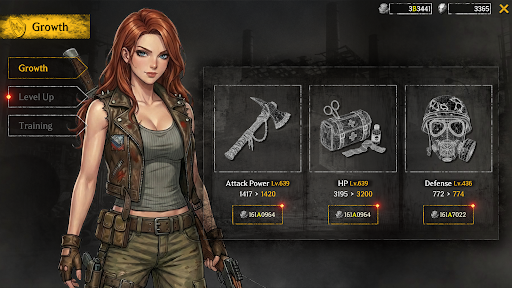
Upgrade your own weapons to face the increasingly powerful zombies.
Collect a variety of firearms and modify their performance to maximize your firepower.
Wipe out swarming enemies at once with firepower that grows stronger with every stage.
[Endless Stage Clears]
Ever-changing battle zones and fiercer zombie hordes await you.
Clear each stage step by step and continue the thrilling battles.
Test your limits and successfully eliminate zombies in all areas.
[The Perfect Combination of Easy Idle Gameplay and FPS]
Growth never stops, even in your busy daily life.
With easy controls and an efficient growth system, anyone can comfortably immerse themselves.
Engage in even more refreshing gunfights with enhanced stats and weapons.
Start shooting against the zombie horde right now and feel the thrill of constantly exploding combat!
--------------------------------------------------
[Optional] Notifications: Receive informational and promotional notifications
※ Granting optional permissions is not mandatory to use the service. After giving permission, you can modify or revoke it in your smartphone's settings.
[How to withdraw access]
* Android 6.0 and above:
- Withdraw by access: Device Settings > Apps > More (Settings and Controls) > App Settings > App Permissions > Select that access > Allow or Withdraw Access
- Withdraw by app: Device Settings > Apps > Selected app > Permissions > Allow or Withdraw Access
* Android 6.0 or less:
Due to the nature of the operating system, access rights cannot be withdrawn, so it can only withdrawn if the app is deleted. We recommend that you upgrade the Android version to 6.0 or higher.
--------------------------------------------------
Help : cs@mobirix.com
Homepage :
https://play.google.com/store/apps/dev?id=4864673505117639552
Facebook :
https://www.facebook.com/mobirixplayen
YouTube :
https://www.youtube.com/user/mobirix1
Instagram :
https://www.instagram.com/mobirix_official/
TikTok :
https://www.tiktok.com/@mobirix_official
Show more

1. Download MEmu installer and finish the setup

2. Start MEmu then open Google Play on the desktop

3. Search Zombie Battle : FPS Idle in Google Play
Install
4. Download and Install Zombie Battle : FPS Idle
5. On install completion click the icon to start

6. Enjoy playing Zombie Battle : FPS Idle on PC with MEmu
MEmu Play is the best Android emulator and 100 million people already enjoy its superb Android gaming experience. The MEmu virtualization technology empowers you to play thousands of Android games smoothly on your PC, even the most graphic-intensive ones.
Bigger screen with better graphics; Long duration, without limitation of battery or mobile data.
Full Keymapping support for precise control of keyboard and mouse or gamepad.
Multiple game accounts or tasks on single PC at one time with Multi-Instance manager.
Play Zombie Battle : FPS Idle on PC by following steps: