Zombie World War: Storm
Updated
Current Version
1.0.0.99
Offered By

With your passion for Zombie World War: Storm, you shouldn’t have to limit yourself to the small screen of a phone. Play like a pro and take full control of the game using a keyboard and mouse. MEmu gives you everything you’re looking for. Download and play Zombie World War: Storm on PC. Play as long as you want — no more worries about battery life, mobile data, or unexpected calls. The all-new MEmu 9 is the best way to play Zombie World War: Storm on PC. With our expertly designed keymapping system, Zombie World War: Storm feels just like a real PC game. The MEmu multi-instance manager lets you run two or more accounts on the same device at the same time. Most importantly, our exclusive emulation engine unlocks your PC’s full potential, delivering smooth and seamless performance.
Show more
Download Zombie World War: Storm on PC with MEmu Android Emulator. Enjoy playing on big screen. Zombie World War: Storm is a polished vertical-screen Roguelike shooter mobile game.
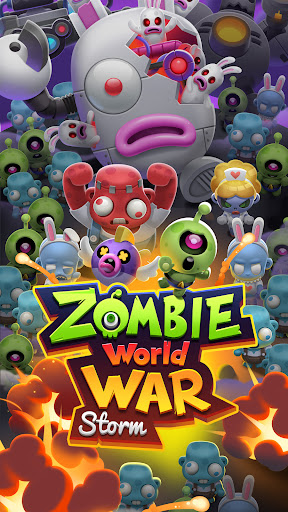
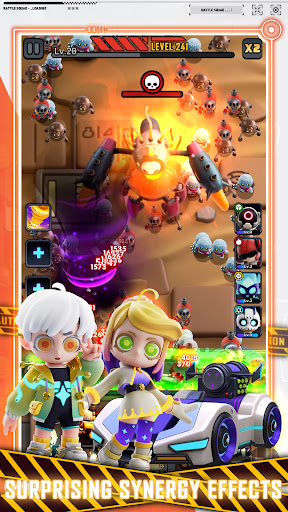
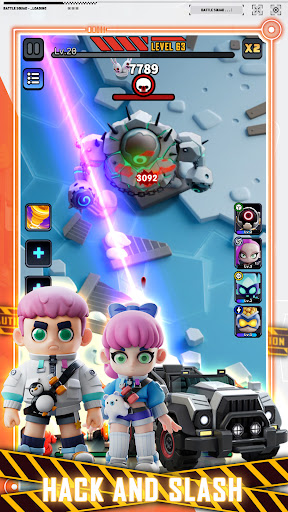
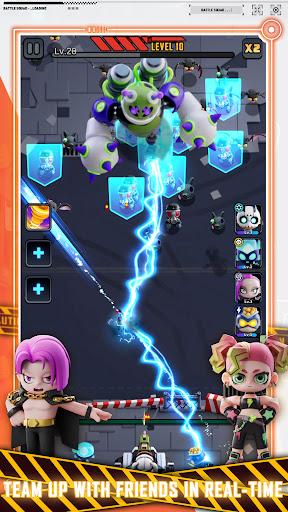
Zombie World War: Storm is a polished vertical-screen Roguelike shooter mobile game. With high freedom in both hero and cannon progression, you can unleash your creativity and build the strongest team possible. Just imagine how you leisurely sink into your sofa and enjoy watching spectacular hero skills barrage the screen, booming fierce zombies into ashes. As you dive deeper, whether you're setting up a solid defense, commanding heavy artillery, or dealing with strange drones, the fast-paced combat will keep you hooked.
Background:
The fall of Exo-plane has plunged the planet into chaos. Waves of the undead are sweeping across everything, leaving only destruction in their wake! As the war drags on, natural resources and technology are collapsing, and humanity is being pushed back, locked in a shrinking safe zone. Some powerful heroes have risen, but humans remain cornered, waiting for their inevitable demise. That's where YOU come in. As the most skilled commander, you will take the lead, guiding artillery and heroes to protect the last human outpost, prepare for a counterattack against the Exo-plane, and rewrite fate!
Game Features:
Hack and Slash: Wield overwhelming firepower and clear the screen in one thrilling blast.
Survival + Roguelike: Heroes’ abilities and combinations are randomly generated, making each decision a mix of wit and luck.
Deep Customization: It’s no longer just about raw stat crushing—To win, you must find the playstyle that suits you best and carefully blend strategy and power.
Surprising Synergy Effects: Use your imagination to uncover different effects between commanders and heroes, and even among heroes themselves, for exciting combos and surprises in battle.
Co-op Mode: Team up with friends in real-time to tackle the zombie hordes together!
Show more

1. Download MEmu installer and finish the setup

2. Start MEmu then open Google Play on the desktop

3. Search Zombie World War: Storm in Google Play
Install
4. Download and Install Zombie World War: Storm
5. On install completion click the icon to start

6. Enjoy playing Zombie World War: Storm on PC with MEmu
MEmu Play is the best Android emulator and 100 million people already enjoy its superb Android gaming experience. The MEmu virtualization technology empowers you to play thousands of Android games smoothly on your PC, even the most graphic-intensive ones.
Bigger screen with better graphics; Long duration, without limitation of battery or mobile data.
Full Keymapping support for precise control of keyboard and mouse or gamepad.
Multiple game accounts or tasks on single PC at one time with Multi-Instance manager.
Play Zombie World War: Storm on PC by following steps: