AI Video Maker - Renderforest
Updated
Current Version
3.9.5
Offered By

Stop worrying about high battery drain when using AI Video Maker - Renderforest on your phone. Free yourself from the tiny screen and enjoy the app on a much larger display. From now on, get a full-screen experience of your app with the convenience of a keyboard and mouse. MEmu offers you all the surprising features you’d expect: quick installation and easy setup, intuitive controls, and no more worries about battery life, mobile data, or unexpected calls. The all-new MEmu 9 is the choice for using AI Video Maker - Renderforest on your computer. With the MEmu multi-instance manager, you can run two or more accounts at the same time. Most importantly, our exclusive emulation engine unlocks your PC’s full potential, delivering smooth and enjoyable performance.
Show more
Enjoy superb experience of using AI Video Maker - Renderforest on PC with MEMU App Player. It's a powerful free Android emulator which provides you with thousands of android apps for their desktop version. Enjoy connecting with friends and polishing your work with higher efficiency! Create professional videos in minutes with Renderforest – the all-in-one video maker, editor, and intro maker app.
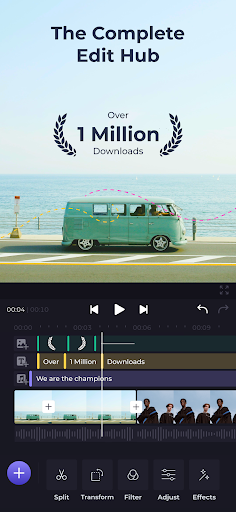
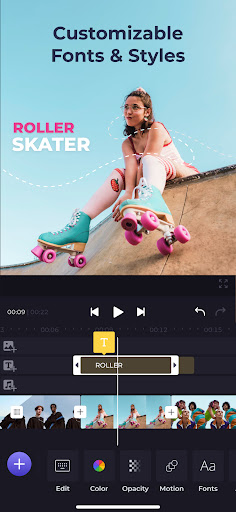

Create professional videos in minutes with Renderforest – the all-in-one video maker, editor, and intro maker app.
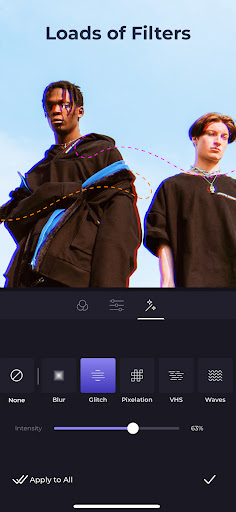
Easily edit, trim, and add effects to your videos with just a few taps. Access a massive library of customizable video templates for any occasion or industry. Create stunning intros and outros, visualize your music with eye-catching effects, and combine photos and videos into engaging slideshows. No experience needed – Renderforest makes it easy to bring your creative vision to life.
Create Videos That Wow:
• Intuitive Video Editor: Effortlessly trim, merge, add music, and apply effects with just a few taps.
• Massive Template Library: Explore a vast collection of customizable video templates for any occasion or industry.
• Customizable Everything: Add your own branding, music, text animations, and more to make each video uniquely yours.
• Intro & Outro Maker: Animate your logo in a variety of styles, including minimal, dark, retro, and footage-based, add calls to action, and give your videos a polished look.
• Music Visualizer: Bring your music to life with eye-catching visualizations.
• Slideshow Maker: Merge your images and video clips into a smooth slideshow with the transitions of your choice. Find templates for weddings, birthdays, holidays, travel, business, and more.
• ...and More! Create promo videos, presentations, lyric videos, and so much more.
Perfect for:
• Entrepreneurs & Businesses: Craft eye-catching promotional videos and social media content.
• Content Creators: Level up your YouTube videos, TikTok clips, and Instagram stories.
• Anyone with a story to Tell: Capture memories, create birthday tributes, or simply have fun with video!
Discover the power of Renderforest – the video creation app that puts professional results in your pocket. Download today and start creating!
Show more

1. Download MEmu installer and finish the setup

2. Start MEmu then open Google Play on the desktop

3. Search AI Video Maker - Renderforest in Google Play
Install
4. Download and Install AI Video Maker - Renderforest
5. On install completion click the icon to start

6. Enjoy using AI Video Maker - Renderforest on PC with MEmu
MEmu Play is the best Android emulator, and 100 million users already enjoy its superb Android app experience. Powered by advanced virtualization technology, it lets you enjoy thousands of Android apps smoothly on your PC—including the most graphics-intensive ones.
Bigger screen with better graphics; Long duration, without limitation of battery or mobile data.
Full Keymapping support for precise control of keyboard and mouse or gamepad.
Multiple game accounts or tasks on single PC at one time with Multi-Instance manager.
Use AI Video Maker - Renderforest on PC by following steps: