Update Software Latest
Updated
Current Version
1.93
Offered By

Stop worrying about high battery drain when using Update Software Latest on your phone. Free yourself from the tiny screen and enjoy the app on a much larger display. From now on, get a full-screen experience of your app with the convenience of a keyboard and mouse. MEmu offers you all the surprising features you’d expect: quick installation and easy setup, intuitive controls, and no more worries about battery life, mobile data, or unexpected calls. The all-new MEmu 9 is the choice for using Update Software Latest on your computer. With the MEmu multi-instance manager, you can run two or more accounts at the same time. Most importantly, our exclusive emulation engine unlocks your PC’s full potential, delivering smooth and enjoyable performance.
Show more
Enjoy superb experience of using Update Software Latest on PC with MEMU App Player. It's a powerful free Android emulator which provides you with thousands of android apps for their desktop version. Enjoy connecting with friends and polishing your work with higher efficiency! Download Update Software Latest & relax.
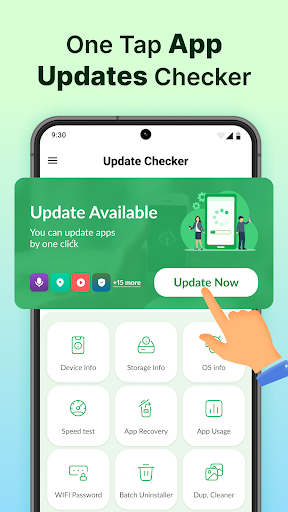
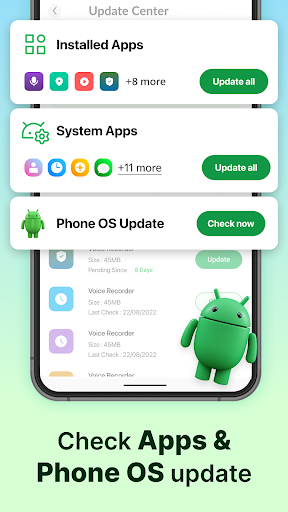
Download Update Software Latest & relax. Update Software Latest & Poster Maker will automatically check for updates to your installed Apps & Games and will notify you as soon as updates are available after each call.
This Software Update Check & Poster Maker app will help you automatically check for pending updates to all your downloaded Apps & Games and system apps at regular intervals
Some Key Features
☞ Auto Update Check
Get all your pending updates on one page; know which apps have updated versions on the play store.
☞ Update Notifications
This app automatically checks for updates and notifies you once they are available on the play store; this innovative Feature of the app keeps checking updates and lets you know about the only apps which have updates available on the play store.
☞ Check Updates Downloaded Application
Check for updates for all your installed Apps & Games; see app your recently installed apps and game on one page and check available updates.
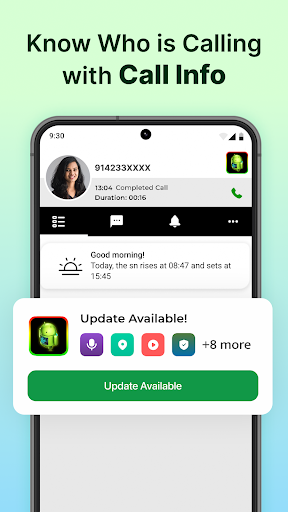
☞ Caller Information
Know who is calling and manually search for numbers outside your contact book
☞ Phone Usage Meter
Track the time spent you spend on your phone & your favorite apps; know how much time you spend on your phone in a day or week. This will help you in minimizing high phone use addiction.
☞ Some Smart Actions
Permission: Through the Update Software Latest app, you can view all the licenses used by any installed apps on your phone.
☞ Play Store Version Check
View the updated play store version of any app installed on your phone.
New Feature Alert
☞ App usage tracker, which shows your phone usage patterns and how much time you spent on your phone. It gives you useful analytics of your phone usage.
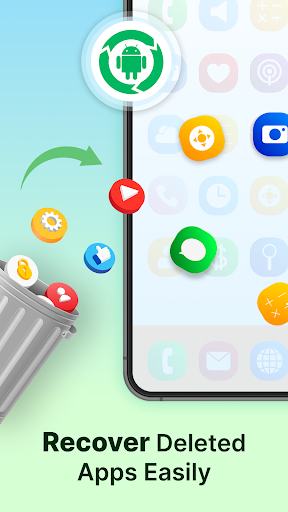
- App Recovery lets you restore apps you may have previously deleted but would like to reinstall again. You can see a list of deleted apps and tap on recover to reinstall. The entire process is effortless.
- Batch Uninstaller feature helps you to remove unused apps which increases your phone's space.
Why you should get Update Software Update App & Poster Maker
Your phone might have 50+ Apps installed, and you will always want to keep those apps up-to-date on your device; for this, you don’t need to check for app updates multiple times on the Play Store. You can get the list of newly updated apps using Pending Updates to feature automatically with this app and upgrade your apps & games.
In most cases, these updates will show up on your phone when the time is right, but for those who are not willing to wait a second longer, there is a way to check for the updates manually.
Update Software Latest & Poster Maker will help you automatically check for pending updates to all your downloaded Apps & Games and system apps at regular intervals. Find out who called you with the intelligent Caller ID function. The app will keep checking the updated versions for all your installed apps and will notify you if there is an app with an available update on Play Store.
Inside Update Software Latest & Poster Maker:
★ Android
★ Software Update
★ My Android
★ 2020 Apps Update
★ Update App List
★ App Updater
★ Android update
★ Software Updater
★ Android App
★ Phone Compare
★ Software Update New Version
★ Updates for Samsung
★ Updates for Games
★ Assistant for Android
★ Know who is calling
★ Check Data Uses
★ Mobile app Use Details
★ App Use Tracker
★ Caller ID
★ Update Phone Check
★ Get Device & Storage Info
★ Internet Speed Test
★ Duplicate Photo Cleaner
Some other Smart Features
☆ Smooth User Interface
☆ Easy to Use
☆ Small APK Size
Please reach out to: feedback@quantum4u.in for any concerns.
Privacy policy: https://quantum4u.in/web/softwareupdate/privacy-policy
Terms of Use: https://quantum4u.in/web/softwareudpate/tandc
EULA: https://quantum4u.in/web/softwareupdate/eula
Show more

1. Download MEmu installer and finish the setup

2. Start MEmu then open Google Play on the desktop

3. Search Update Software Latest in Google Play
Install
4. Download and Install Update Software Latest
5. On install completion click the icon to start

6. Enjoy using Update Software Latest on PC with MEmu
MEmu Play is the best Android emulator, and 100 million users already enjoy its superb Android app experience. Powered by advanced virtualization technology, it lets you enjoy thousands of Android apps smoothly on your PC—including the most graphics-intensive ones.
Bigger screen with better graphics; Long duration, without limitation of battery or mobile data.
Full Keymapping support for precise control of keyboard and mouse or gamepad.
Multiple game accounts or tasks on single PC at one time with Multi-Instance manager.
Use Update Software Latest on PC by following steps:
































