
bale by BTN
Updated
Current Version
2.8.0
Offered By

Stop worrying about high battery drain when using bale by BTN on your phone. Free yourself from the tiny screen and enjoy the app on a much larger display. From now on, get a full-screen experience of your app with the convenience of a keyboard and mouse. MEmu offers you all the surprising features you’d expect: quick installation and easy setup, intuitive controls, and no more worries about battery life, mobile data, or unexpected calls. The all-new MEmu 9 is the choice for using bale by BTN on your computer. With the MEmu multi-instance manager, you can run two or more accounts at the same time. Most importantly, our exclusive emulation engine unlocks your PC’s full potential, delivering smooth and enjoyable performance.
Show more
Enjoy superb experience of using bale by BTN on PC with MEMU App Player. It's a powerful free Android emulator which provides you with thousands of android apps for their desktop version. Enjoy connecting with friends and polishing your work with higher efficiency! Thank you for being a BTN customer.
Thank you for being a BTN customer. BTN is always present to accompany the journey of the Indonesian people by providing convenience and comfort in banking transaction services.
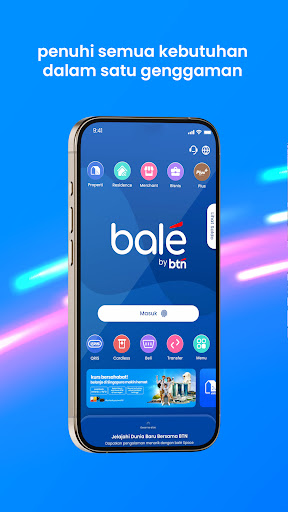
BTN Mobile has now transformed into balé by BTN, coming with more complete features, integrated services and a more cheerful appearance.
All You Need is Just One Click Away! No need to switch applications, it's more practical and easier with balé by BTN. Just one application to access various BTN services easily.
With various superior feature updates and the BTN ecosystem. Discover a new banking transaction experience with features such as:
Open an Online Account
Open an online account easily and quickly, anytime and anywhere
BTN Ecosystem
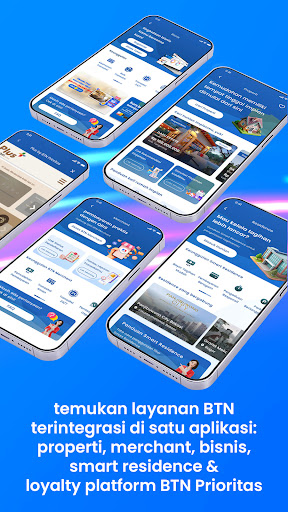
Find BTN services integrated in one application: property, merchant, business, residence, and Plus by Prioritas
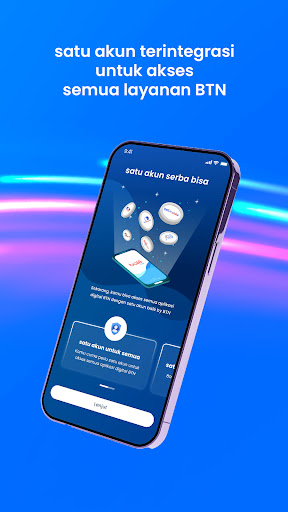
Single Sign On
One integrated account to access all BTN services
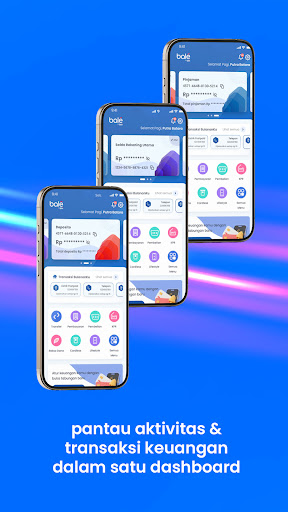
Financial Transaction Dashboard
Monitor financial activities and transactions in one easy-to-use dashboard
Lifestyle
Make it easy to manage your lifestyle from daily transactions to paying bills
balé Space
Space to find your dream home, the latest articles and interesting promotions
My Monthly Transactions
Manage bills better through the My Monthly Transactions feature
Connect with various other BTN services, such as:
Property
Find your dream home, calculate KPR simulations, apply for KPR online, information about property, and other things that help you make your dream home a reality
Merchants
Have QR to support your business and monitor business transactions in detail
Business
Make various business transactions easy with complete features and services to support your business needs
Community
Manage and pay various residential bills easily from one application
Plus by Priority
Exclusive services with a membership concept for BTN Prioritas customers, services from BTN to understand customer needs with a variety of superior facilities.
BTN is licensed and supervised by the Financial Services Authority & Bank Indonesia and is an LPS guarantee participant.
Headquarters:
BTN Bank Tower Jl. Gajah Mada No.1, Jakarta 10130
BTN Call: 150286/1500286
Email Contact Center: btncontactcenter@btn.co.id
Show more

1. Download MEmu installer and finish the setup

2. Start MEmu then open Google Play on the desktop

3. Search bale by BTN in Google Play
Install
4. Download and Install bale by BTN
5. On install completion click the icon to start

6. Enjoy using bale by BTN on PC with MEmu
MEmu Play is the best Android emulator, and 100 million users already enjoy its superb Android app experience. Powered by advanced virtualization technology, it lets you enjoy thousands of Android apps smoothly on your PC—including the most graphics-intensive ones.
Bigger screen with better graphics; Long duration, without limitation of battery or mobile data.
Full Keymapping support for precise control of keyboard and mouse or gamepad.
Multiple game accounts or tasks on single PC at one time with Multi-Instance manager.
Use bale by BTN on PC by following steps: