Battle.net
Updated
Current Version
1.32.3.46
Offered By

Stop worrying about high battery drain when using Battle.net on your phone. Free yourself from the tiny screen and enjoy the app on a much larger display. From now on, get a full-screen experience of your app with the convenience of a keyboard and mouse. MEmu offers you all the surprising features you’d expect: quick installation and easy setup, intuitive controls, and no more worries about battery life, mobile data, or unexpected calls. The all-new MEmu 9 is the choice for using Battle.net on your computer. With the MEmu multi-instance manager, you can run two or more accounts at the same time. Most importantly, our exclusive emulation engine unlocks your PC’s full potential, delivering smooth and enjoyable performance.
Show more
Enjoy superb experience of using Battle.net on PC with MEMU App Player. It's a powerful free Android emulator which provides you with thousands of android apps for their desktop version. Enjoy connecting with friends and polishing your work with higher efficiency! Stay connected with Battle.
Stay connected with Battle.net wherever you are.
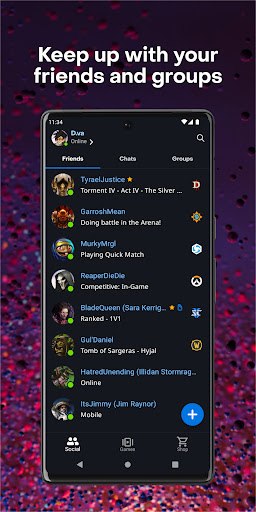
Keep up with your friends and groups:
See what your friends are playing, add new friends, coordinate play time, discuss strategies, or just stay in touch. Jump into game, and never miss an opportunity to play together.
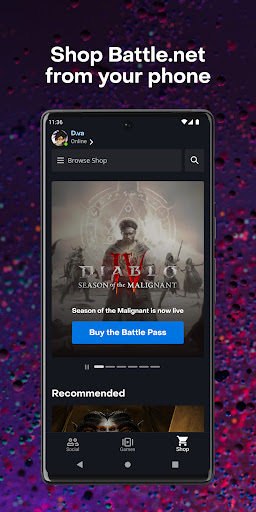
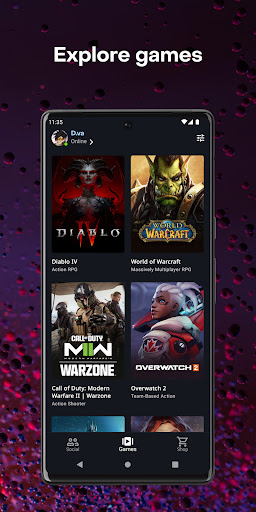
Explore games and find your next adventure:
Dive into everything that Battle.net has to offer: Read patch notes, explore your gaming communities and forums, and discover something new to play through the Shop and Games tabs.
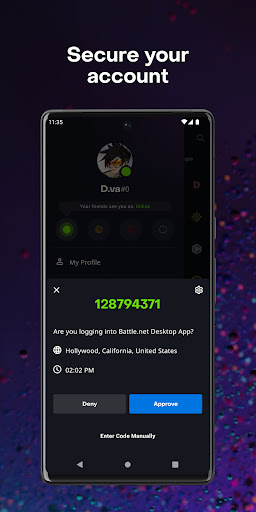
Keep your Battle.net account secure:
Manage your account through account settings and protect it by attaching a Battle.net Authenticator. The Authenticator keeps your account safe by allowing you to approve or decline any login attempt from a simple tap of a button or notification.
Contact Blizzard Support:
Let us help you get back into game - browse support articles, open new tickets, and reply to ongoing tickets directly from the app.
Airtime or Wi-Fi connection required for use.
Languages Supported:
* English
* Français
* Deutsch
* Español (Latinoamérica)
* Español (Europa)
* Português
* Italiano
* Русский
* 한국어 (Korean)
* 繁體中文 (Traditional Chinese)
* 简体中文 (Simplified Chinese)
* 日本語 (Japanese)
* ไทย (Thai)
©/TM/® 2025 Blizzard Entertainment, Inc.
Show more

1. Download MEmu installer and finish the setup

2. Start MEmu then open Google Play on the desktop

3. Search Battle.net in Google Play
Install
4. Download and Install Battle.net
5. On install completion click the icon to start

6. Enjoy using Battle.net on PC with MEmu
MEmu Play is the best Android emulator, and 100 million users already enjoy its superb Android app experience. Powered by advanced virtualization technology, it lets you enjoy thousands of Android apps smoothly on your PC—including the most graphics-intensive ones.
Bigger screen with better graphics; Long duration, without limitation of battery or mobile data.
Full Keymapping support for precise control of keyboard and mouse or gamepad.
Multiple game accounts or tasks on single PC at one time with Multi-Instance manager.
Use Battle.net on PC by following steps: