Camera for Android - Fast Snap
Updated
Current Version
2.9.6
Offered By

Stop worrying about high battery drain when using Camera for Android - Fast Snap on your phone. Free yourself from the tiny screen and enjoy the app on a much larger display. From now on, get a full-screen experience of your app with the convenience of a keyboard and mouse. MEmu offers you all the surprising features you’d expect: quick installation and easy setup, intuitive controls, and no more worries about battery life, mobile data, or unexpected calls. The all-new MEmu 9 is the choice for using Camera for Android - Fast Snap on your computer. With the MEmu multi-instance manager, you can run two or more accounts at the same time. Most importantly, our exclusive emulation engine unlocks your PC’s full potential, delivering smooth and enjoyable performance.
Show more
Enjoy superb experience of using Camera for Android - Fast Snap on PC with MEMU App Player. It's a powerful free Android emulator which provides you with thousands of android apps for their desktop version. Enjoy connecting with friends and polishing your work with higher efficiency! HD Camera is a powerful all-in-one camera with 4K/Ultra HD camera, beauty camera, professional mode, panorama, short video, food mode, time-lapse recording for all Android devices.
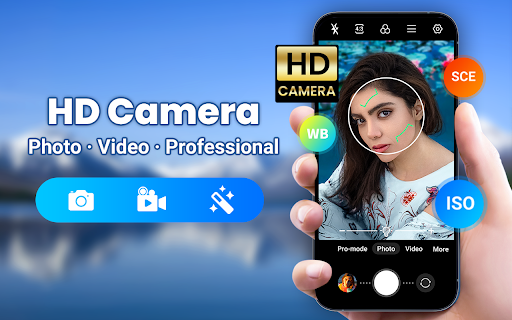
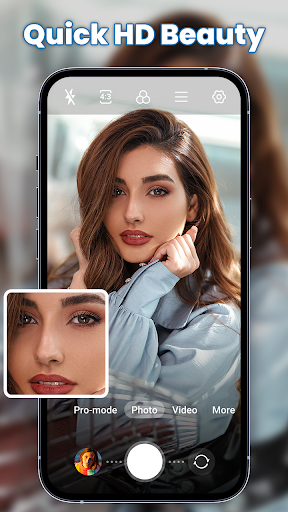
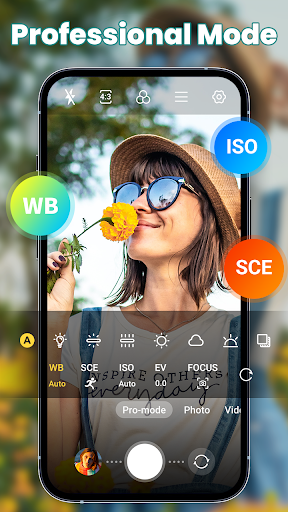
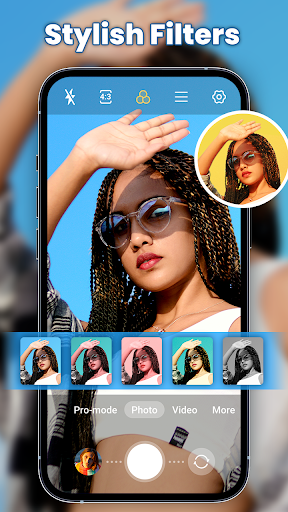
HD Camera is a powerful all-in-one camera with 4K/Ultra HD camera, beauty camera, professional mode, panorama, short video, food mode, time-lapse recording for all Android devices. Just one click to shoot HD photos and videos with rich filters and professional beauty effects!
HD Camera for Android helps you take incredible and natural photo and video with professional effects, real-time filter, stylish HDR, continuous shooting, photo & video editor. Quick snap photo and video and edit them with stickers, filters, texts.
Download HD Camera & Beauty Selfie Camera to take amazing selfie photos & videos and share your photo to Snapchat, Instagram, Facebook, Twitter, Tik Tok.
Top Features for HD Camera
● HD Camera: One touch to take HD/4k beautiful photos and videos
● Intelligent scene mode: Different scene, support portrait, party, night, sport mode etc.
● Real-time filters: Preview 100+ themed filter effect and gorgeous effects
● Super HD Beauty: One tap to touch-up for a more natural, stunning selfie photo
● Powerful HDR: Capture the details of highlights and shadows
● Best Shooting Modes: photo, video, pro mode, panorama, beauty, food, square, short video, time-lapse etc.
Professional Camera & High-Quality Selfie Camera
- Beauty Camera: Instantly make your selfie photo more gorgeous
- Professional Camera: Support for focus modes, color effects, white balance, ISO, and exposure compensation/lock, torch
- Different Focus: infinity, Macro, Auto, continuous focus. Various zoom modes to take clear photos
- White Balance: adjust the intensities of the colors to restore the original color
- AI Smart Camera: Configurable volume keys, Continuous shooting, Auto-stabilize
- Adjust Exposure: Manual focusing distance and adjust the ISO sensitivity to fit the scene
ALL-IN-ONE Photo Editor & Collage Maker & Video Editor
- Photo Editor: Rotate, Crop, Brush, Mosaic, Text and more to distinguish your photo from others
- AR Sticker and Filters: Don't miss out on daily updated AR effects and seasonal exclusive trendy filters
- Collages: Instantly remixes them into a cool photo collage which provides tons of free preset templates & layouts for Instagram users
- Video trimmer: Trim and cut your video
- Retouch and Doodle Pen: Draw or paint on your photo. Customizable beauty solutions for enlarged eyes, whitener teeth, smaller head size and more
- Advanced Tune: Contrast, sharpen, highlight, saturate, shadow, exposure, hue, color temperature, BW
Useful Features and Easily Share
- Record the shooting location information and time
- Pinch to zoom and Optical / digital zoom, tap to focus
- Auto level and Intelligently face detection
- Manage photos and videos with smart gallery
- Steady shooting, camera line, golden ration line
- The front and the rear camera toggle
- Shutter sound on and off
- Torch and flash, Night Mode
- Audio control
Come and download Professional HD Camera Selfie Beauty Camera to take the best photos and videos and share with your friends!
Show more

1. Download MEmu installer and finish the setup

2. Start MEmu then open Google Play on the desktop

3. Search Camera for Android - Fast Snap in Google Play
Install
4. Download and Install Camera for Android - Fast Snap
5. On install completion click the icon to start

6. Enjoy using Camera for Android - Fast Snap on PC with MEmu
MEmu Play is the best Android emulator, and 100 million users already enjoy its superb Android app experience. Powered by advanced virtualization technology, it lets you enjoy thousands of Android apps smoothly on your PC—including the most graphics-intensive ones.
Bigger screen with better graphics; Long duration, without limitation of battery or mobile data.
Full Keymapping support for precise control of keyboard and mouse or gamepad.
Multiple game accounts or tasks on single PC at one time with Multi-Instance manager.
Use Camera for Android - Fast Snap on PC by following steps: