Cast to TV - Screen Mirroring
Updated
Current Version
1.8.4
Offered By

Stop worrying about high battery drain when using Cast to TV - Screen Mirroring on your phone. Free yourself from the tiny screen and enjoy the app on a much larger display. From now on, get a full-screen experience of your app with the convenience of a keyboard and mouse. MEmu offers you all the surprising features you’d expect: quick installation and easy setup, intuitive controls, and no more worries about battery life, mobile data, or unexpected calls. The all-new MEmu 9 is the choice for using Cast to TV - Screen Mirroring on your computer. With the MEmu multi-instance manager, you can run two or more accounts at the same time. Most importantly, our exclusive emulation engine unlocks your PC’s full potential, delivering smooth and enjoyable performance.
Show more
Enjoy superb experience of using Cast to TV - Screen Mirroring on PC with MEMU App Player. It's a powerful free Android emulator which provides you with thousands of android apps for their desktop version. Enjoy connecting with friends and polishing your work with higher efficiency! Cast to TV - Screen Mirroring is a user-friendly application that revolutionizes the way you connect and share your Android devices to big TV screens.
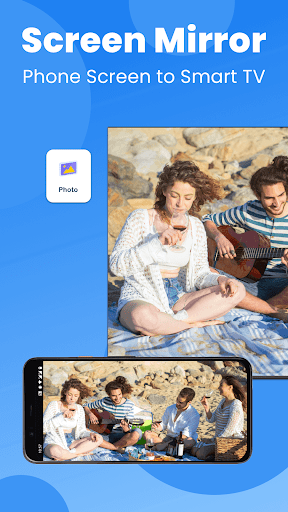
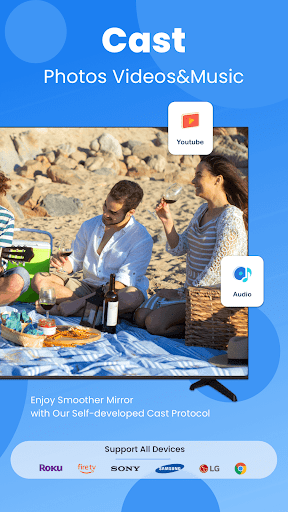
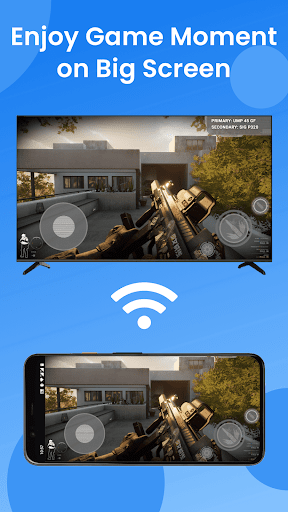
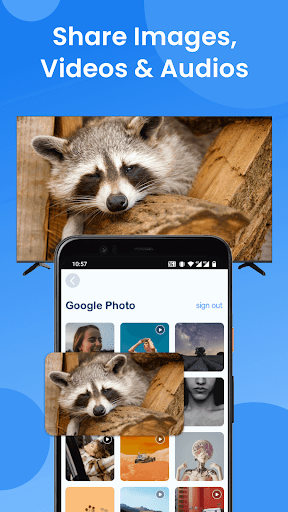
Cast to TV - Screen Mirroring is a user-friendly application that revolutionizes the way you connect and share your Android devices to big TV screens. It supports a wide range of smart TV models with DLNA built in: Roku, Fire TV, LG, Samsung, Panasonic, TCL, Hisense, Vizio, Sony, etc. It can work normally on all Android mobile devices with Android 7.0+ stably.
Whether you're binge-watching your favorite shows, playing mobile games, holding family gatherings and movie nights or presenting slideshows, with Cast to TV - Screen Mirroring app, your content takes center stage, ensuring an immersive viewing experience for all. Download now and unlock the power of wireless screen mirroring!
Unique Features:
☆ Screen mirror and cast web videos & browsers to home TV in real-time without compromising quality.
☆ Screen mirror music, photos and play games on your large smart TV without any lag or delay.
☆ Simple & fast connection with just one tap over WiFi.
☆ Support for all media files, including videos, photos, audios and more.
☆ Cast from Google Photos, Google Drive and Dropbox fast and stably.
☆ Cast local media and photoslideshow to big-screen TV.
☆ Support our self-developed GoogleCast protocol, allowing you to have a smoother mirroring experience.
Versatile Usage Scenarios:
1. Mirror your favorite movies, TV shows and web videos to a larger screen for better entertainment.
2. Take your gaming experience to the next level by casting your gameplay to a bigger display.
3. Share special moments with friends and family by wirelessly mirroring photos and videos to TV.
4. Mirror your device's screen to display your slides, data, and documents with your co-workers.
5. Screen mirror online courses from your device to the TV screen for an immersive learning experience.
Please follow the steps bellow to screen mirror your mobile on TV:
1. Make sure your smart TV and the phone/tablet are connected to the same network.
2. Enable Miracast Display on your TV.
3. Enable Wireless Dispaly option on your phone.
4. Choose your smart TV to connect with the app.
5. All done. Enhance your visual experience now!
Troubleshoot:
• The screen mirroring app can only work when it is on the same WiFi as the smart TV.
• Reinstalling this screen mirror app and rebooting the TV can fix most of the connecting issues.
• Upgrading the screen mirroring application to the latest version can solve some connection issues.
• For connection issues with mobile devices, try downloading the screen mirror app to another device.
DISCLAIMER:
"Cast to TV - Screen Mirroring" application isn't affiliated with any of the TV brands above. And due to the limited number of device models we can test, our mirroring app can't be compatible with all TV models.
Terms of Use: https://www.boostvision.tv/terms-of-use
Privacy Policy: https://www.boostvision.tv/privacy-policy
Visit Our Page: https://www.boostvision.tv/app/screen-mirroring
Show more

1. Download MEmu installer and finish the setup

2. Start MEmu then open Google Play on the desktop

3. Search Cast to TV - Screen Mirroring in Google Play
Install
4. Download and Install Cast to TV - Screen Mirroring
5. On install completion click the icon to start

6. Enjoy using Cast to TV - Screen Mirroring on PC with MEmu
MEmu Play is the best Android emulator, and 100 million users already enjoy its superb Android app experience. Powered by advanced virtualization technology, it lets you enjoy thousands of Android apps smoothly on your PC—including the most graphics-intensive ones.
Bigger screen with better graphics; Long duration, without limitation of battery or mobile data.
Full Keymapping support for precise control of keyboard and mouse or gamepad.
Multiple game accounts or tasks on single PC at one time with Multi-Instance manager.
Use Cast to TV - Screen Mirroring on PC by following steps: