
Burner - Second Phone Number - Calling & Texting
Updated
Current Version
6.6.0.2745.6310043.1
Offered By

Stop worrying about high battery drain when using Burner - Second Phone Number - Calling & Texting on your phone. Free yourself from the tiny screen and enjoy the app on a much larger display. From now on, get a full-screen experience of your app with the convenience of a keyboard and mouse. MEmu offers you all the surprising features you’d expect: quick installation and easy setup, intuitive controls, and no more worries about battery life, mobile data, or unexpected calls. The all-new MEmu 9 is the choice for using Burner - Second Phone Number - Calling & Texting on your computer. With the MEmu multi-instance manager, you can run two or more accounts at the same time. Most importantly, our exclusive emulation engine unlocks your PC’s full potential, delivering smooth and enjoyable performance.
Show more
Enjoy superb experience of using Burner - Second Phone Number - Calling & Texting on PC with MEMU App Player. It's a powerful free Android emulator which provides you with thousands of android apps for their desktop version. Enjoy connecting with friends and polishing your work with higher efficiency! Take Control of Your Phone Number and Browsing Privacy with Burner .
Take Control of Your Phone Number and Browsing Privacy with Burner
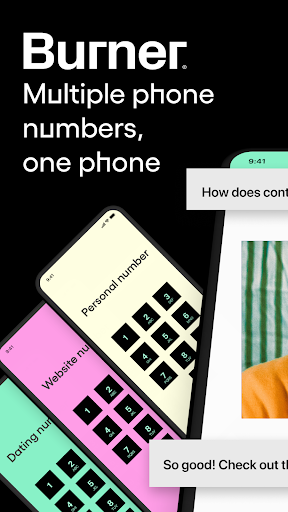
Welcome to Burner, the ultimate virtual solution for safeguarding your privacy in a connected world. Burner empowers you to protect your personal information, maintain boundaries, and communicate on your terms.
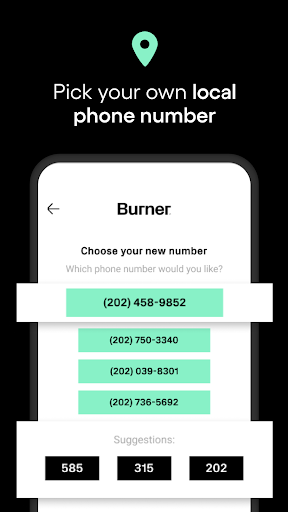
1⃣ Sign up for Burner and select an area code to create your private number
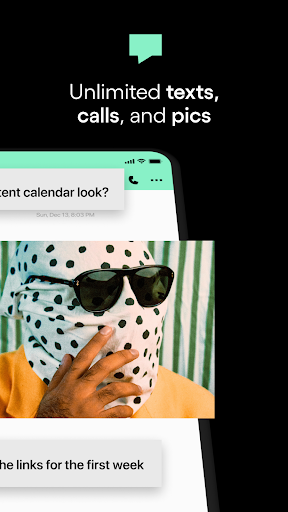
2⃣ Enjoy sending and receiving unlimited SMS messages and calls (all you need is a Wi-Fi connection or mobile data)
3⃣ Burn your number whenever you want and get a new anonymous line
4⃣ Use Burner VPN to browse anonymously and block trackers
Keep Your Real Number Under Wraps
Tired of sharing your personal phone number with everyone but don’t want to get a second SIM card or eSIM just for private communications? Burner lets you create temporary, disposable phone numbers for any occasion.
Spam-Free, Private Connections
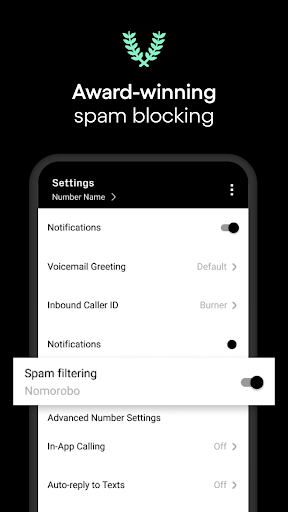
Say goodbye to annoying callers and intrusive messages. Our award-winning spam-blocking feature means you can connect confidently without the fear of spam calls and texts.
Simplify Your Busy Life
Burner provides essential tools, like private SMS text messages, and organizational features, like color-coded inboxes, to effortlessly manage your communications — no matter what you’re talking about.
⏰ Set Boundaries with Do Not Disturb
Need some uninterrupted me-time? Burner's Do Not Disturb feature allows you to establish quiet hours or specific times when you don't want to be bothered by calls and text messages.
Burn Your Phone Number When You Don't Need It
When you no longer need your second phone number, simply burn it with a single tap. Any connections and text messages associated with that second number are permanently deleted, leaving no trace behind. Talk about powerful privacy.
Auto-Replies for Effortless Communication
Burner offers auto-reply functionality, allowing you to set up automatic responses to incoming messages. Stay connected and communicate effortlessly, even when you're unable to respond immediately.
Voicemails and Enhanced Communication Features
Never miss an important message on your second phone number with our voicemail functionality, ensuring that callers can leave you messages when you're unavailable. Other features (some premium) include AI voicemail sorting to sift through the noise, improved call quality, and video messages for fun, private video chats.
Show more

1. Download MEmu installer and finish the setup

2. Start MEmu then open Google Play on the desktop

3. Search Burner - Second Phone Number - Calling & Texting in Google Play
Install
4. Download and Install Burner - Second Phone Number - Calling & Texting
5. On install completion click the icon to start

6. Enjoy using Burner - Second Phone Number - Calling & Texting on PC with MEmu
MEmu Play is the best Android emulator, and 100 million users already enjoy its superb Android app experience. Powered by advanced virtualization technology, it lets you enjoy thousands of Android apps smoothly on your PC—including the most graphics-intensive ones.
Bigger screen with better graphics; Long duration, without limitation of battery or mobile data.
Full Keymapping support for precise control of keyboard and mouse or gamepad.
Multiple game accounts or tasks on single PC at one time with Multi-Instance manager.
Use Burner - Second Phone Number - Calling & Texting on PC by following steps: