HD Video Player All Formats
Updated
Current Version
2.0
Offered By

Stop worrying about high battery drain when using HD Video Player All Formats on your phone. Free yourself from the tiny screen and enjoy the app on a much larger display. From now on, get a full-screen experience of your app with the convenience of a keyboard and mouse. MEmu offers you all the surprising features you’d expect: quick installation and easy setup, intuitive controls, and no more worries about battery life, mobile data, or unexpected calls. The all-new MEmu 9 is the choice for using HD Video Player All Formats on your computer. With the MEmu multi-instance manager, you can run two or more accounts at the same time. Most importantly, our exclusive emulation engine unlocks your PC’s full potential, delivering smooth and enjoyable performance.
Show more
Enjoy superb experience of using HD Video Player All Formats on PC with MEMU App Player. It's a powerful free Android emulator which provides you with thousands of android apps for their desktop version. Enjoy connecting with friends and polishing your work with higher efficiency! HD Video player is the best video app to listen to music & watch videos.
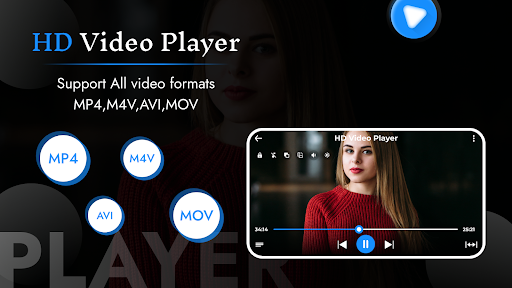
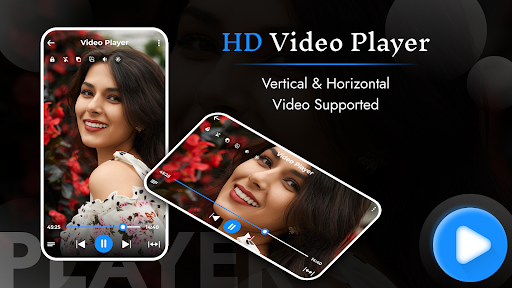
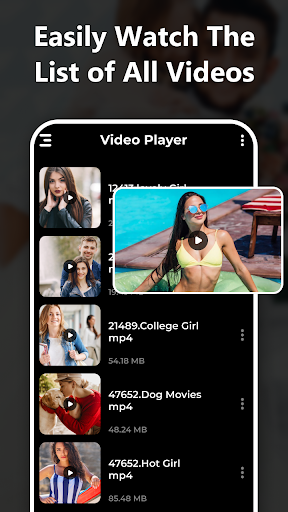
HD Video player is the best video app to listen to music & watch videos. It is a simple process, with a quick start, and smooth playback. It supports all kinds of video and audio formats.
HD Video Player is a high-quality music player with a powerful equalizer, it will highly enhance your sound quality and let you enjoy your favourite music anytime, anywhere, and without the internet. Now you can play any type of video and song with this all format video player and music player app. The primary feature of an mp4 video player offline is to play all format videos. But what makes the mixed video player best?
All-in-one video media player for every format. It also contains a widget for audio control, supports audio headsets control, covers art, and has a whole audio media library.
Video players in all formats meet all your media player requirements and an attractive user interface offers you the best user experience.
Features of HD Video Player:
⁎ Play and arrange video clips effectively.
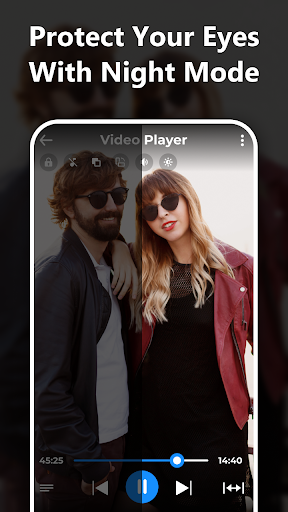
⁎ Set night mode for guarding eyes against blue light.
⁎ Play smooth ultra high-definition videos.
⁎ Play the video in a split-screen, pop-up window, or background.
⁎ Control the playing progress, brightness, and volume.
THE FUNCTIONS IN DETAIL
Minimized Background in this mode, the app is minimized and the video on your phone or tablet is displayed in a small window in the background. So you can keep using your device while you listen to music.
Discover
- Artists, Albums, Tracks & Playlists
- let an artist show you all albums and songs and subscribe to the artist in ""My Music"".
- discover the TOP artists in hundreds of genres
Search
- find your favourite songs in millions of songs
- find playlists, albums and similar artists
Playlists
- Add and remove songs to playlists with one click
- add finished playlists from Tube to My Music
- Play tracks in your playlist one after the other or listen to them randomly
Saving energy
- if you click lock in the video player, the brightness of your phone will be reduced. This allows you to continue listening to your free music with as little power consumption as possible.
- the screen is also locked but the video can still be seen
Night Mode
-Reduced Eye Strain: In a dark environment, the bright light from the screen can cause discomfort to your eyes. Night mode helps contrast between the background and text reduced to resulting in less strain on your eyes.
-Better Sleep Quality: By using dark mode, your eyes are exposed to less blue light, which can help regulate your sleep cycle.
-Improved Battery Life: The screen uses less power, which can help prolong the battery life of your device.
Smart media library for managing all of your media files and making it simpler and faster to search audio and video files. Songs can be automatically browsed by artists, tracks, albums, genres, and folders. Adjustable voice clarity equalizer.
HD Video Player all format is a totally FREE video player for android and a true All-in-one video player.
Show more

1. Download MEmu installer and finish the setup

2. Start MEmu then open Google Play on the desktop

3. Search HD Video Player All Formats in Google Play
Install
4. Download and Install HD Video Player All Formats
5. On install completion click the icon to start

6. Enjoy using HD Video Player All Formats on PC with MEmu
MEmu Play is the best Android emulator, and 100 million users already enjoy its superb Android app experience. Powered by advanced virtualization technology, it lets you enjoy thousands of Android apps smoothly on your PC—including the most graphics-intensive ones.
Bigger screen with better graphics; Long duration, without limitation of battery or mobile data.
Full Keymapping support for precise control of keyboard and mouse or gamepad.
Multiple game accounts or tasks on single PC at one time with Multi-Instance manager.
Use HD Video Player All Formats on PC by following steps: