HD Video Downloader
Updated
Current Version
2.0
Offered By

Stop worrying about high battery drain when using HD Video Downloader on your phone. Free yourself from the tiny screen and enjoy the app on a much larger display. From now on, get a full-screen experience of your app with the convenience of a keyboard and mouse. MEmu offers you all the surprising features you’d expect: quick installation and easy setup, intuitive controls, and no more worries about battery life, mobile data, or unexpected calls. The all-new MEmu 9 is the choice for using HD Video Downloader on your computer. With the MEmu multi-instance manager, you can run two or more accounts at the same time. Most importantly, our exclusive emulation engine unlocks your PC’s full potential, delivering smooth and enjoyable performance.
Show more
Enjoy superb experience of using HD Video Downloader on PC with MEMU App Player. It's a powerful free Android emulator which provides you with thousands of android apps for their desktop version. Enjoy connecting with friends and polishing your work with higher efficiency! Feast your eyes on crystal-clear visuals!

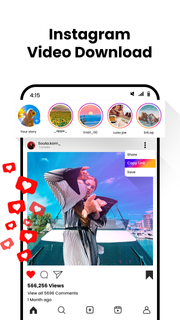
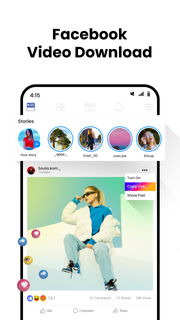
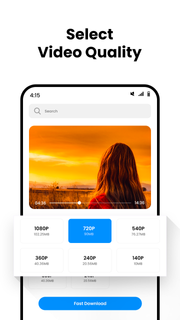
Feast your eyes on crystal-clear visuals! Download stunning HD videos and experience a viewing revolution.Ditch the buffering blues, embrace offline bliss! Download your favorite HD videos and watch on-demand, anywhere, anytime.Unleash the cinematic experience on your terms! Download HD movies and shows, transform your home into a personal movie theater.Say goodbye to pixelated nightmares! Download HD videos in their full glory, preserve every intricate detail and vibrant hue.Break free from internet shackles! Download HD videos and enjoy uninterrupted viewing, even during digital downtimes.Benefits and Convenience:No more waiting, just instant gratification! Download HD videos at lightning speed with our powerful and efficient downloader.Save the big screen experience! Download HD videos and enjoy them on your TV, projector, or any other device you desire.Smooth playback is your birthright! Download HD videos optimized for your device, ensuring seamless viewing without lag or glitches.Download and decompress, it's that simple! Our user-friendly interface makes HD video downloading effortless for everyone.Futureproof your entertainment library! Download HD videos in high-quality formats that will stay stunning for years to come.Platform-Specific Appeal:Netflix unlocked: Download HD shows and movies and binge without limits! No more worrying about data caps or slow internet.Instagram memories in HD: Download Reels and Stories, keep the fun rolling and relive those special moments anytime.Vimeo Pro power-up: Download HD videos like a pro, elevate your work and impress your clients with stunning visuals.Facebook memories, HD-ified: Download videos and photos, revisit those cherished moments in stunning detail and relive the joy.Humorous Touches:So clear, you'll need sunglasses! Download HD videos and prepare to be blown away by the visual feast.Buffering? Who needs her? Download HD videos and watch like a boss, leaving the lag behind in the dust.Offline freedom, activated! Download HD videos and ditch the internet (it's jealous anyway).Grandma approved: HD video downloading made easy, even for tech newbies.Download HD videos, unleash your inner media hoarder (we won't judge).Remember to adapt these lines to your specific downloader and target audience. With a touch of creativity and personalization, you can craft a compelling message that resonates with your users and drives downloads!
Show more

1. Download MEmu installer and finish the setup

2. Start MEmu then open Google Play on the desktop

3. Search HD Video Downloader in Google Play
Install
4. Download and Install HD Video Downloader
5. On install completion click the icon to start

6. Enjoy using HD Video Downloader on PC with MEmu
MEmu Play is the best Android emulator, and 100 million users already enjoy its superb Android app experience. Powered by advanced virtualization technology, it lets you enjoy thousands of Android apps smoothly on your PC—including the most graphics-intensive ones.
Bigger screen with better graphics; Long duration, without limitation of battery or mobile data.
Full Keymapping support for precise control of keyboard and mouse or gamepad.
Multiple game accounts or tasks on single PC at one time with Multi-Instance manager.
Use HD Video Downloader on PC by following steps: