Petal Maps – GPS & Navigation
Updated
Current Version
3.7.0.302(002)
Offered By

Stop worrying about high battery drain when using Petal Maps – GPS & Navigation on your phone. Free yourself from the tiny screen and enjoy the app on a much larger display. From now on, get a full-screen experience of your app with the convenience of a keyboard and mouse. MEmu offers you all the surprising features you’d expect: quick installation and easy setup, intuitive controls, and no more worries about battery life, mobile data, or unexpected calls. The all-new MEmu 9 is the choice for using Petal Maps – GPS & Navigation on your computer. With the MEmu multi-instance manager, you can run two or more accounts at the same time. Most importantly, our exclusive emulation engine unlocks your PC’s full potential, delivering smooth and enjoyable performance.
Show more
Enjoy superb experience of using Petal Maps – GPS & Navigation on PC with MEMU App Player. It's a powerful free Android emulator which provides you with thousands of android apps for their desktop version. Enjoy connecting with friends and polishing your work with higher efficiency! Petal Maps is a unique map that lets you explore the world around you in new ways.
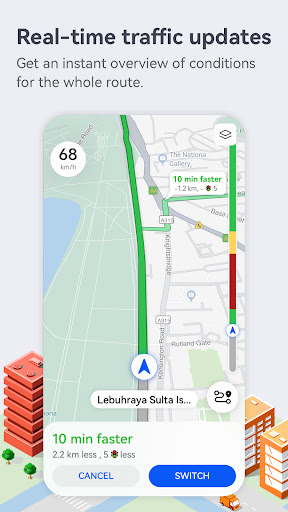
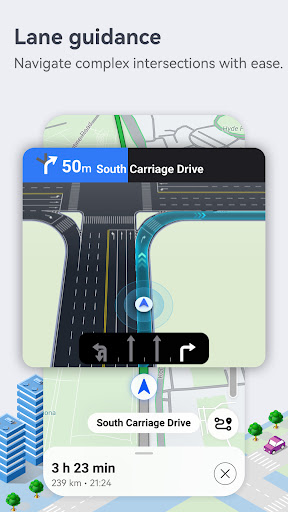
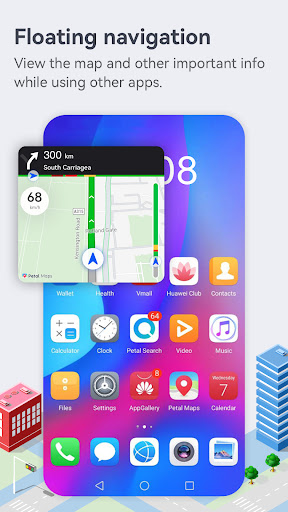
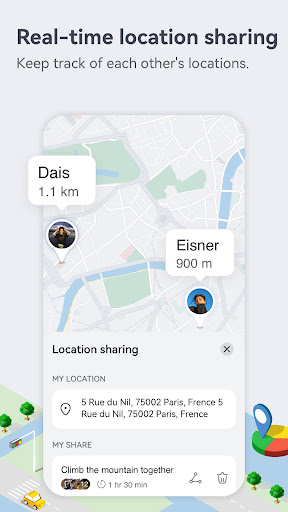
Petal Maps is a unique map that lets you explore the world around you in new ways. Available in over 160 countries and regions, it provides real-time traffic conditions, lane-level guidance, nearby services, various map layers, traffic events, place favorites, and loads more.
Real-time traffic data for faster and safer travel
· Recommends the quickest, shortest, and least congested route based on a combination of real-time traffic conditions and your personal preferences. You can even add multiple stops to your routes.
· Explore your route options and familiarize yourself with the way in advance.
· Provides accurate lane-level guidance for more precise navigation, helping you find your way through a wide variety of complex scenarios with ease.
· Allows you to report police locations, road closures, accidents, and more. You'll be able to see things reported by other users too.
· Supports navigating via HUAWEI WATCH 3, GT2, and GT3 series watches, with multiple modes of travel available – including walking, cycling, and public transportation.
· Lets you download offline maps so you can keep navigating even without an Internet connection.
Information for tons of local businesses
· Discover great local businesses through recommendations. You can even use voice search to find places to eat, drink, and hang out.
· Conveniently search for gas stations, parking lots, and loads more – allowing you to travel worry-free.
· Organize your favorite places by dividing them into separate lists with their own icons.
· Keep your devices in sync with each other by syncing your data to the cloud with HUAWEI Mobile Cloud or Dropbox.
Maintain the map together
· Help others decide where to go by rating and reviewing places on the map.
· Add new places and report or edit incorrect information.
You can send us questions and suggestions in the following ways. Your feedback will be dealt with as soon as possible.
Provide feedback in the app via Me > Help > Feedback.
Other channels:
Facebook-https://www.facebook.com/petalmapsglobal
Twitter-https://twitter.com/petalmaps
Instagram-https://www.instagram.com/petalmaps/
*Some features are only available in certain countries/regions
Show more

1. Download MEmu installer and finish the setup

2. Start MEmu then open Google Play on the desktop

3. Search Petal Maps – GPS & Navigation in Google Play
Install
4. Download and Install Petal Maps – GPS & Navigation
5. On install completion click the icon to start

6. Enjoy using Petal Maps – GPS & Navigation on PC with MEmu
MEmu Play is the best Android emulator, and 100 million users already enjoy its superb Android app experience. Powered by advanced virtualization technology, it lets you enjoy thousands of Android apps smoothly on your PC—including the most graphics-intensive ones.
Bigger screen with better graphics; Long duration, without limitation of battery or mobile data.
Full Keymapping support for precise control of keyboard and mouse or gamepad.
Multiple game accounts or tasks on single PC at one time with Multi-Instance manager.
Use Petal Maps – GPS & Navigation on PC by following steps: