Russian-Czech Dictionary Plus
Updated
Current Version
100+
Offered By

Stop worrying about high battery drain when using Russian-Czech Dictionary Plus on your phone. Free yourself from the tiny screen and enjoy the app on a much larger display. From now on, get a full-screen experience of your app with the convenience of a keyboard and mouse. MEmu offers you all the surprising features you’d expect: quick installation and easy setup, intuitive controls, and no more worries about battery life, mobile data, or unexpected calls. The all-new MEmu 9 is the choice for using Russian-Czech Dictionary Plus on your computer. With the MEmu multi-instance manager, you can run two or more accounts at the same time. Most importantly, our exclusive emulation engine unlocks your PC’s full potential, delivering smooth and enjoyable performance.
Show more
Enjoy superb experience of using Russian-Czech Dictionary Plus on PC with MEMU App Player. It's a powerful free Android emulator which provides you with thousands of android apps for their desktop version. Enjoy connecting with friends and polishing your work with higher efficiency! This Lingea Russian-Czech Large Dictionary is the largest contemporary off-line electronic dictionary in the Czech market.
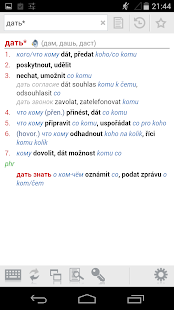
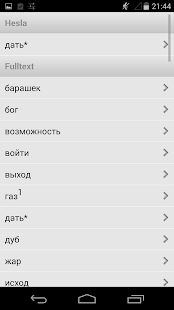
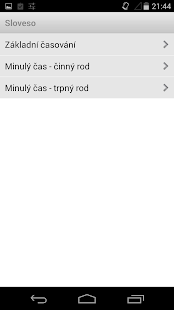
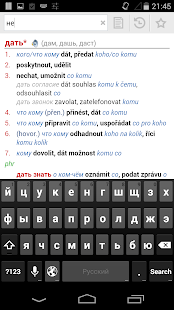
This Lingea Russian-Czech Large Dictionary is the largest contemporary off-line electronic dictionary in the Czech market. It is designed for demanding learners, teachers and translators.
The dictionary contains over 100 000 carefully selected entries and 141 000 word meanings in both directions. Entries and meanings included in this dictionary cover virtually every area of current language, both general and technical. They were carefully selected based on a corpus of contemporary Russian and Czech and the Internet. There are over 141 000 useful phrases, collocations and example sentences illustrating virtually every entry and a total of 229 000 translations.
Clearly arranged display of carefully structured entries plus contextual info for the equivalents in every meaning will make using this dictionary much easier and help you choose the right translation and thus avoid embarrassing situations or misunderstandings. You will immediately notice the difference this dictionary makes when compared to „ordinary“ database-type dictionaries which often leave the user clueless when choosing equivalents.
Very useful search functionalities such as: automatic language recognition (no need to switch directions), mistyping suggestions and instant index (no need to type entire words)
You can simply verify the equivalents for each headword. Just double-click any displayed equivalent and it will be looked up in the dictionary as an entry.
Morphological search (looks up a word entered in any morphological form).
Most of the entries are accompanied by high-quality pronunciation audio by native speakers.
Pronunciation transcription of the headwords is included as well.
User-friendly and fun to use.
A really comprehensive high-quality dictionary ideal for everyday use when studying the language or at work.
Lingea s.r.o. is a leading company in the development and marketing of both electronic and printed quality dictionaries. We have over 10 years of experience in the field of linguistics, developing our own data as well as software. We do our best to keep our dictionaries up to date all the time and provide a real picture of current language.
Show more

1. Download MEmu installer and finish the setup

2. Start MEmu then open Google Play on the desktop

3. Search Russian-Czech Dictionary Plus in Google Play
Install
4. Download and Install Russian-Czech Dictionary Plus
5. On install completion click the icon to start

6. Enjoy using Russian-Czech Dictionary Plus on PC with MEmu
MEmu Play is the best Android emulator, and 100 million users already enjoy its superb Android app experience. Powered by advanced virtualization technology, it lets you enjoy thousands of Android apps smoothly on your PC—including the most graphics-intensive ones.
Bigger screen with better graphics; Long duration, without limitation of battery or mobile data.
Full Keymapping support for precise control of keyboard and mouse or gamepad.
Multiple game accounts or tasks on single PC at one time with Multi-Instance manager.
Use Russian-Czech Dictionary Plus on PC by following steps: