فیلتر شکن قوی پرسرعت Marshal
Updated
Current Version
2.0
Offered By

Stop worrying about high battery drain when using فیلتر شکن قوی پرسرعت Marshal on your phone. Free yourself from the tiny screen and enjoy the app on a much larger display. From now on, get a full-screen experience of your app with the convenience of a keyboard and mouse. MEmu offers you all the surprising features you’d expect: quick installation and easy setup, intuitive controls, and no more worries about battery life, mobile data, or unexpected calls. The all-new MEmu 9 is the choice for using فیلتر شکن قوی پرسرعت Marshal on your computer. With the MEmu multi-instance manager, you can run two or more accounts at the same time. Most importantly, our exclusive emulation engine unlocks your PC’s full potential, delivering smooth and enjoyable performance.
Show more
Enjoy superb experience of using فیلتر شکن قوی پرسرعت Marshal on PC with MEMU App Player. It's a powerful free Android emulator which provides you with thousands of android apps for their desktop version. Enjoy connecting with friends and polishing your work with higher efficiency! مارشال یک فیلترشکن پرسرعت و سبک برای اندروید است با یک هدف مشخص: اتصال سریع، پایدار و امن، بدون تنظیمات پیچیده.
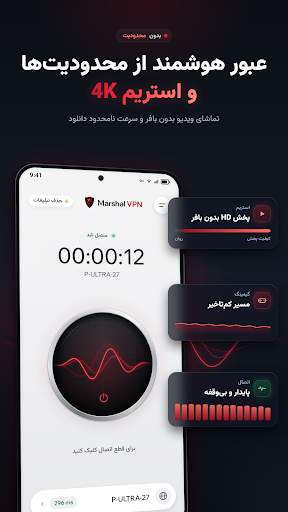
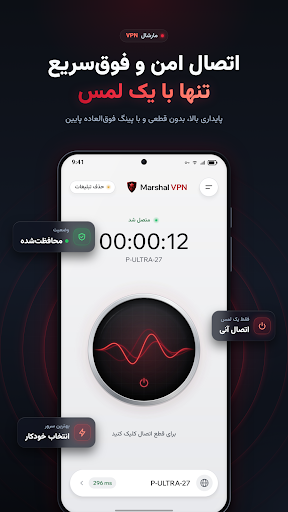
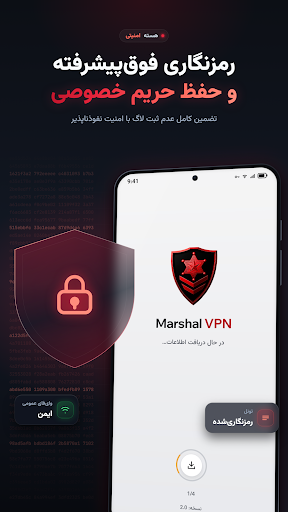
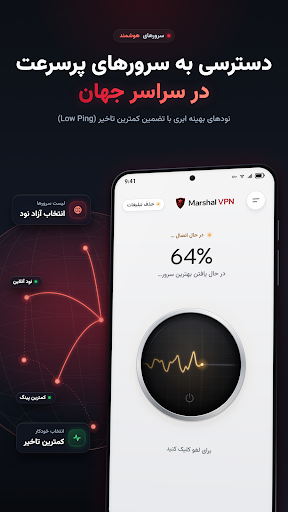
مارشال یک فیلترشکن پرسرعت و سبک برای اندروید است با یک هدف مشخص: اتصال سریع، پایدار و امن، بدون تنظیمات پیچیده. اپ را باز کن، دکمه اتصال را بزن، تمام.
سرعت واقعی، نه شعار
مارشال روی پروتکلهای بهروز و سرورهای اختصاصی کار میکند تا افت سرعت به کمترین حد برسد. برای تماشای ویدیو با کیفیت بالا، تماس تصویری و بازی آنلاین بهینه شده است.
سازگار با اپراتورهای ایران
عملکرد مارشال روی همراه اول، ایرانسل، رایتل و اینترنت خانگی بررسی و تنظیم شده است. اگر دنبال فیلترشکن همراه اول یا فیلترشکن ایرانسل هستی که روی هر دو شبکه یکنواخت کار کند، مارشال دقیقاً برای همین ساخته شده.
امنیت و حریم خصوصی
ترافیک شما رمزگذاری میشود و در شبکههای وایفای عمومی مثل کافه، فرودگاه و هتل از اطلاعاتتان محافظت میکند. بدون نیاز به ثبتنام، بدون شماره موبایل، بدون ایمیل.
ساده برای همه
نه کانفیگ دستی، نه فایل، نه آموزش. یک دکمه، یک اتصال. سرور مناسب بهصورت خودکار انتخاب میشود و لازم نیست چیزی تنظیم کنی.
ویژگیهای مارشال:
- انتخاب خودکار بهترین سرور بر اساس وضعیت شبکه
- اتصال با یک لمس، بدون تنظیمات اضافه
- مصرف باتری و رم پایین
- حجم کم و نصب سریع
- بهروزرسانی مداوم سرورها
- رابط کاربری فارسی و ساده
چطور شروع کنم؟
۱. اپ را نصب کن
۲. دکمه اتصال را بزن
۳. صبر کن تا وضعیت سبز شود
همین. دانلود فیلترشکن مارشال رایگان است و برای استفاده نیازی به ساخت حساب کاربری نداری.
چرا مارشال؟
یک فیلترشکن قوی فقط آن نیست که وصل شود؛ آن است که وصل بماند. تمرکز ما روی پایداری اتصال و کیفیت سرور است، نه شلوغکردن اپ با گزینههایی که کسی استفاده نمیکند.
نکته: کیفیت اتصال به وضعیت شبکه، اپراتور و ساعت استفاده بستگی دارد. اگر سرعت مناسب نبود، اتصال را قطع و دوباره وصل کن تا سرور جدید انتخاب شود.
Show more

1. Download MEmu installer and finish the setup

2. Start MEmu then open Google Play on the desktop

3. Search فیلتر شکن قوی پرسرعت Marshal in Google Play
Install
4. Download and Install فیلتر شکن قوی پرسرعت Marshal
5. On install completion click the icon to start

6. Enjoy using فیلتر شکن قوی پرسرعت Marshal on PC with MEmu
MEmu Play is the best Android emulator, and 100 million users already enjoy its superb Android app experience. Powered by advanced virtualization technology, it lets you enjoy thousands of Android apps smoothly on your PC—including the most graphics-intensive ones.
Bigger screen with better graphics; Long duration, without limitation of battery or mobile data.
Full Keymapping support for precise control of keyboard and mouse or gamepad.
Multiple game accounts or tasks on single PC at one time with Multi-Instance manager.
Use فیلتر شکن قوی پرسرعت Marshal on PC by following steps: