Video Editor
Updated
Current Version
1.1
Offered By

Stop worrying about high battery drain when using Video Editor on your phone. Free yourself from the tiny screen and enjoy the app on a much larger display. From now on, get a full-screen experience of your app with the convenience of a keyboard and mouse. MEmu offers you all the surprising features you’d expect: quick installation and easy setup, intuitive controls, and no more worries about battery life, mobile data, or unexpected calls. The all-new MEmu 9 is the choice for using Video Editor on your computer. With the MEmu multi-instance manager, you can run two or more accounts at the same time. Most importantly, our exclusive emulation engine unlocks your PC’s full potential, delivering smooth and enjoyable performance.
Show more
Enjoy superb experience of using Video Editor on PC with MEMU App Player. It's a powerful free Android emulator which provides you with thousands of android apps for their desktop version. Enjoy connecting with friends and polishing your work with higher efficiency! Video Editor - The best video editor and free video montage program.
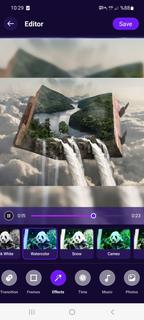
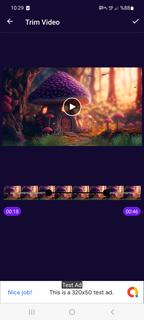
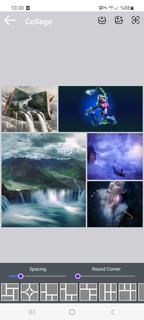
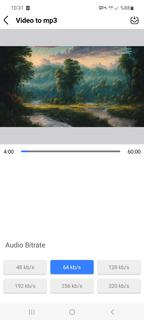
Video Editor - The best video editor and free video montage program. This video editor offers you everything you want to edit in videos. Useful, comprehensive and fun! Video Editor is a powerful video editing program that meets all your needs.Edit videos like a pro. Create your own videos from photos or video clips in minutes with Video Editor. No video editing experience required. Start your video editing journey now. Video Editor is for you to make your video editing processes easier and create impressive videos!Professional-grade desktop editing performance optimized for your mobile device. Just a few taps to trim clips, add music, adjust speed, and create beautiful movies and slideshows that you'll enjoy sharing. Get your followers likes for your amazing video edits. Fast, simple, stunning.Features:video montage program- Video cutter, video montage with transition effects- Video Trim/ Trim, combine videos with musicVideo Editing- Professional Video Editor and Photo Merger- Blur or Color border for photo and video- Professional slow motion / fast video editor for InstagramVideo Editing and Special Video Effects• Trim, merge and rotate videos with simple taps• Precisely control brightness, color and saturation• Apply stunning effects and transitions with drag and drop• Combine pictures and video into a single clip using multiple timelines• Add text or animated titles to your video in seconds• Add a built-in editor to voiceovers saved on your mobile device• Create video and picture collages with PiP layers• Enjoy hundreds of free templates, video effects, filters, background music and soundsmusic- Add your own music to video, such as mp3 files and other formats.- Easy to sync audio and video, with timeline features.- Volume control for both original video and original mp3 songs.Transitions- Using the transition while adding different video clips can make it smoother.- You can choose different transition styles according to your photos or videos.Video Editor is a movie maker, photo editor and slideshow maker for movie makers. Both professional photographers and non-professional beginners can create stylish videos with ease. We provide GIF stickers, animation captions, magic effects, special doodle, trendy transition, filters and music.Powerful video editorVideo Maker is an interesting all-in-one video editor for those who need a good tool to merge or trim video, convert video to MP3 file, collage and loop video clips, compress video and cut movies on phones. Exquisite themes, subtitles, music, filters. We have everything you need to make a great video.Text and Emoji- Add text on video and photo.- Add emoji on photo.- Easy to sync text and emoji with video with timeline features.Filters and Effects- Many photo filters and effects: Glitch, transition effects...- Edit videos with effects and filtersVideo Editing Tools• Produce fast-forward or slow-motion videos with speed adjustment• Fix shaky camera images with video stabilizer• produce eye-catching intros with animated titles• Experiment with interesting sound effects in voice changer• Create stunning double exposure effects from video overlays and blending modesVideo EditorCreate professional videos with Video Editor. Editing video on the go like a pro has never been faster and easier.
Show more

1. Download MEmu installer and finish the setup

2. Start MEmu then open Google Play on the desktop

3. Search Video Editor in Google Play
Install
4. Download and Install Video Editor
5. On install completion click the icon to start

6. Enjoy using Video Editor on PC with MEmu
MEmu Play is the best Android emulator, and 100 million users already enjoy its superb Android app experience. Powered by advanced virtualization technology, it lets you enjoy thousands of Android apps smoothly on your PC—including the most graphics-intensive ones.
Bigger screen with better graphics; Long duration, without limitation of battery or mobile data.
Full Keymapping support for precise control of keyboard and mouse or gamepad.
Multiple game accounts or tasks on single PC at one time with Multi-Instance manager.
Use Video Editor on PC by following steps: