Photo video maker with music
Updated
Current Version
4.1
Offered By

Stop worrying about high battery drain when using Photo video maker with music on your phone. Free yourself from the tiny screen and enjoy the app on a much larger display. From now on, get a full-screen experience of your app with the convenience of a keyboard and mouse. MEmu offers you all the surprising features you’d expect: quick installation and easy setup, intuitive controls, and no more worries about battery life, mobile data, or unexpected calls. The all-new MEmu 9 is the choice for using Photo video maker with music on your computer. With the MEmu multi-instance manager, you can run two or more accounts at the same time. Most importantly, our exclusive emulation engine unlocks your PC’s full potential, delivering smooth and enjoyable performance.
Show more
Enjoy superb experience of using Photo video maker with music on PC with MEMU App Player. It's a powerful free Android emulator which provides you with thousands of android apps for their desktop version. Enjoy connecting with friends and polishing your work with higher efficiency! Unleash Your Creativity with Our Video Maker – Combine Photos & Music!
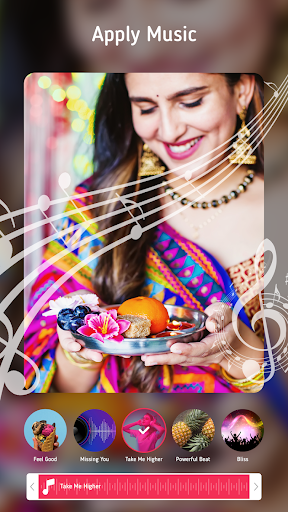
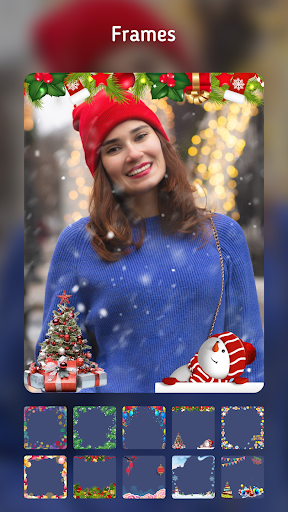
Unleash Your Creativity with Our Video Maker – Combine Photos & Music!
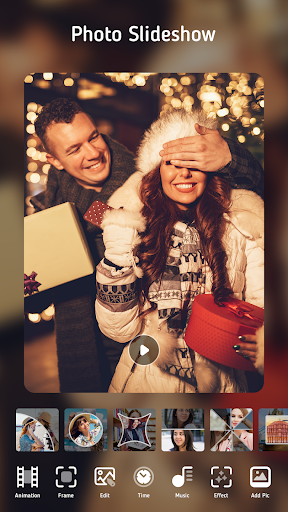
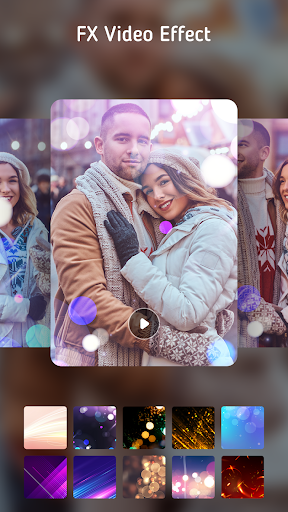
Craft captivating videos effortlessly using our feature-rich Video Maker with Photos & Music. Seamlessly blend your favorite photos with music from our extensive library, and elevate your creations with a plethora of unique effects, overlays, and frames.
Whether it's a special occasion or a casual gathering with friends, our Photo Video Maker with Music is your go-to tool for crafting engaging videos that leave a lasting impression.
Key Features:
✓ Create Stunning Photo Videos:
Transform your cherished moments into dynamic videos with ease. Select your photos, personalize transitions, fine-tune effects, and add captivating music to bring your vision to life.
✓ Enhance Your Photos:
Refine your photos directly within the app to ensure they look their best in your video creations.
✓ Customize Transitions:
Choose from a variety of transition effects and adjust their durations to seamlessly blend your photos.
✓ Add Audio to Your Videos:
Inject new life into your videos by replacing the original soundtrack with captivating audio from our library or your device.
✓ Trim and Cut Videos:
Precision is key. Trim your videos to the perfect length and share them directly to Instagram, ensuring your content stands out.
✓ Control Video Speed:
From slow-motion to high-speed, tailor the pace of your videos to highlight special moments and add flair to your storytelling.
✓ Watermark-Free:
Our commitment to providing value means your videos remain watermark-free, allowing your creativity to take center stage.
✓ Export High-Quality Videos:
Choose your preferred resolution for exporting your masterpieces, with support for resolutions up to 1080p. Our advanced technology ensures minimal quality loss while optimizing memory space.
Download Video Maker with Photos & Music now and unlock your potential as a video creator. No prior editing experience required!
Love our app? Rate us 5 stars on the Play Store and spread the word! Your support keeps our music video maker accessible to all.
Show more

1. Download MEmu installer and finish the setup

2. Start MEmu then open Google Play on the desktop

3. Search Photo video maker with music in Google Play
Install
4. Download and Install Photo video maker with music
5. On install completion click the icon to start

6. Enjoy using Photo video maker with music on PC with MEmu
MEmu Play is the best Android emulator, and 100 million users already enjoy its superb Android app experience. Powered by advanced virtualization technology, it lets you enjoy thousands of Android apps smoothly on your PC—including the most graphics-intensive ones.
Bigger screen with better graphics; Long duration, without limitation of battery or mobile data.
Full Keymapping support for precise control of keyboard and mouse or gamepad.
Multiple game accounts or tasks on single PC at one time with Multi-Instance manager.
Use Photo video maker with music on PC by following steps: