Video Downloader and Player
Updated
Current Version
1.0.4
Offered By

Stop worrying about high battery drain when using Video Downloader and Player on your phone. Free yourself from the tiny screen and enjoy the app on a much larger display. From now on, get a full-screen experience of your app with the convenience of a keyboard and mouse. MEmu offers you all the surprising features you’d expect: quick installation and easy setup, intuitive controls, and no more worries about battery life, mobile data, or unexpected calls. The all-new MEmu 9 is the choice for using Video Downloader and Player on your computer. With the MEmu multi-instance manager, you can run two or more accounts at the same time. Most importantly, our exclusive emulation engine unlocks your PC’s full potential, delivering smooth and enjoyable performance.
Show more
Enjoy superb experience of using Video Downloader and Player on PC with MEMU App Player. It's a powerful free Android emulator which provides you with thousands of android apps for their desktop version. Enjoy connecting with friends and polishing your work with higher efficiency! Unlock Offline Enjoyment with Our Trusted Video Downloader and player!
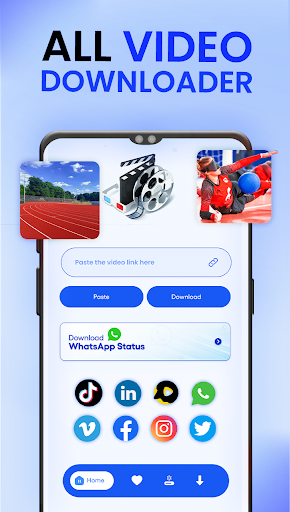
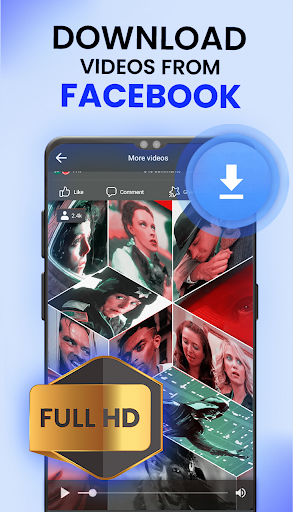
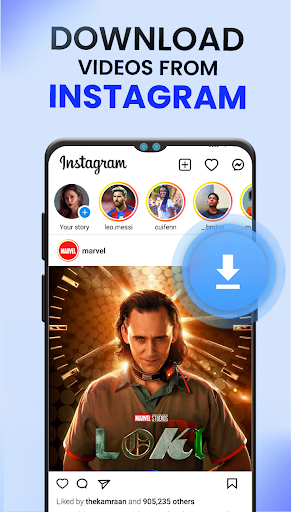
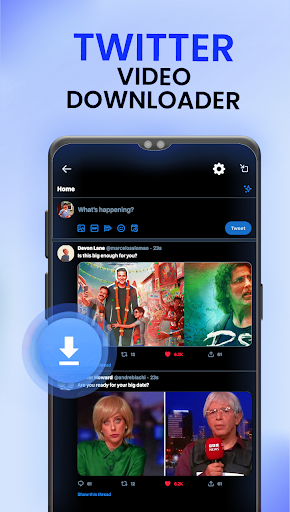
Unlock Offline Enjoyment with Our Trusted Video Downloader and player!
Are you eager to watch your favorite videos offline at your convenience? Look no further than the Fast & Ultimate All Video Downloader with all Status Saver Social Media.
This Video Downloader - Social Media lets you effortlessly download videos from popular platforms for free, enabling you to watch them offline, 100% free download. All Video Downloader comes With a range of features, such as download multiple videos, download video in 4K video formats with high-speed capabilities, it's the perfect tool for video enthusiasts.
Key Features of Video Downloader - Social Media:
1. Video Saver: Save videos with this free functionality.
2. Social Video Downloader: Download videos from all major social media platforms.
3. Video Gallery Access: Easily access your 4k video gallery within the Social videos Downloader app.
4. Fast and Free Video Downloader: Experience high-speed and cost-free video downloading.
5. Video Downloader Master: Download unlimited 4k videos from various status saver apps.
6. High Download Speed with HD Video Downloader: Enjoy fast download speeds, especially for HD & 4k videos.
7. All Video Downloader: Download multiple files concurrently with this free Video Downloader.
8. Offline Video Downloader: Play downloaded videos offline using the app's built-in video player.
9. Various Videos Format Compatibility: Support for various video formats, including mp4, mp3, mov, etc.
10. Manage Downloaded Videos: Manage downloaded videos with features like pause, resume, and delete.
11. Background Social Video Downloader: Download videos in the background while using other app features.
How to Download Videos Using the Video Downloader-Social Media App:
• Copy the URL from your preferred social platform.
• Open All Video Downloader.
• Paste the URL.
• Select the video quality.
• The download will begin automatically.
Manage Downloaded 4K video:
Enjoy additional features of Video Downloader- Social Media such as sharing your downloaded videos and efficiently manage downloaded videos. Whether you prioritize speed, convenience, or a user-friendly interface, this Video Saver App has got you covered. Downloading videos quick and easy while ensuring legal content acquisition through Social Videos Downloader.
Unlock Social Media Content Hassle-Free with Our Social Downloader:
All Video Downloader simplifies the process of downloading videos from social media apps, eliminating watermarks. As a user-friendly app, the Status Downloader allows seamless save videos directly to your phone's local memory. With the Video Saver feature, download TikT videos without watermarks becomes quick and effortless.
HD Video Downloader Free:
All Video Downloader- Video Saver prioritizes simplicity, ensuring a fast and straightforward experience. All Video Downloader Copy the URL of 4k videos from a social app, paste it into the app, and download it to your device. It stands out as the easiest video saver for social platforms, providing users with a hassle-free download video experience.
The Video Downloader- Social Media App proves to be a handy and useful tool for those who wish to watch downloaded videos offline or save them for later use. With the All Video Downloader, enjoy your favorite videos anytime, anywhere, without concerns about internet connectivity or data usage issues. Don't hesitate—download the Video Downloader- Social Media App today and begin watching your favorite videos offline!
Disclaimer:
⚠ Always obtain permission from the content owner before reposting videos.
⚠ We are not liable for any infringement of intellectual property resulting from unauthorized video reposts.
⚠ Downloading copyrighted files is strictly prohibited.
Show more

1. Download MEmu installer and finish the setup

2. Start MEmu then open Google Play on the desktop

3. Search Video Downloader and Player in Google Play
Install
4. Download and Install Video Downloader and Player
5. On install completion click the icon to start

6. Enjoy using Video Downloader and Player on PC with MEmu
MEmu Play is the best Android emulator, and 100 million users already enjoy its superb Android app experience. Powered by advanced virtualization technology, it lets you enjoy thousands of Android apps smoothly on your PC—including the most graphics-intensive ones.
Bigger screen with better graphics; Long duration, without limitation of battery or mobile data.
Full Keymapping support for precise control of keyboard and mouse or gamepad.
Multiple game accounts or tasks on single PC at one time with Multi-Instance manager.
Use Video Downloader and Player on PC by following steps: