Screen Recorder-Video Recorder
Updated
Current Version
1730984708
Offered By

Stop worrying about high battery drain when using Screen Recorder-Video Recorder on your phone. Free yourself from the tiny screen and enjoy the app on a much larger display. From now on, get a full-screen experience of your app with the convenience of a keyboard and mouse. MEmu offers you all the surprising features you’d expect: quick installation and easy setup, intuitive controls, and no more worries about battery life, mobile data, or unexpected calls. The all-new MEmu 9 is the choice for using Screen Recorder-Video Recorder on your computer. With the MEmu multi-instance manager, you can run two or more accounts at the same time. Most importantly, our exclusive emulation engine unlocks your PC’s full potential, delivering smooth and enjoyable performance.
Show more
Enjoy superb experience of using Screen Recorder-Video Recorder on PC with MEMU App Player. It's a powerful free Android emulator which provides you with thousands of android apps for their desktop version. Enjoy connecting with friends and polishing your work with higher efficiency! Attention all content creators, gamers, and screen enthusiasts!
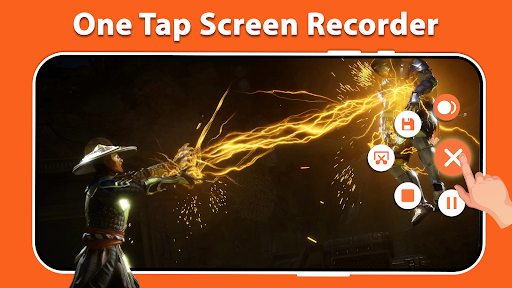
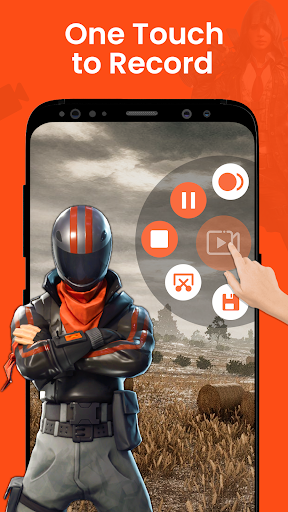

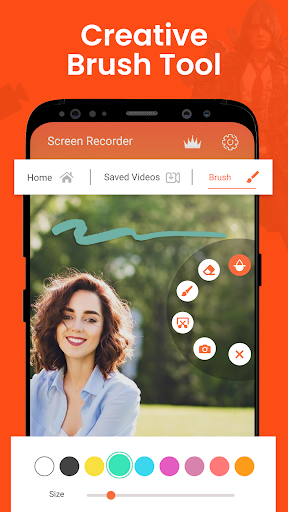
Attention all content creators, gamers, and screen enthusiasts! Take your screen recording experience to the next level with Screen Recorder - Video Recorder. Capture high-quality screen videos with a smooth and clear recording experience without any time limits or the need to root your device. With just a simple tap on the floating window, you can record HD video tutorials, video calls, and even videos that are not downloadable. There are no watermarks or lags during the recording process, ensuring a seamless experience for our users.
Competitive Advantages of Screen Recorder - Video Recorder
• User-friendly Interface
• Internal audio recording
• Advanced video editing capabilities
• Front and back camera support
• Instant sharing options
• No watermark
• No time limit
Refrain from settling for ordinary screen recording apps. Experience the ultimate recording solution with Screen Recorder - Video Recorder. Download Now and unlock the full potential of your screen recording journey.
Top Features
1. High Quality screen recording
2. Internal audio recording
3. Front and back camera Support
4. Magic button controls
5. Capture your reactions using a face cam recording tool.
6. Utilize the brush tool to draw and write directly
7. Video recording with No Watermark
8. Capture Screen record HD without any time limit
9. Countdown Timer
10. Video Editor: Trim, Edit & Enhance your recordings
Screen Recorder with Face Cam
Record your face and reaction in a small overlay window with screen recorder with face cam. Dragged this face cam freely to any position on the screen and customize to any size. It supports both front and back cameras.
Screen Recorder with Audio
Add professional-grade audio commentary to your recordings with the app's built-in microphone support. Screen recorder with audio capture your voice, narration, or gaming reactions to provide comprehensive explanations and engage your audience effectively.
High Quality Screen Recorder
Capture your screen in stunning HD resolution with smooth frame rates. Whether it's the gameplay, video calls, or app demonstrations, High quality screen recorder ensures crystal-clear recordings every time.
Screen Video Recorder without Watermark
One of the standout features of a Screen video recorder is its versatility. Whether you're a gamer who wants to record your epic gameplay sessions, a content creator looking to produce tutorials, or a professional who needs to document important presentations, a Screen video recorder without Watermark has got you covered.
Built-in Video Editor
Take your recordings to the next level with the app's powerful video editor. Trim and cut unwanted sections, merge multiple clips together, add text and captions, insert background music or audio effects, and apply filters with video editor to give your videos a polished and professional touch.
Seamless Screen Capture
Capture your entire screen or select a specific portion with ease. Whether you want to demonstrate app functionalities, record gameplay sessions, or create step-by-step tutorials, Screen Record provides the flexibility to showcase what's important.
Game Video Recorder with no Time Limit
Game Video Recorder offers a dedicated Game Mode specifically designed for gamers. Activate Game Mode to record your gameplay sessions with optimal performance. Game Video Recorder with no Time Limit ensures smooth and lag-free recording, allowing you to capture every thrilling moment seamlessly.
Thanks for downloading the Screen Recorder - Video Recorder. If you have any suggestions or feedback about the screen recording App for Android: Email us at: technolineappsfeedback@gmail.com.
Show more

1. Download MEmu installer and finish the setup

2. Start MEmu then open Google Play on the desktop

3. Search Screen Recorder-Video Recorder in Google Play
Install
4. Download and Install Screen Recorder-Video Recorder
5. On install completion click the icon to start

6. Enjoy using Screen Recorder-Video Recorder on PC with MEmu
MEmu Play is the best Android emulator, and 100 million users already enjoy its superb Android app experience. Powered by advanced virtualization technology, it lets you enjoy thousands of Android apps smoothly on your PC—including the most graphics-intensive ones.
Bigger screen with better graphics; Long duration, without limitation of battery or mobile data.
Full Keymapping support for precise control of keyboard and mouse or gamepad.
Multiple game accounts or tasks on single PC at one time with Multi-Instance manager.
Use Screen Recorder-Video Recorder on PC by following steps: