Video Player - Media Player
Updated
Current Version
4.3
Offered By

Stop worrying about high battery drain when using Video Player - Media Player on your phone. Free yourself from the tiny screen and enjoy the app on a much larger display. From now on, get a full-screen experience of your app with the convenience of a keyboard and mouse. MEmu offers you all the surprising features you’d expect: quick installation and easy setup, intuitive controls, and no more worries about battery life, mobile data, or unexpected calls. The all-new MEmu 9 is the choice for using Video Player - Media Player on your computer. With the MEmu multi-instance manager, you can run two or more accounts at the same time. Most importantly, our exclusive emulation engine unlocks your PC’s full potential, delivering smooth and enjoyable performance.
Show more
Enjoy superb experience of using Video Player - Media Player on PC with MEMU App Player. It's a powerful free Android emulator which provides you with thousands of android apps for their desktop version. Enjoy connecting with friends and polishing your work with higher efficiency! Video Player app can play videos of high quality, making it your go-to solution for managing videos on Android devices.
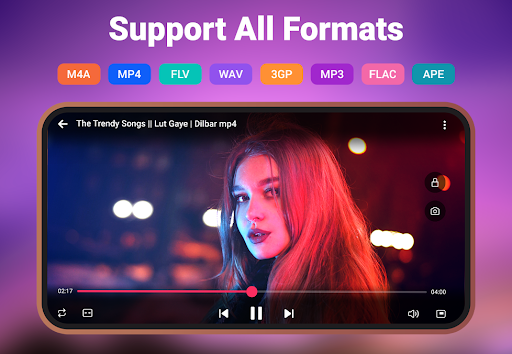
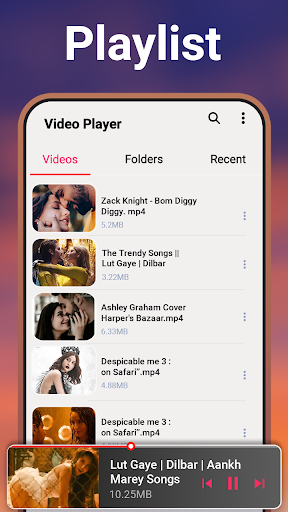
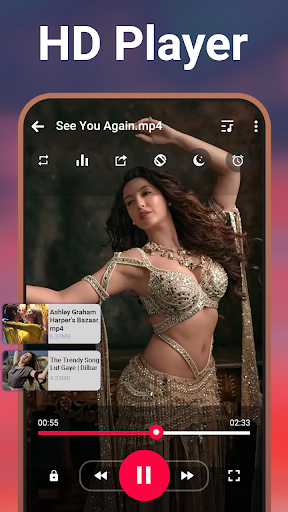
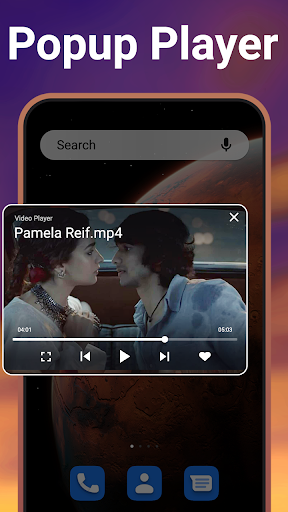
Video Player app can play videos of high quality, making it your go-to solution for managing videos on Android devices. Enjoy videos of all formats and ultra HD videos with the support of a sound equalizer. Whether you want to watch your favorite movies, play music videos, or create a video library, our Video Player for Android is exactly what you need.
Key Features:
• Play videos in formats like MKV, MP4, M4V, FLV, and more.
• Stunning video quality with an intuitive interface.
• Watch videos in a floating window or play in the background.
• Auto detects and organizes video files.
• Media player with equalizer and sleep timer.
• Movie player with subtitles.
• Create and manage video playlists for easy access.
• Hide folders to protect private videos.
• Switch between light and dark modes.
• Adjust video speed for slow-motion or fast-forward viewing.
• Play videos offline and share them with friends.
Video Player All Format is a lightweight, yet powerful app. Whether you’re watching movies, music videos, trailers, or any other content, it provides crystal-clear quality. The app supports HD, 4K, and standard formats, delivering smooth playback for all your videos. No matter the format or resolution, use our video app for an immersive viewing experience.
Keep your sensitive videos safe with our advanced media player. The folder-hiding feature ensures that your private videos stay hidden from unwanted viewers, giving you control over media privacy. You can relax knowing that your content is only accessible when you choose. With this media player, watch your videos with complete peace of mind.
Video Player for Android organizes your media library effortlessly. With the auto-scan feature, all your videos are automatically detected and sorted, allowing you to easily find, rename, delete, or share. Managing your video files is simple, saving you time and effort. If you have a large collection or just a few favorites, keep them organized in one place.
Multitask with ease using the Pop-up Player, which allows you to watch videos in a floating window. No matter if you’re chatting, browsing, or working, your video stays on screen and fully controllable. Manage playback directly from the notification bar of the video manager, so you don’t have to stop what you’re doing.
MP4 Player - HD Player lets you set a timer to automatically stop video playback. It is useful for falling asleep to your favorite videos without worrying about the app running all night. This video app is an advanced tool for bedtime viewing. Let Media Player for Android help you relax and play videos on your terms.
Do you want to transform your video-watching experience? Then Download the Video Player - Media Player app and enjoy offline videos with a powerful equalizer. Have questions or feedback? Reach out to us at 1mbappsstudio@gmail.com.
Show more

1. Download MEmu installer and finish the setup

2. Start MEmu then open Google Play on the desktop

3. Search Video Player - Media Player in Google Play
Install
4. Download and Install Video Player - Media Player
5. On install completion click the icon to start

6. Enjoy using Video Player - Media Player on PC with MEmu
MEmu Play is the best Android emulator, and 100 million users already enjoy its superb Android app experience. Powered by advanced virtualization technology, it lets you enjoy thousands of Android apps smoothly on your PC—including the most graphics-intensive ones.
Bigger screen with better graphics; Long duration, without limitation of battery or mobile data.
Full Keymapping support for precise control of keyboard and mouse or gamepad.
Multiple game accounts or tasks on single PC at one time with Multi-Instance manager.
Use Video Player - Media Player on PC by following steps: