Weather & Radar - Free
Updated
Current Version
1785941105
Offered By

Stop worrying about high battery drain when using Weather & Radar - Free on your phone. Free yourself from the tiny screen and enjoy the app on a much larger display. From now on, get a full-screen experience of your app with the convenience of a keyboard and mouse. MEmu offers you all the surprising features you’d expect: quick installation and easy setup, intuitive controls, and no more worries about battery life, mobile data, or unexpected calls. The all-new MEmu 9 is the choice for using Weather & Radar - Free on your computer. With the MEmu multi-instance manager, you can run two or more accounts at the same time. Most importantly, our exclusive emulation engine unlocks your PC’s full potential, delivering smooth and enjoyable performance.
Show more
Enjoy superb experience of using Weather & Radar - Free on PC with MEMU App Player. It's a powerful free Android emulator which provides you with thousands of android apps for their desktop version. Enjoy connecting with friends and polishing your work with higher efficiency! Never get caught off guard by the weather.
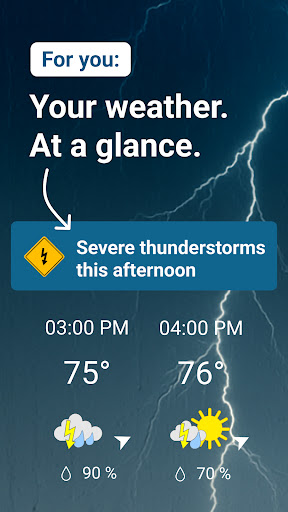
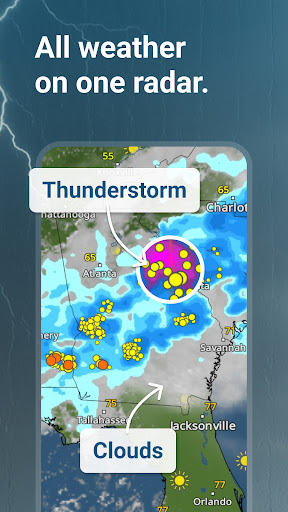
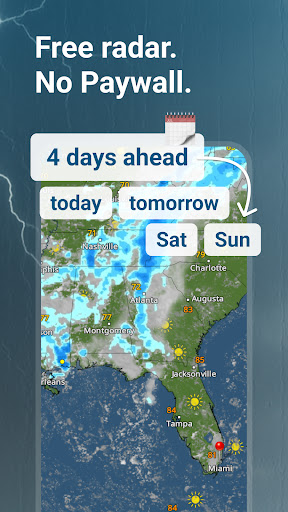
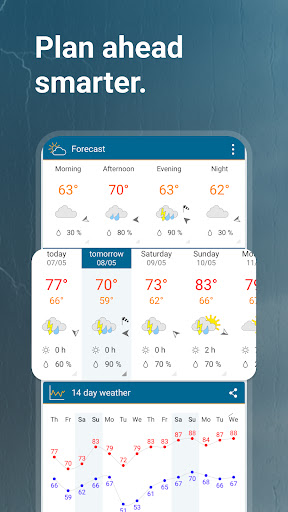
Never get caught off guard by the weather
With Weather & Radar, you see the weather at a glance — with one WeatherRadar that brings rain, clouds, sun, lightning, fog, and temperature together on one map.
Wondering if rain is moving in, the sun will break through, or a thunderstorm is building nearby?
WeatherRadar shows how sun, rain, clouds, fog, thunderstorms, lightning, and temperature are developing now, over the next few hours, and up to 4 days ahead: minute by minute for short-term changes, for your local forecast in the US and around the world.
Your weather for everyday life, travel, and plans
• Weather for every plan: drive to work, walk the dog, go for a jog, take the kids to the park, camp, hike, fish, or plan a BBQ.
• Watch live as rain, storm cells, clouds, lightning, fog, and wind develop, where they are moving, and what that means for outdoor plans — from pop-up thunderstorms to hurricane-season weather.
• The 14-day weather forecast and daily forecasts help you plan outdoor activities, road trips, vacations, and game day weather.
Everything you need at a glance
From RainRadar and free 4-day WeatherRadar to temperature, wind speed, lightning tracker, UV index, and air quality index (AQI) — everything is clear, current, and easy to understand. The AQI view focuses on how pollution may affect your health. With the weather widget, you can bring your local weather, current weather, weather today, and daily forecast straight to your Home Screen.
We keep you updated
We monitor the weather around you and send weather alerts when a change matters for your day: severe storm alerts, thunderstorms, first snow, extreme heat, strong wind, or other significant conditions. No hype, no panic —just clear updates from our meteorologists so you know what is happening and what to consider next.
Forecasts, observations, webcams
For everyday planning and weather enthusiasts alike: get details for temperature, air pressure, wind speed, wind direction, humidity, rainfall amounts, and hours of sunshine. Check weather webcams, water temperatures where available, moon phases, and mountain weather and popular US ski regions with snow forecast and slope data for popular regions.
You can also record and share videos of interesting weather near you with the Weather & Radar community.
One look and you know what’s coming
No guessing, no complicated menus, no digging through layers — just local weather, live radar view that updates in real time and forecast information on your app home screen and in WeatherRadar.
Open the app and see what is happening outside right away. Now, in the next few minutes, and up to 14 days ahead.
On the road
Keep an eye on weather while you travel: see conditions around you, along your route, and at your destination—helpful for commutes, road trips, stormy drives, snow days, and weekend plans.
Driving with Android Auto? Weather & Radar helps compatible users view weather information on the road.
Send your questions and feedback to info@weatherandradar.com
Weather & Radar. Your clear view of the weather.
Show more

1. Download MEmu installer and finish the setup

2. Start MEmu then open Google Play on the desktop

3. Search Weather & Radar - Free in Google Play
Install
4. Download and Install Weather & Radar - Free
5. On install completion click the icon to start

6. Enjoy using Weather & Radar - Free on PC with MEmu
MEmu Play is the best Android emulator, and 100 million users already enjoy its superb Android app experience. Powered by advanced virtualization technology, it lets you enjoy thousands of Android apps smoothly on your PC—including the most graphics-intensive ones.
Bigger screen with better graphics; Long duration, without limitation of battery or mobile data.
Full Keymapping support for precise control of keyboard and mouse or gamepad.
Multiple game accounts or tasks on single PC at one time with Multi-Instance manager.
Use Weather & Radar - Free on PC by following steps: