All Video Downloader
Updated
Current Version
1.9.3
Offered By

Stop worrying about high battery drain when using All Video Downloader on your phone. Free yourself from the tiny screen and enjoy the app on a much larger display. From now on, get a full-screen experience of your app with the convenience of a keyboard and mouse. MEmu offers you all the surprising features you’d expect: quick installation and easy setup, intuitive controls, and no more worries about battery life, mobile data, or unexpected calls. The all-new MEmu 9 is the choice for using All Video Downloader on your computer. With the MEmu multi-instance manager, you can run two or more accounts at the same time. Most importantly, our exclusive emulation engine unlocks your PC’s full potential, delivering smooth and enjoyable performance.
Show more
Enjoy superb experience of using All Video Downloader on PC with MEMU App Player. It's a powerful free Android emulator which provides you with thousands of android apps for their desktop version. Enjoy connecting with friends and polishing your work with higher efficiency! Power-packed with story saver and video downloader features, All Video Downloader lets you download any Instagram video, story, and photo in just one click.
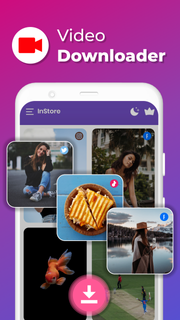
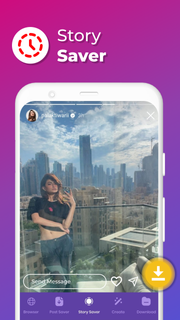
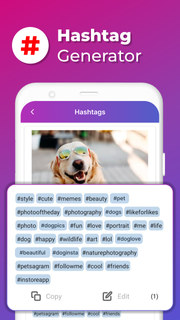
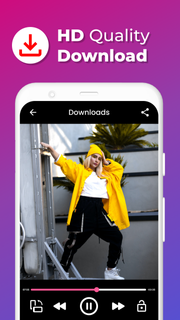
Power-packed with story saver and video downloader features, All Video Downloader lets you download any Instagram video, story, and photo in just one click. The latest upgrade version of the app generates hashtags and captions, saving you even more time. Whether you're a creator, artist, or influencer who frequently uses social media, this AI app is perfect for you, especially if you want to find trending keywords and hashtags or download an instastory.With All Video Downloader, you get a suite of features including story saver, hashtag and caption generator, insta video downloader, collage maker, DP downloader, DP resizer, reels downloader, and more, all for free. You can use this app to download videos, stories, and photos in HD quality, without having to download multiple apps.Besides downloading videos from Instagram, you can also save photos. This photo and video downloader is all you will ever need for all your downloading and reposting needs.The Story Saver for Instagram and Instagram video downloader is 100% FREE to use. You can download photos and videos in high-quality and repost them on any social media platform, including Instagram, without having to log in. This lightweight app doesn’t use more than a few MBs, making it convenient to use.Here's a quick rundown of what All Video Downloader offers to all social media users:Download videos, stories, and photosGenerate hashtags and captionsSave photos downloaded from All Video Downloader to your galleryRepost any photos or videosDownload images and videos in high-qualityNo login requiredYou can use the All Video Downloader app in two ways:Method 1:Copy the link of the photo or video you wish to downloadPaste it in the All Video Downloader appClick “download”Your photo and video will now be downloaded and saved to your galleryMethod 2:Allow All Video Downloader to auto-fetch the URL you copiedClick “download”Find the photo or video saved to your gallery.It is indeed as simple as it sounds!All Video Downloader is perfect for anyone who loves using social media. This app is 100% free to use and is made with love by Team All Video Downloader.**Disclaimer about the usage of the All Video Downloader app:According to the Instagram user copyright procedures, you need to get permission from the owner of that Instagram post if you want to repost themWe are not responsible for any intellectual property violation that results from an unauthorized repost of a video or photo fetched from social media using the appStory saver and downloader, the All Video Downloader app is not associated with InstagramTeam All Video Downloader
Show more

1. Download MEmu installer and finish the setup

2. Start MEmu then open Google Play on the desktop

3. Search All Video Downloader in Google Play
Install
4. Download and Install All Video Downloader
5. On install completion click the icon to start

6. Enjoy using All Video Downloader on PC with MEmu
MEmu Play is the best Android emulator, and 100 million users already enjoy its superb Android app experience. Powered by advanced virtualization technology, it lets you enjoy thousands of Android apps smoothly on your PC—including the most graphics-intensive ones.
Bigger screen with better graphics; Long duration, without limitation of battery or mobile data.
Full Keymapping support for precise control of keyboard and mouse or gamepad.
Multiple game accounts or tasks on single PC at one time with Multi-Instance manager.
Use All Video Downloader on PC by following steps: