Easy Homescreen
Updated
Current Version
1.10.28
Offered By

Stop worrying about high battery drain when using Easy Homescreen on your phone. Free yourself from the tiny screen and enjoy the app on a much larger display. From now on, get a full-screen experience of your app with the convenience of a keyboard and mouse. MEmu offers you all the surprising features you’d expect: quick installation and easy setup, intuitive controls, and no more worries about battery life, mobile data, or unexpected calls. The all-new MEmu 9 is the choice for using Easy Homescreen on your computer. With the MEmu multi-instance manager, you can run two or more accounts at the same time. Most importantly, our exclusive emulation engine unlocks your PC’s full potential, delivering smooth and enjoyable performance.
Show more
Enjoy superb experience of using Easy Homescreen on PC with MEMU App Player. It's a powerful free Android emulator which provides you with thousands of android apps for their desktop version. Enjoy connecting with friends and polishing your work with higher efficiency! Simplify your phone.
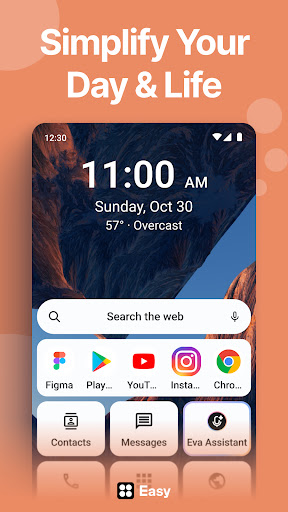
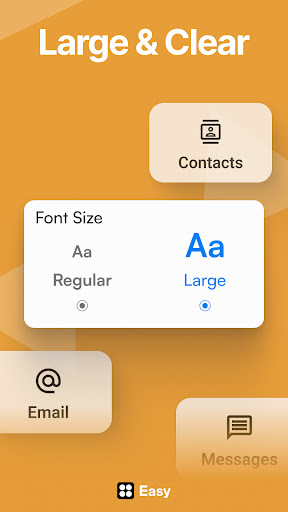
Simplify your phone. Organize your life.
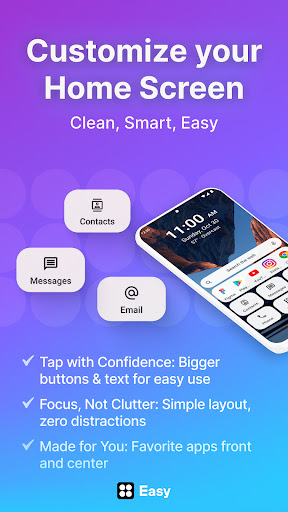
Looking for a home screen launcher to help you focus and yet personalize your phone? Easy Homescreen turns cluttered, complicated phones into clean, easy-to-use spaces. With oversized buttons, clear text, and smart personalization, it feels less like a device—and more like home.
Easy Homescreen is the ultimate custom home launcher for Android. With a clean UI interface, simplified controls, and advanced features like widget support, fonts, themes, and app hiding, it transforms your device into a calming, productive space.
No more messy layouts or confusing icons. Organize your apps, conversations, and shortcuts with a minimalist home launcher that’s intuitive and beautiful. Our built-in home screen organizer keeps everything clean and easy to find.
Our mission is to reimagine the Android experience into something joyful, intuitive, and made for real life. We’re here to bring back the easy in Easy Homescreen. By putting control, comfort, and calm into every tap, we empower our users to feel confident and cared for every time they pick up their phone.
What makes Easy Homescreen different?
· Adapts to each user: Shows only frequently used tools, hiding the rest
· Accessibility-first design: Large fonts, large buttons, easy typing
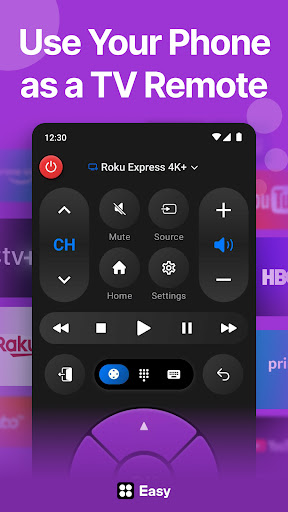
· Built-in essentials: Universal remote, weather app, large keyboard
· Minimal, calming UI: Designed to reduce digital noise and stress
· Trust and familiarity: Emphasizes user control and comfort
Customize Fonts, Themes & App Icons
Express your personal style with custom fonts, themes, and app icon options. Whether you're going for bold, playful, or professional, Easy Homescreen adapts to your vibe. No more getting lost, no more tiny icons—just your favorite apps, tools, and utilities, all right where you need them. It’s your phone, finally made for you.
Easy to Read
Your phone shouldn’t feel like a puzzle. Easy Homescreen replaces clutter and confusion with large text, big buttons, and the comfort of a layout built just for you.
Widgets & Lockscreen Widgets
Stay on top of your day with helpful tools like homescreen widgets, top widgets, and lockscreen widgets—always visible, never intrusive.
Easy Launcher for Everyone
Whether you’re tech-savvy or just want simplicity, this is the easy launcher you’ve been waiting for. Larger buttons, accessible text, and customizable options make it perfect for all ages.
It adapts to you—not the other way around. See what you use most. Hide the rest.
Easy Keyboard
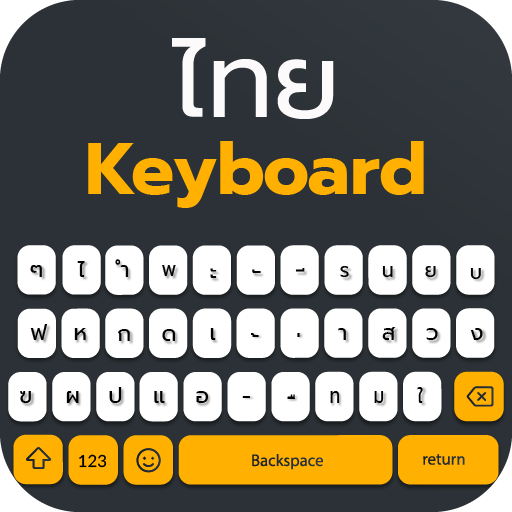
Includes a custom keyboard with larger keys to allow for more accessibility while typing. This is an optional feature you can use to replace your normal keyboard.
Search
By clicking “install”, I accept and agree to install Easy Homescreen and setting the application’s search functionality to that provided by the service and the Terms of Use and Privacy Policy. The app will update your search settings and will change your Homescreen search experience to use Yahoo.
Accessibility Service Disclosure
This app uses the Accessibility API only with your permission to enhance your shopping experience. When enabled, it detects shop pages you visit in Chrome to automatically find and display relevant coupon codes and offers. The feature activates only in supported browsers and is used solely to help you save money. No personal data is collected or shared.
Easy Homescreen – Launch simplicity. Customize freely. Live better.
The clean, smart, and customizable home screen launcher for Android. Stay connected to who and what matters—without the stress of complicated screens.
Show more

1. Download MEmu installer and finish the setup

2. Start MEmu then open Google Play on the desktop

3. Search Easy Homescreen in Google Play
Install
4. Download and Install Easy Homescreen
5. On install completion click the icon to start

6. Enjoy using Easy Homescreen on PC with MEmu
MEmu Play is the best Android emulator, and 100 million users already enjoy its superb Android app experience. Powered by advanced virtualization technology, it lets you enjoy thousands of Android apps smoothly on your PC—including the most graphics-intensive ones.
Bigger screen with better graphics; Long duration, without limitation of battery or mobile data.
Full Keymapping support for precise control of keyboard and mouse or gamepad.
Multiple game accounts or tasks on single PC at one time with Multi-Instance manager.
Use Easy Homescreen on PC by following steps: