ESET Parental Control
Updated
Current Version
6.0.4.0
Offered By

Stop worrying about high battery drain when using ESET Parental Control on your phone. Free yourself from the tiny screen and enjoy the app on a much larger display. From now on, get a full-screen experience of your app with the convenience of a keyboard and mouse. MEmu offers you all the surprising features you’d expect: quick installation and easy setup, intuitive controls, and no more worries about battery life, mobile data, or unexpected calls. The all-new MEmu 9 is the choice for using ESET Parental Control on your computer. With the MEmu multi-instance manager, you can run two or more accounts at the same time. Most importantly, our exclusive emulation engine unlocks your PC’s full potential, delivering smooth and enjoyable performance.
Show more
Enjoy superb experience of using ESET Parental Control on PC with MEMU App Player. It's a powerful free Android emulator which provides you with thousands of android apps for their desktop version. Enjoy connecting with friends and polishing your work with higher efficiency! We know how hard it is to set boundaries for your kids on the internet.
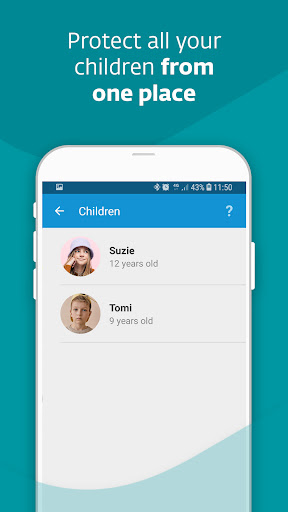
We know how hard it is to set boundaries for your kids on the internet. Our goal is to give you the confidence that they are protected while using smartphones and tablets.
1. Given the opportunity, most kids would be glued to their phones at every waking hour. With App Guard, you can set up the daily limit for gaming and limit playtime at night or during school hours. It automatically controls apps and games and allows kids to use only the age-appropriate ones.
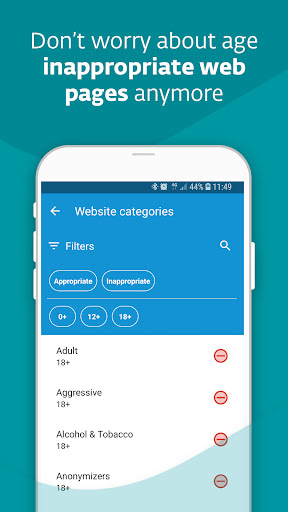
2. When kids are online, they can come across web pages with fake news or violent or adult content. Web Guard ensures your kids’ internet safety by keeping them away from inappropriate pages.
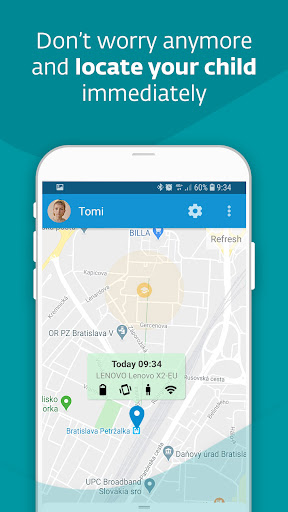
3. If your child didn’t come from school yet and doesn’t pick up the phone, Child Locator locates your child’s phone’s current location. Additionally, Geofencing allows you to get the notification if your child enters or steps out of the default area on the map.
4. Do you worry about your child’s phone’s battery dying and not being able to contact them? Set up Battery Protector that will limit playing games if the battery level drops below the default level.
5. Does your child have a crucial task to finish, and you are afraid they will play on their phone instead? Use Instant Block for a temporary ban on games and entertainment. If your child has some free time, you can also temporarily suspend the time limit rule through Vacation Mode.
6. Are the rules too strict? Has a newly installed app been blocked? Children can ask for an exception, and parents can instantly approve or deny requests.
7. Do you want to change the rules settings? Sign in to my.eset.com on a PC or mobile phone and change them remotely. If you, as a parent, also use an android smartphone, install our app on your phone in parent mode, and you will receive instant notifications.
8. Can’t reach your kid via phone? Check the Devices section to see if they have turned off the sound or are offline.
9. Do you have kids who have more smartphones or tablets? One license can cover multiple devices, so your whole family is protected.
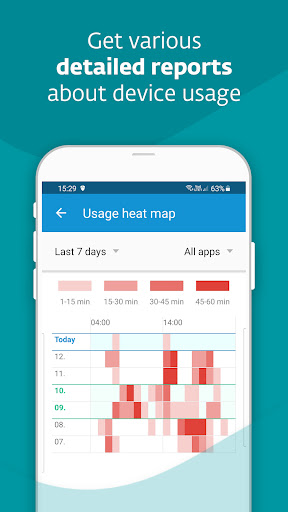
10. Do you want to know your kid’s interests and how long they have spent using their phone? Reports will give you the detailed information.
11. Language barrier? Don’t worry, our app communicates with kids in 30 languages.
PERMISSIONS
This app uses the Device Administrator permission. We can ensure that:
- Your children cannot uninstall ESET Parental Control without your knowledge.
This app uses Accessibility services. ESET will be able to:
- Anonymously protect your children against inappropriate online content.
- Measure the amount of time your children spend playing games or using apps.
Find more information about permissions requested by ESET Parental Control here: https://support.eset.com/kb5555
WHY IS THE APP RATING LOW?
Please note that children can rate our app too, and not all of them are happy that it can filter content that might be intriguing for them but is wholly inappropriate.
HOW TO CONTACT US
If you are experiencing any issues with our app, have an idea for how it could be improved, or want to compliment us, contact us at play@eset.com.
Show more

1. Download MEmu installer and finish the setup

2. Start MEmu then open Google Play on the desktop

3. Search ESET Parental Control in Google Play
Install
4. Download and Install ESET Parental Control
5. On install completion click the icon to start

6. Enjoy using ESET Parental Control on PC with MEmu
MEmu Play is the best Android emulator, and 100 million users already enjoy its superb Android app experience. Powered by advanced virtualization technology, it lets you enjoy thousands of Android apps smoothly on your PC—including the most graphics-intensive ones.
Bigger screen with better graphics; Long duration, without limitation of battery or mobile data.
Full Keymapping support for precise control of keyboard and mouse or gamepad.
Multiple game accounts or tasks on single PC at one time with Multi-Instance manager.
Use ESET Parental Control on PC by following steps: