FotoPro: AI Art, Image & Video
Updated
Current Version
1.6.3
Offered By

Stop worrying about high battery drain when using FotoPro: AI Art, Image & Video on your phone. Free yourself from the tiny screen and enjoy the app on a much larger display. From now on, get a full-screen experience of your app with the convenience of a keyboard and mouse. MEmu offers you all the surprising features you’d expect: quick installation and easy setup, intuitive controls, and no more worries about battery life, mobile data, or unexpected calls. The all-new MEmu 9 is the choice for using FotoPro: AI Art, Image & Video on your computer. With the MEmu multi-instance manager, you can run two or more accounts at the same time. Most importantly, our exclusive emulation engine unlocks your PC’s full potential, delivering smooth and enjoyable performance.
Show more
Enjoy superb experience of using FotoPro: AI Art, Image & Video on PC with MEMU App Player. It's a powerful free Android emulator which provides you with thousands of android apps for their desktop version. Enjoy connecting with friends and polishing your work with higher efficiency! Unleash the Power of AI with Fotopro – Your Ultimate AI Creative Studio!

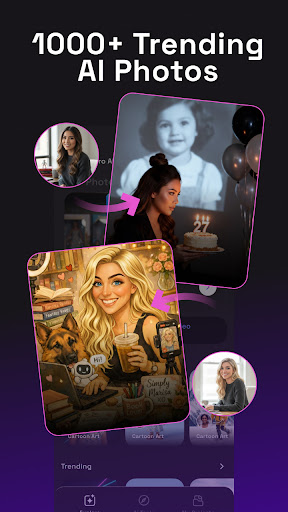
Unleash the Power of AI with Fotopro – Your Ultimate AI Creative Studio!
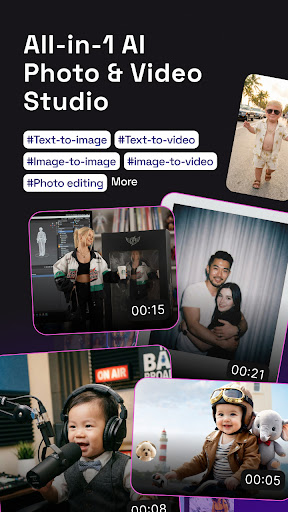
Transform your imagination into reality with Fotopro, the all-in-one AI-powered app designed for professional-grade image generation, video creation, and photo editing. Whether you're a content creator, a social media enthusiast, or someone who loves perfect photos, Fotopro has everything you need.
HIGHLIGHT FEATURES:
AI Cartoon & Caricature (Viral Toon Trends)
Join the trend! Use the "ToonMe" effect to turn yourself into a 3D Disney character, a classic anime hero, or a funny caricature. Perfect for unique profile pictures and social media fun.
AI Viral Photo Gen (Trending Avatars & Headshots)
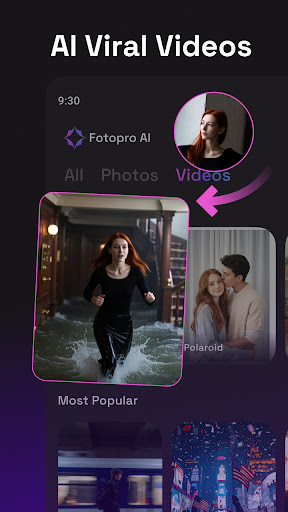
Stay ahead of the trends! Generate viral "AI Yearbook" photos, professional LinkedIn headshots, or stunning "Old Money" style portraits with just one click.
Aesthetic Filters: Polaroid & Vintage
Give your photos a timeless look. Access premium Polaroid effects, 90s retro cam, and aesthetic film grain filters that make every shot look like a professional photoshoot.
AI Trending Video Gen
Create eye-catching videos for TikTok and Reels. From AI-powered dance animations to cinematic transitions and "AI Hug" or “Baby Dance" videos, Fotopro makes video creation effortless and viral-ready.
AI Retake – Perfect Every Shot
No more "closed eyes" or "bad angles." AI Retake analyzes your photos and intelligently adjusts facial expressions, lighting, and poses to give you the perfect shot every time.
AI Hairstyle & Virtual Try-On
Thinking about a new look? Try on hundreds of hairstyles, colors, and outfits virtually. Experiment with different aesthetics without a trip to the salon.
⏳ AI Revive – Bring Memories Back to Life
Restore old, blurry, or damaged photos. AI Revive sharpens details, removes noise, and adds realistic color to your vintage memories, making them look brand new.
WHY CHOOSE FOTOPRO?
All-in-One Studio: Every image and video use case you can imagine, in one app.
Pro Quality: Powered by the latest Generative AI models for high-resolution results.
Easy to Use: No professional skills required. Simply tap and create.
Daily Updates: Stay updated with the latest AI filters and viral trends.
Download Fotopro today and join the future of digital creativity!
Show more

1. Download MEmu installer and finish the setup

2. Start MEmu then open Google Play on the desktop

3. Search FotoPro: AI Art, Image & Video in Google Play
Install
4. Download and Install FotoPro: AI Art, Image & Video
5. On install completion click the icon to start

6. Enjoy using FotoPro: AI Art, Image & Video on PC with MEmu
MEmu Play is the best Android emulator, and 100 million users already enjoy its superb Android app experience. Powered by advanced virtualization technology, it lets you enjoy thousands of Android apps smoothly on your PC—including the most graphics-intensive ones.
Bigger screen with better graphics; Long duration, without limitation of battery or mobile data.
Full Keymapping support for precise control of keyboard and mouse or gamepad.
Multiple game accounts or tasks on single PC at one time with Multi-Instance manager.
Use FotoPro: AI Art, Image & Video on PC by following steps: