
Gallery Vault-Hide Photo Video
Updated
Current Version
4.4.17
Offered By

Stop worrying about high battery drain when using Gallery Vault-Hide Photo Video on your phone. Free yourself from the tiny screen and enjoy the app on a much larger display. From now on, get a full-screen experience of your app with the convenience of a keyboard and mouse. MEmu offers you all the surprising features you’d expect: quick installation and easy setup, intuitive controls, and no more worries about battery life, mobile data, or unexpected calls. The all-new MEmu 9 is the choice for using Gallery Vault-Hide Photo Video on your computer. With the MEmu multi-instance manager, you can run two or more accounts at the same time. Most importantly, our exclusive emulation engine unlocks your PC’s full potential, delivering smooth and enjoyable performance.
Show more
Enjoy superb experience of using Gallery Vault-Hide Photo Video on PC with MEMU App Player. It's a powerful free Android emulator which provides you with thousands of android apps for their desktop version. Enjoy connecting with friends and polishing your work with higher efficiency! GalleryVault is a fantastic privacy protection app to easily hide and encrypt your photos, videos, and any other files that you do not want others to see.
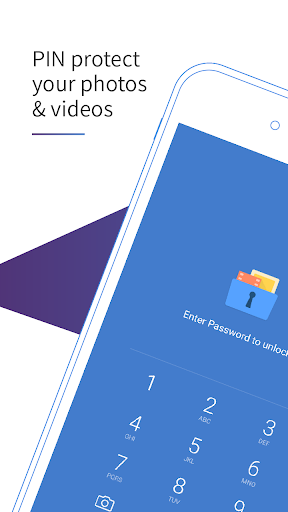
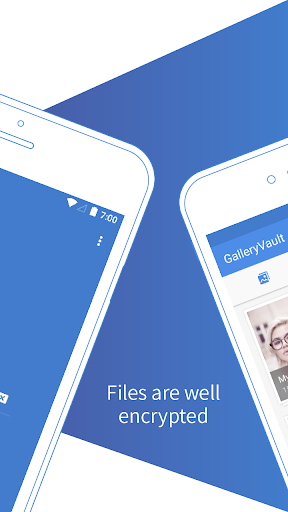
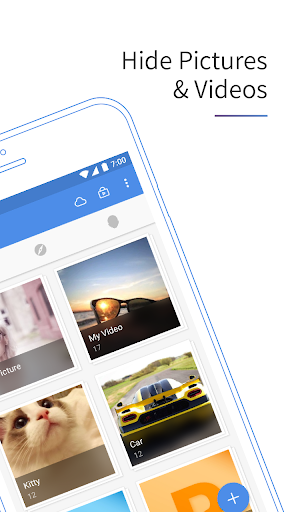
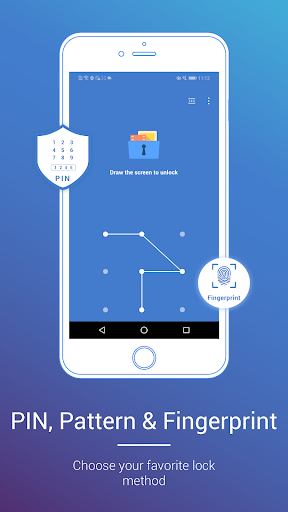
GalleryVault is a fantastic privacy protection app to easily hide and encrypt your photos, videos, and any other files that you do not want others to see.
GalleryVault can hide its app icon and keep your privacy absolutely safe. You can import your private images and videos into this secure vault, and nobody knows its existence.
What's more, GalleryVault has a beautiful design, it provides you with a smooth and amazing media browsing experience.
Highlight features:
• Hide photos, hide videos, and hide any other types of files
• Download images and videos from any website and any social apps
• Download Tiktok no-watermark videos
• Subfolder supported.
• Sdcard supported.
• Support sorting and searching
• The hidden files are all encrypted
• Support hiding icon and no one knows the existence of Gallery Vault except you.
• Support hiding files on SD card and moving your encrypted files to SD card to save your device storage
• Integrated with a Private Web Browser and protect the browser history and personal data from leaking
• The beautiful, smooth and elegant user experience
• No storage limitation to hide photos and videos
• Shake your phone to close Gallery Vault in a hurry
• Support hiding and playing GIF images
• Support Break-in Alerts and know who is trying to break-in
• Support Fake Passcode and show fake content when you input fake passcode
• Support Fingerprint
• Support pattern unlock
• Support dark mode to relieve eye fatigue
The reason you use
1. GalleryVault is for use in the safeguarding of pictures, videos, audios, documents and so on, which are encrypted while in GalleryVault and decrypted when export outside.
2. You can manage pictures, videos, documents and other types of files in GalleryVault and open them from GalleryVault.
3. Besides that GalleryVault provides the entrance to edit pictures, videos and so on.
4. GalleryVault can download pictures and videos from websites and social apps.
With GalleryVault, your privacy is well protected.
This app uses the Device Administrator permission. It is for SD card users to prevent data loss by uninstalling. GalleryVault will NEVER make any changes to your device.
------------- FAQ --------------
Are my hidden files stored online?
No. Your files are stored only on your device, so please make sure to back up all your hidden files before transferring them to a new device or factory reset.
How to launch GalleryVault if GalleryVault is hidden?
You can try one of the following methods:
1. Use your device's built-in browser to visit this page: http://open.thinkyeah.com/gv.
2. Tap the "Manage Space" button on the System App Detail Info page of Gallery Vault (System Setting->Apps->GalleryVault)
What can I do if I forgot my passcode?
Please find the latest mail we send to you (by searching the keyword thinkyeah in your mailbox), and follow the steps in the mail to reset your passcode.
If you cannot find the mail, you can send another one by the following steps:
1. Launch Gallery Vault locking page.
If your icon is hidden, tap the "Manage Space" button on the System App Detail Info page of Gallery Vault (System Setting->Apps->GalleryVault).
2. Try to unlock and fail 2 times, then a Forgot button will show.
3. Tap the "Forgot" button and tap the "Resend Auth Email" button in the dialog.
For more details, please visit FAQ: http://support.thinkyeah.com/posts.
Any issues or suggestions for GalleryVault, welcome to send mail to us! GalleryVault@thinkyeah.com
We focus on Privacy Protect, and provide the professional Hide Picture and Hide Video app to protect your privacy!
Website: http://www.thinkyeah.com
Supported languages:
English, Russian, Spanish, French, Japanese, Korean, Indonesian, German, Vietnamese, Italian, Thai, Arabic, Hindi, Simplified Chinese, and Traditional Chinese.
Show more

1. Download MEmu installer and finish the setup

2. Start MEmu then open Google Play on the desktop

3. Search Gallery Vault-Hide Photo Video in Google Play
Install
4. Download and Install Gallery Vault-Hide Photo Video
5. On install completion click the icon to start

6. Enjoy using Gallery Vault-Hide Photo Video on PC with MEmu
MEmu Play is the best Android emulator, and 100 million users already enjoy its superb Android app experience. Powered by advanced virtualization technology, it lets you enjoy thousands of Android apps smoothly on your PC—including the most graphics-intensive ones.
Bigger screen with better graphics; Long duration, without limitation of battery or mobile data.
Full Keymapping support for precise control of keyboard and mouse or gamepad.
Multiple game accounts or tasks on single PC at one time with Multi-Instance manager.
Use Gallery Vault-Hide Photo Video on PC by following steps: