
Go Duck - GameSpace
Updated
Current Version
1.0.5
Offered By

Stop worrying about high battery drain when using Go Duck - GameSpace on your phone. Free yourself from the tiny screen and enjoy the app on a much larger display. From now on, get a full-screen experience of your app with the convenience of a keyboard and mouse. MEmu offers you all the surprising features you’d expect: quick installation and easy setup, intuitive controls, and no more worries about battery life, mobile data, or unexpected calls. The all-new MEmu 9 is the choice for using Go Duck - GameSpace on your computer. With the MEmu multi-instance manager, you can run two or more accounts at the same time. Most importantly, our exclusive emulation engine unlocks your PC’s full potential, delivering smooth and enjoyable performance.
Show more
Enjoy superb experience of using Go Duck - GameSpace on PC with MEMU App Player. It's a powerful free Android emulator which provides you with thousands of android apps for their desktop version. Enjoy connecting with friends and polishing your work with higher efficiency! Core Features:.
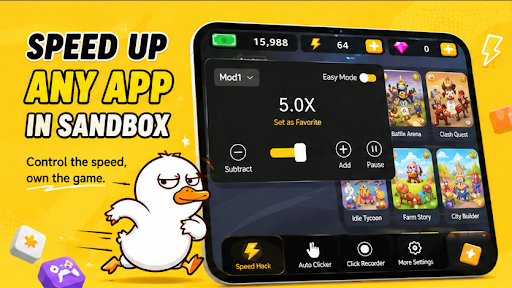
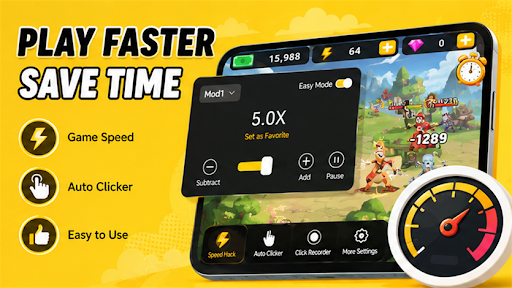
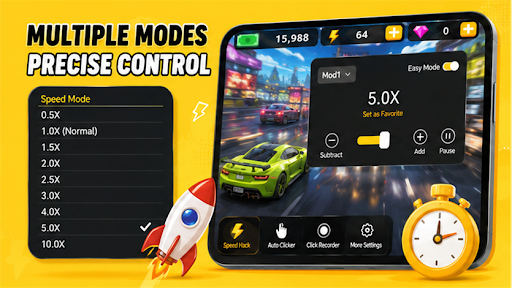
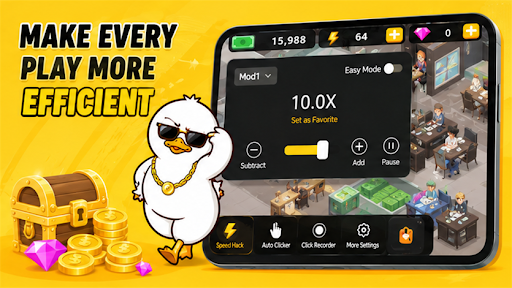
Core Features:
Sandbox Speed Engine – Add any game or app to our sandbox and adjust its running speed independently, without affecting other system processes.
Precise Speed Control – Supports 0.1x slow motion to 10x fast forward, with a real-time slider for all your needs.
No Root, Safe & Secure – No need to root your device. The sandbox isolation technology keeps your original app data and privacy safSmart Detection – Automatically detects installed apps and adds them to the sandbox with one tap.
Use Cases:
Game Speed Up – Skip lengthy cutscenes or repetitive battles to save time.
Game Slow Down – Slow down high‑speed shooters or racing games to practice, observe bullet paths, or solve puzzles.
Video / Reading – Speed up online courses, audiobooks, or document browsing to improve efficiency.
Development & Testing – Developers can adjust their own app's speed to test time logic or animation effects.
Highlights:
Low Resource Usage – Minimal CPU consumption, your phone won't overheat.
Whitelist to Avoid Conflicts – Set apps to be ignored so they are never accidentally sped up.
No Annoying Ads – Free version contains limited ads; paid version is completely ad‑free.
Important Notice:
This tool is intended for personal and lawful use only, such as enhancing gameplay, improving efficiency, or learning. Do not use it for:
Cheating in online games (e.g., exploiting unfair advantages)
Interfering with others' normal use or violating software copyrights
Speed effect depends on device performance and compatibility with the target app. Some online games may not be affected due to server‑side checks. By using this tool, you agree to assume all related risks.
How to Use:
Open the app and tap "Add Application".
Select your target game or app from the list.
Tap its icon inside the sandbox to launch it, then drag the slider to adjust speed.
Close the sandbox to restore normal speed – your system remains untouched.
Contact Us:
For compatibility issues or feature suggestions, please email us at support playtools.lab@gmail.com. We will reply within 24 hours.
Show more

1. Download MEmu installer and finish the setup

2. Start MEmu then open Google Play on the desktop

3. Search Go Duck - GameSpace in Google Play
Install
4. Download and Install Go Duck - GameSpace
5. On install completion click the icon to start

6. Enjoy using Go Duck - GameSpace on PC with MEmu
MEmu Play is the best Android emulator, and 100 million users already enjoy its superb Android app experience. Powered by advanced virtualization technology, it lets you enjoy thousands of Android apps smoothly on your PC—including the most graphics-intensive ones.
Bigger screen with better graphics; Long duration, without limitation of battery or mobile data.
Full Keymapping support for precise control of keyboard and mouse or gamepad.
Multiple game accounts or tasks on single PC at one time with Multi-Instance manager.
Use Go Duck - GameSpace on PC by following steps: