Good Inside: Parenting
Updated
Current Version
1.8.3
Offered By

Stop worrying about high battery drain when using Good Inside: Parenting on your phone. Free yourself from the tiny screen and enjoy the app on a much larger display. From now on, get a full-screen experience of your app with the convenience of a keyboard and mouse. MEmu offers you all the surprising features you’d expect: quick installation and easy setup, intuitive controls, and no more worries about battery life, mobile data, or unexpected calls. The all-new MEmu 9 is the choice for using Good Inside: Parenting on your computer. With the MEmu multi-instance manager, you can run two or more accounts at the same time. Most importantly, our exclusive emulation engine unlocks your PC’s full potential, delivering smooth and enjoyable performance.
Show more
Enjoy superb experience of using Good Inside: Parenting on PC with MEMU App Player. It's a powerful free Android emulator which provides you with thousands of android apps for their desktop version. Enjoy connecting with friends and polishing your work with higher efficiency! We know that you care about the way you parent.

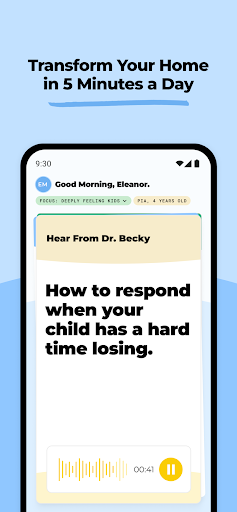
We know that you care about the way you parent.
We also know that parenting is the hardest and most important job in the world… And it’s a job with no training and very little support. That’s where we come in.
Meet Your 24/7 Parenting Coach: The Good Inside App, created by Dr. Becky, is an innovative parenting tool that offers age-based, personalized support in just 5 minutes a day.
Finally, you can get the immediate impact you’re looking for in the time that you *actually* have.
*****************************************
Take a sneak peek at all the good inside:
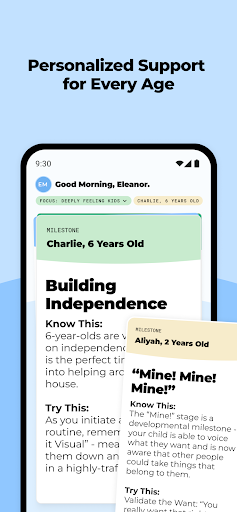
Personalized Support Delivered Daily
Feeling triggered by your kid’s tantrums? Trying to navigate the preteen and teen years? Our 5-minute decks are tailored to your child’s age and your family’s goals. With personalized scripts and strategies, all you need to feel like a sturdy, more confident leader for your family is a few minutes.
Good Inside Chatbot for Instant Answers to Your Parenting Questions
Sometimes, you need an answer like…right now. From how to talk to your kid about death to managing grocery store meltdowns, ask our chatbot anything—it’s like having Dr. Becky in your pocket!
Timely Reminders to Stay Calm in Moments of Chaos
As a parent or caregiver, your to-do list is jam-packed already. Take some of the pressure off with personalized reminders to keep the strategies your family needs top of mind in the moments you need them most.
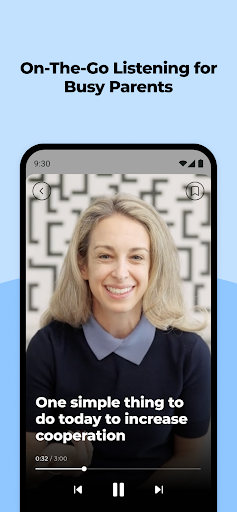
On-the-Go Listening for Busy Parents
Whether you're folding a load of laundry, driving to work, or going for a walk, our audio-only feature makes it easy to fit our workshops and videos into the in-between moments throughout your day.
Exclusive Access to Workshops and Events
Join Dr. Becky along with experts in the top of their field as they dive deeper into tough topics, big questions, and everyday challenges your family is facing, sharing their knowledge directly with you.
A Private Community Led by Good Inside Coaches
Your village is waiting! Connect with families like yours in dedicated community rooms where our parent coaches provide a safe space to connect, talk, share stories, and get support.
[Minimum supported app version: 1.5.0]
Show more

1. Download MEmu installer and finish the setup

2. Start MEmu then open Google Play on the desktop

3. Search Good Inside: Parenting in Google Play
Install
4. Download and Install Good Inside: Parenting
5. On install completion click the icon to start

6. Enjoy using Good Inside: Parenting on PC with MEmu
MEmu Play is the best Android emulator, and 100 million users already enjoy its superb Android app experience. Powered by advanced virtualization technology, it lets you enjoy thousands of Android apps smoothly on your PC—including the most graphics-intensive ones.
Bigger screen with better graphics; Long duration, without limitation of battery or mobile data.
Full Keymapping support for precise control of keyboard and mouse or gamepad.
Multiple game accounts or tasks on single PC at one time with Multi-Instance manager.
Use Good Inside: Parenting on PC by following steps: