Loot Play: Earn UC & Rewards
Updated
Current Version
1.1.1033
Offered By

Stop worrying about high battery drain when using Loot Play: Earn UC & Rewards on your phone. Free yourself from the tiny screen and enjoy the app on a much larger display. From now on, get a full-screen experience of your app with the convenience of a keyboard and mouse. MEmu offers you all the surprising features you’d expect: quick installation and easy setup, intuitive controls, and no more worries about battery life, mobile data, or unexpected calls. The all-new MEmu 9 is the choice for using Loot Play: Earn UC & Rewards on your computer. With the MEmu multi-instance manager, you can run two or more accounts at the same time. Most importantly, our exclusive emulation engine unlocks your PC’s full potential, delivering smooth and enjoyable performance.
Show more
Enjoy superb experience of using Loot Play: Earn UC & Rewards on PC with MEMU App Player. It's a powerful free Android emulator which provides you with thousands of android apps for their desktop version. Enjoy connecting with friends and polishing your work with higher efficiency! Earn UC and gift cards by playing games.
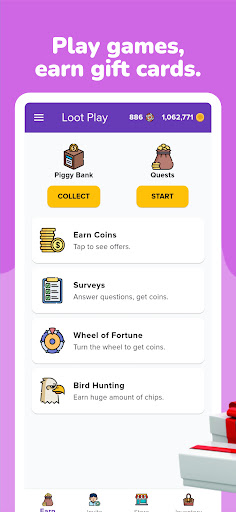
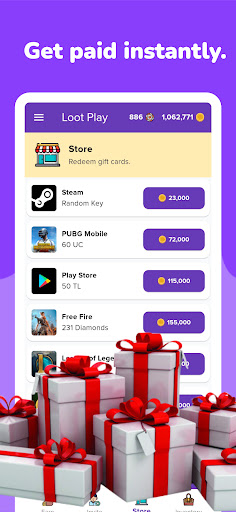
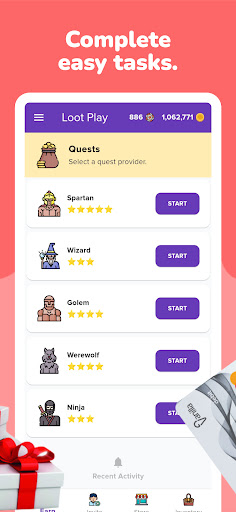
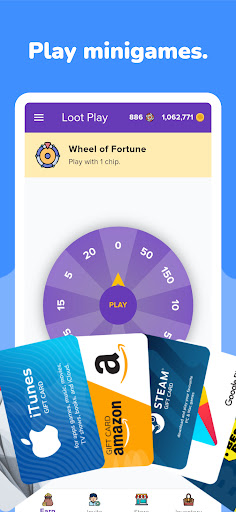
Earn UC and gift cards by playing games. Here is your next favorite rewards app! Just complete simple tasks and get your preferred gift cards in minutes. The system is simple: complete tasks - collect coins - win gift cards. There are different types of products in the Loot Play store, gift cards of most popular stores, currencies for your favorite game like UC, RP, Fire Diamonds and more!
Play and earn is the most powerful system in the Loot Play. You play games you like and we pay you for your playtime. Just pick a good game to play to start. And the app works for you as a UC generator. Everyday, in your spare time, earn gift cards easily. Does it sound good?
Don’t want to play games? Try survey rewards. Just pick a 5-min survey and complete it. Then you will be rewarded based on the survey value. But be careful, there isn’t always a survey. Everyone wants to earn easy money and catch up on surveys. You need to complete them before someone eats them.
Invite System: If you don’t have time to complete tasks or complete surveys, you can try our invite system. Each user has his own unique invite link. All you need is to share your link with friends to collect coins. You will earn 3000 coins for each invite. Share your link in social media, and boom: You will earn coins while you sleep.
Wheel of Fortune: Trust your luck? Then try your chance in the wheel of fortune. Just turn the wheel and get the rewards. It’s the easiest way to earn cash rewards.
TOP100: Love competition? Check out our TOP100 leaderboard. There are different categories like most coins, most invites etc… Every month, winners of each category win rewards. Hurry up! Climb in the leaderboard and get the rewards.
Daily Rewards (Piggy Bank): Yeah, for the lazy ones. Just open the app every day and collect your daily bonus. That's it. No need to explain. With the piggy bank, Loot Play is your new UC earning app.
Recent Purchases: Everyone needs to see how honest we are. So we created this section. You can see who’s cashing out lately. Our app has a huge community and everyone sees others’ activities. Task completions, invites, survey completions, leaderboards and recent purchases. You can see everything with our eyes!
Come on and join our world!
Download now,
Earn cash rewards now.
Show more

1. Download MEmu installer and finish the setup

2. Start MEmu then open Google Play on the desktop

3. Search Loot Play: Earn UC & Rewards in Google Play
Install
4. Download and Install Loot Play: Earn UC & Rewards
5. On install completion click the icon to start

6. Enjoy using Loot Play: Earn UC & Rewards on PC with MEmu
MEmu Play is the best Android emulator, and 100 million users already enjoy its superb Android app experience. Powered by advanced virtualization technology, it lets you enjoy thousands of Android apps smoothly on your PC—including the most graphics-intensive ones.
Bigger screen with better graphics; Long duration, without limitation of battery or mobile data.
Full Keymapping support for precise control of keyboard and mouse or gamepad.
Multiple game accounts or tasks on single PC at one time with Multi-Instance manager.
Use Loot Play: Earn UC & Rewards on PC by following steps: