MapleStory Worlds
Updated
Current Version
26.11.0
Offered By

Stop worrying about high battery drain when using MapleStory Worlds on your phone. Free yourself from the tiny screen and enjoy the app on a much larger display. From now on, get a full-screen experience of your app with the convenience of a keyboard and mouse. MEmu offers you all the surprising features you’d expect: quick installation and easy setup, intuitive controls, and no more worries about battery life, mobile data, or unexpected calls. The all-new MEmu 9 is the choice for using MapleStory Worlds on your computer. With the MEmu multi-instance manager, you can run two or more accounts at the same time. Most importantly, our exclusive emulation engine unlocks your PC’s full potential, delivering smooth and enjoyable performance.
Show more
Enjoy superb experience of using MapleStory Worlds on PC with MEMU App Player. It's a powerful free Android emulator which provides you with thousands of android apps for their desktop version. Enjoy connecting with friends and polishing your work with higher efficiency! Explore worlds from across the globe!
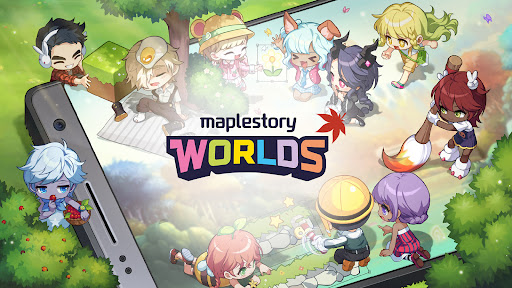
Explore worlds from across the globe!
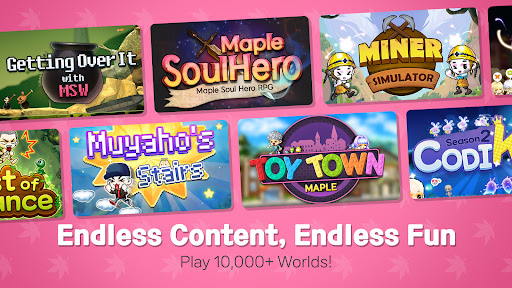
Play 10,000+ worlds in one place, all for free.
From avatars to worlds, build everything according to your vision!
■ Extremely Popular Worlds
【Artale】 The classic MapleStory MMORPG world that players have been waiting for!
Relive memories with your friends.
【ChronoStory】Have fun progressing and exploring! Meet the classic Maple Story of the past.
【Maple Star】Re-live the time between the Big Bang and Legend updates! Experience MapleStory's glorious past.
■ Events in progress!
Join the 【Attendance Event】 to get rewards for checking in,
the 【Invite Friends Event】 to get gifts for you and a friend,
and MapleStory Worlds' very own 【Surprise Gift Event】!
You can also earn Reward Coins!
■ Infinite Sandbox World, Building Creative Worlds
Use all kinds of maps, monsters, objects, and even avatar items!
Make magic by crafting unique worlds with the official assets provided by MapleStory Worlds.
You can create your own assets too!
From simple map customization to professional game creation, you can create anything you can imagine in a Sandbox world!
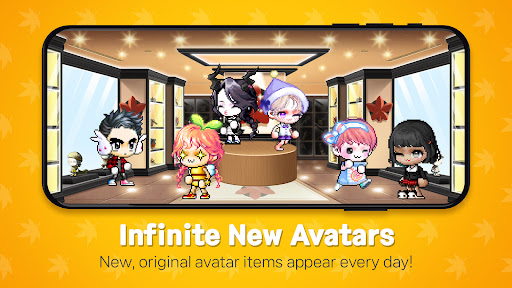
■ Customize your very own one-of-a-kind avatar!
Customize your avatar from head to toe to make it your own.
You can create your own avatar items or buy unique costumes created by other users.
■ Social Functions
Add friends you met in MapleStory Worlds and chat with them!
Once you become friends, you can log into the same world they're in to play alongside them.
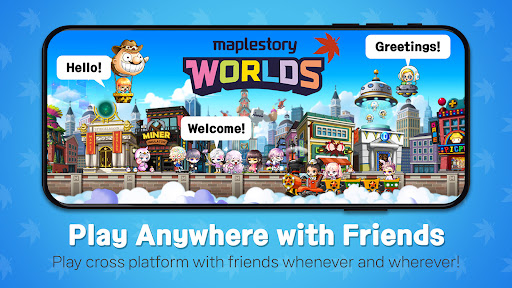
■ Whenever, Wherever, Together!
Play cross-platform with others on PC and mobile in MapleStory Worlds!
■ Official Community
Check out the latest MapleStory Worlds news here!
【Official Website】: https://maplestoryworlds.nexon.com
【Creator Center】: https://maplestoryworlds-creators.nexon.com
【Official Discord(WEST)】: https://discord.gg/YansfK5gwC
【Official Discord(SEA)】: https://discord.gg/maplestoryworlds-sea
■ App Permissions Information
You will need to grant access to use the following services.
[Optional Permissions]
Photos/Media/Files: Required for saving and uploading photos and videos.
Camera: Required for capturing photos or recording videos, so they can be uploaded later.
Audio Recording: Required for in-game voice chat.
Notifications: Allow the app to send related notifications.
※ You can still use the service even if you don't grant optional permissions.
[Permissions Management]
▶ Android 6.0 or Higher: Settings > Apps > Select Application > Permissions > Not Allowed
▶ Below Android 6.0: Update the OS to revoke permissions or uninstall the app.
※ The app may not request individual permissions, in which case, you can use the methods above to change permissions.
Show more

1. Download MEmu installer and finish the setup

2. Start MEmu then open Google Play on the desktop

3. Search MapleStory Worlds in Google Play
Install
4. Download and Install MapleStory Worlds
5. On install completion click the icon to start

6. Enjoy using MapleStory Worlds on PC with MEmu
MEmu Play is the best Android emulator, and 100 million users already enjoy its superb Android app experience. Powered by advanced virtualization technology, it lets you enjoy thousands of Android apps smoothly on your PC—including the most graphics-intensive ones.
Bigger screen with better graphics; Long duration, without limitation of battery or mobile data.
Full Keymapping support for precise control of keyboard and mouse or gamepad.
Multiple game accounts or tasks on single PC at one time with Multi-Instance manager.
Use MapleStory Worlds on PC by following steps: